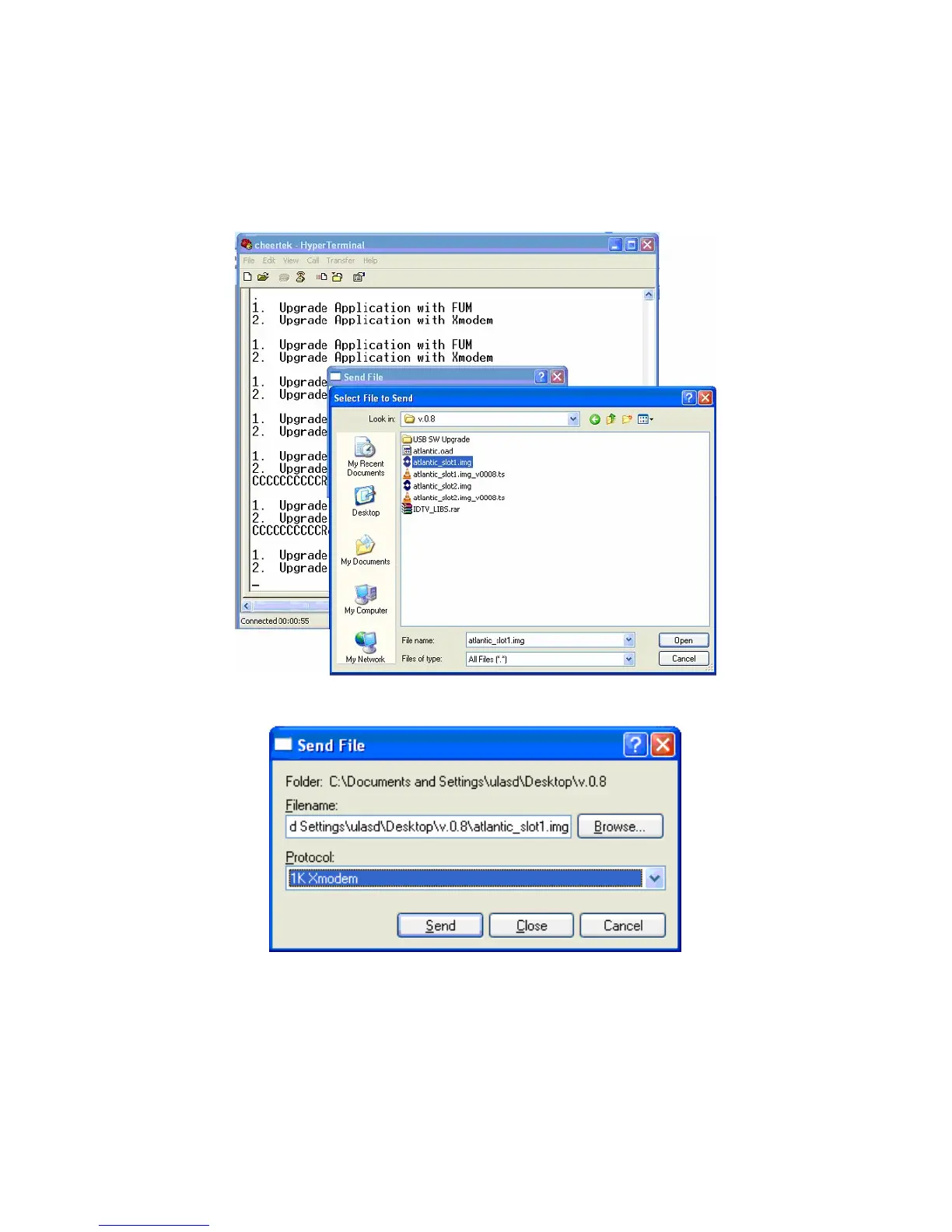
6. Click the “Send” button on the HyperTerminal
7. Select the “Filename xxxx_slot1.img” using “Browse”.
8. Choose the “1K Xmodem” from “Protocol” option.
Selection of File
File and Protocol Selection Window
Note: In the Software updating Procedure section, when the first “C” character is seen,
the filename selection process must be finished before 10 seconds. If the process can
not be finished, the file sending operation will be cancelled. The following figure shows
this situation.



 To Next Page