BASE STATION SETTINGS
28
5.2.1 Lane Conguration
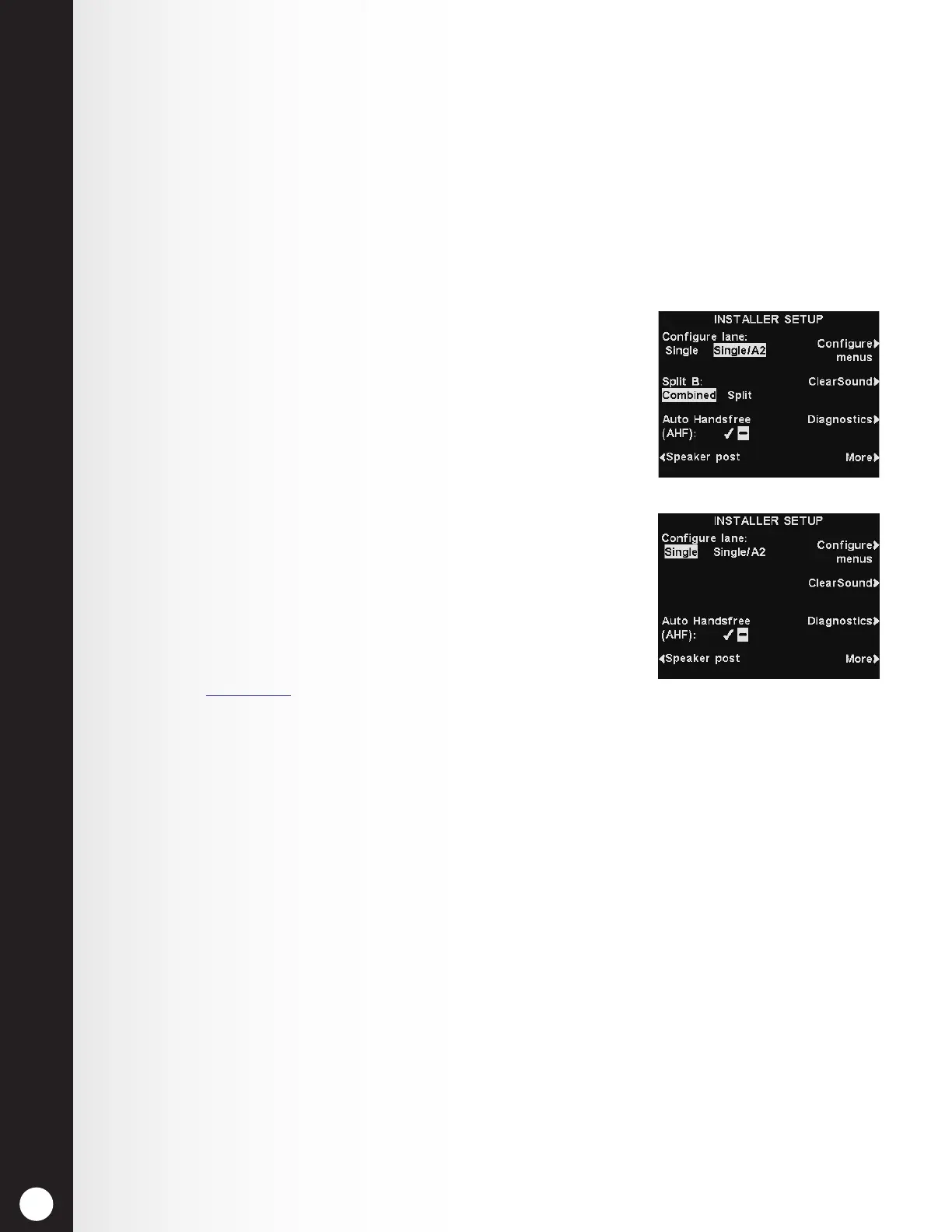
To set up the base station for the appropriate drive-thru lane conguration, press the Congure Lane
button on the INSTALLER SETUP display to select Single, Single/A2, Dual/Y or Tandem. If you
change this setting, press the Back button to reset the base and save the setting.
h Single lane congurations support only one lane, speaker post and ceiling speaker.
h Single/A2 congurations operate as a single lane base, but allow store operators to use A2
as an alternate channel for in-store communication.
h Dual/Y congurations support two lanes, two speaker posts and two ceiling speakers. (Only
available with dual-lane bases)
h Tandem congurations support a single lane with two speaker posts located in line with
each other. (Only available with dual-lane bases)
Notes:
● If the base is a single-lane-only base station, only Single and Single/
A2 options will be available (as shown).
● If the base is dual lane capable, additional settings become available
for both Lanes 1 and 2.
5.2.2 Auto-Hands-Free
In the Auto-Hands-Free (AHF) mode, transmission and reception are
activated automatically when a customer arrives at the menu board
or speaker post. Communication is transmitted and received
simultaneously, as in a normal telephone conversation.
To set up the system to allow AHF operation, press the Auto
Handsfree button on the INSTALLER SETUP display to toggle and
select ✔ (on) or − (off). If you change this setting, press the Back
button to reset the base and save the setting.
Note: Auto Handsfree is also a headset function. After
selecting ✔ (on) for the AHF function on the base, you must
also set the headset(s) to the AHF mode before AHF will work.
Refer to Section 8.3, pg. 89, for more information.



 To Next Page