BASE STATION SETTINGS
35
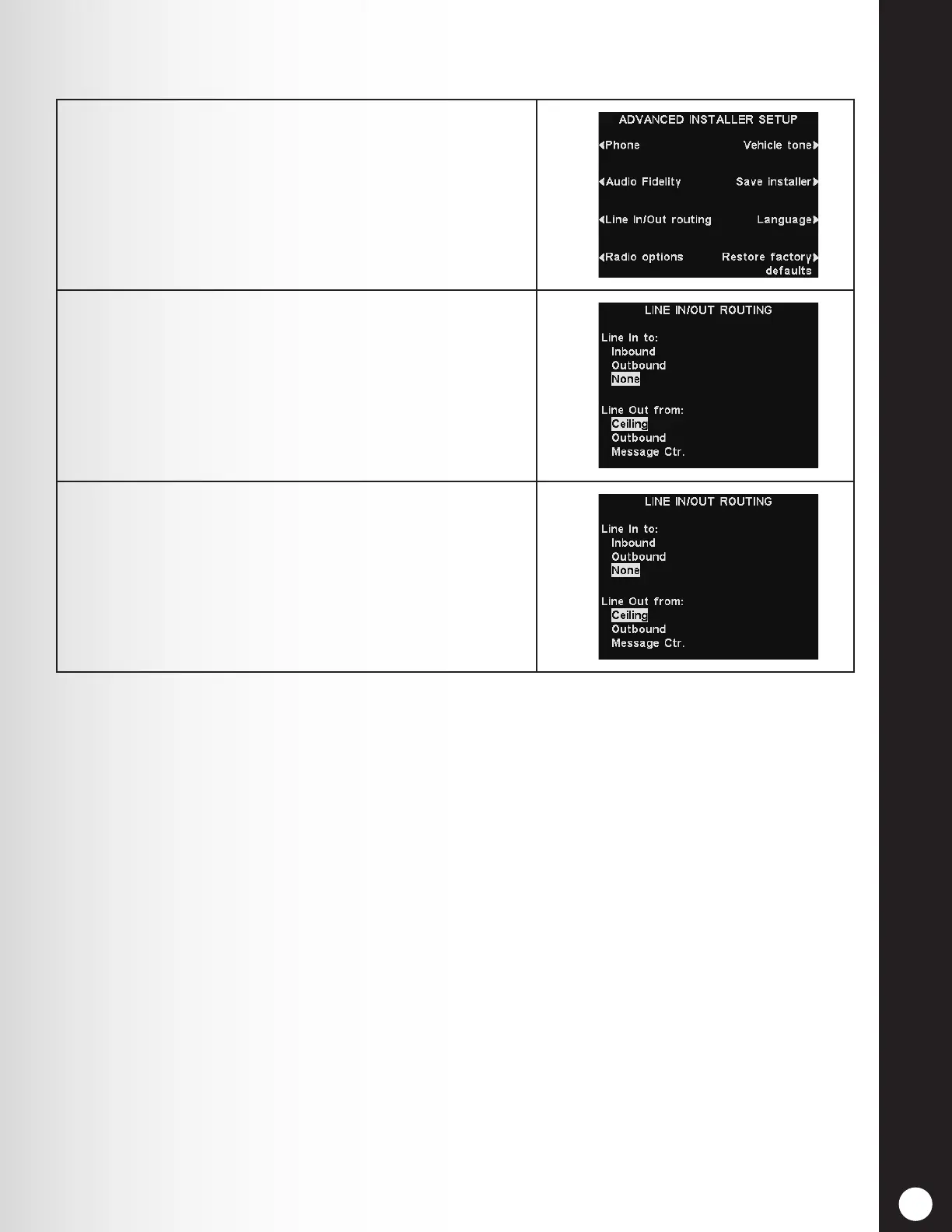
5.3.3 Line In/Out Routing
1. If an external audio source is connected to the base
station line input, on the ADVANCED INSTALLER
SETUP display, press the Line In/Out routing
button.
2. Press the Line In to: button to select Inbound for
the audio from the external source to be heard in
headsets and ceiling speakers, or wherever inbound
audio would normally be heard.
Select Outbound for the audio to be heard at the
outside speaker.
3. If any device (e.g. recorder) is connected to the base
station line output, press the Line Out from: button
to select whether the audio from the Ceiling speaker,
Outbound audio to the outside speaker, or messages
from the Message Center will be routed to the device
connected to the Line Output.
Note: In multiple-lane congurations, the LINE IN/OUT ROUTING display will be divided by
Lines. Settings will be similar to those shown for single lane.



 To Next Page