BASE STATION SETTINGS
38
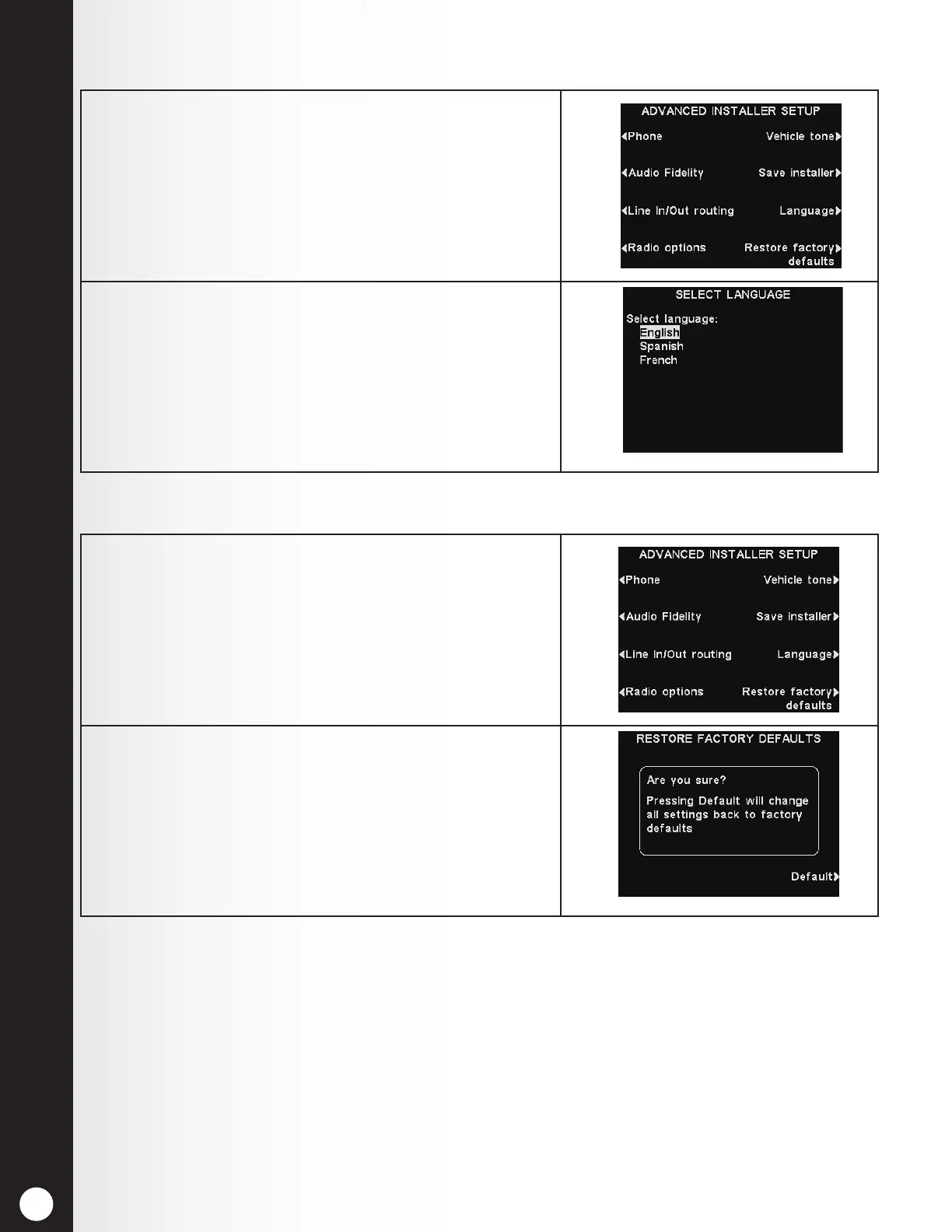
1. To select a preferred language, press the Language
button on the ADVANCED INSTALLER SETUP
display.
2. On the SELECT LANGUAGE display, press the Select
language button to highlight English, Spanish or
French.
Press the Back button, and the base will
automatically reset and switch to the newly chosen
language.
1. To erase all installer settings and return the base
station to its factory settings, press the Restore
factory defaults button on the ADVANCED
INSTALLER SETUP display.
2. To return all settings back to factory defaults, press
the Default button on the RESTORE FACTORY
DEFAULTS display. The base will automatically reset
and restore defaults.
CAUTION: If the base station is returned to the factory default settings, English will be the set
language.
5.3.7 Language Selection
5.3.8 Restore Defaults



 To Next Page