BASE STATION SETTINGS
43
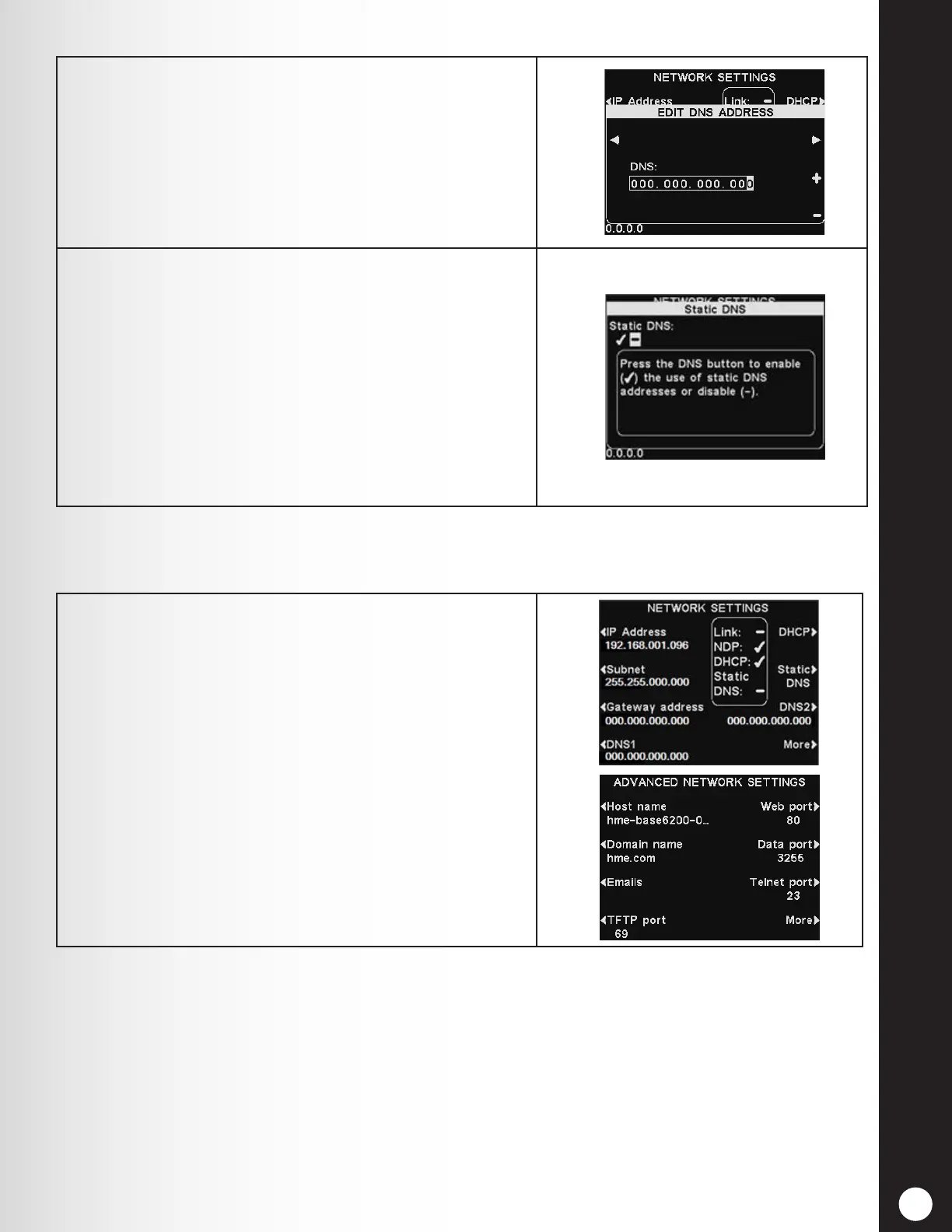
5. DNS1 & DNS2 are addresses of domain name servers
that resolve host/domain names into IP addresses.
The DNS servers are used when sending email to a
mail server identied by its name.
6. Static DNS - Typically, DNS addresses are
automatically provided by the DHCP server if the
DHCP is enabled and Static DNS is disabled − (off).
If Static DNS is enabled, ✔ (on), it overrides the DNS1
and DNS2 addresses supplied by the DHCP server in
favor of the static addresses edited on these menus.
To enable/disable Static DNS, press the DHCP
button, and then press the Static DNS button to
highlight ✔ (on) or − (off).
1. For additional advanced network settings, press the
More button on the NETWORK SETTINGS display.
The advanced network settings are explained below.
Press the respective button on the ADVANCED
NETWORK SETTINGS display for each setting you
would like to view or change.
5.5.2 Advanced Network Settings
For additional advanced network settings, press the More button on the NETWORK SETTINGS display.



 To Next Page