BASE STATION SETTINGS
47
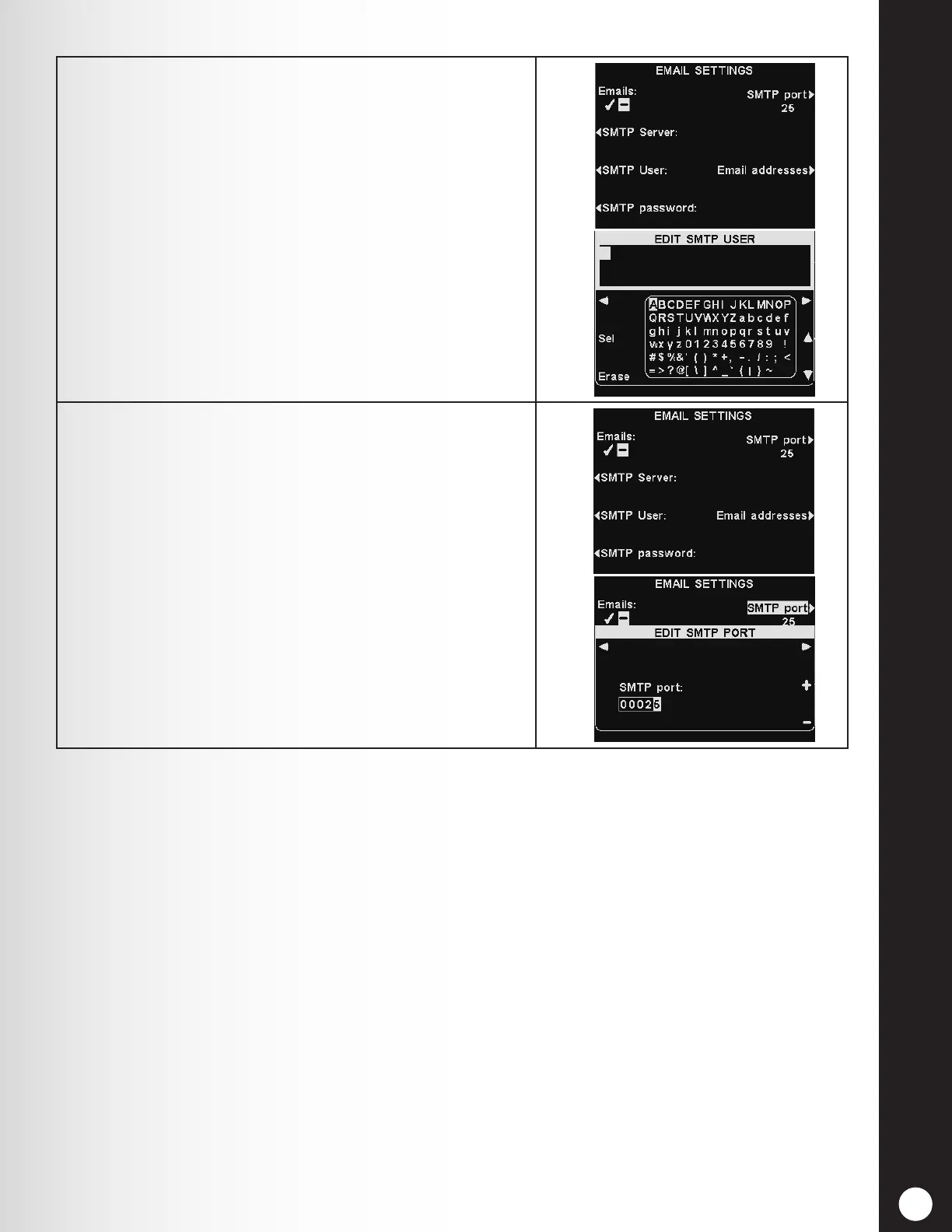
3. SMTP User/password – To make email more secure,
some SMTP servers will require the use of a user name
or password.
To enter or edit an SMTP user name or password,
press the SMTP User or SMTP Password button on
the EMAIL SETTINGS display.
Use the Erase button to clear a current name. Use
the ◄, ►, ▲ and ▼ buttons to highlight a character,
and then press the Sel (select) button to enter it in
the highlighted box above.
When you are nished, press the Back button to save
the name.
4. The SMTP port is usually set to 25. However, some
mail servers use a different port. If it is necessary to
change the SMTP port number, press the SMTP port
button on the EMAIL SETTINGS display.
On the EDIT SMTP PORT display, use the ◄ and ►
buttons to move the highlighted box, and then use
the + and − buttons to change the number.



 To Next Page