BASE STATION SETTINGS
46
5.5.3 Email
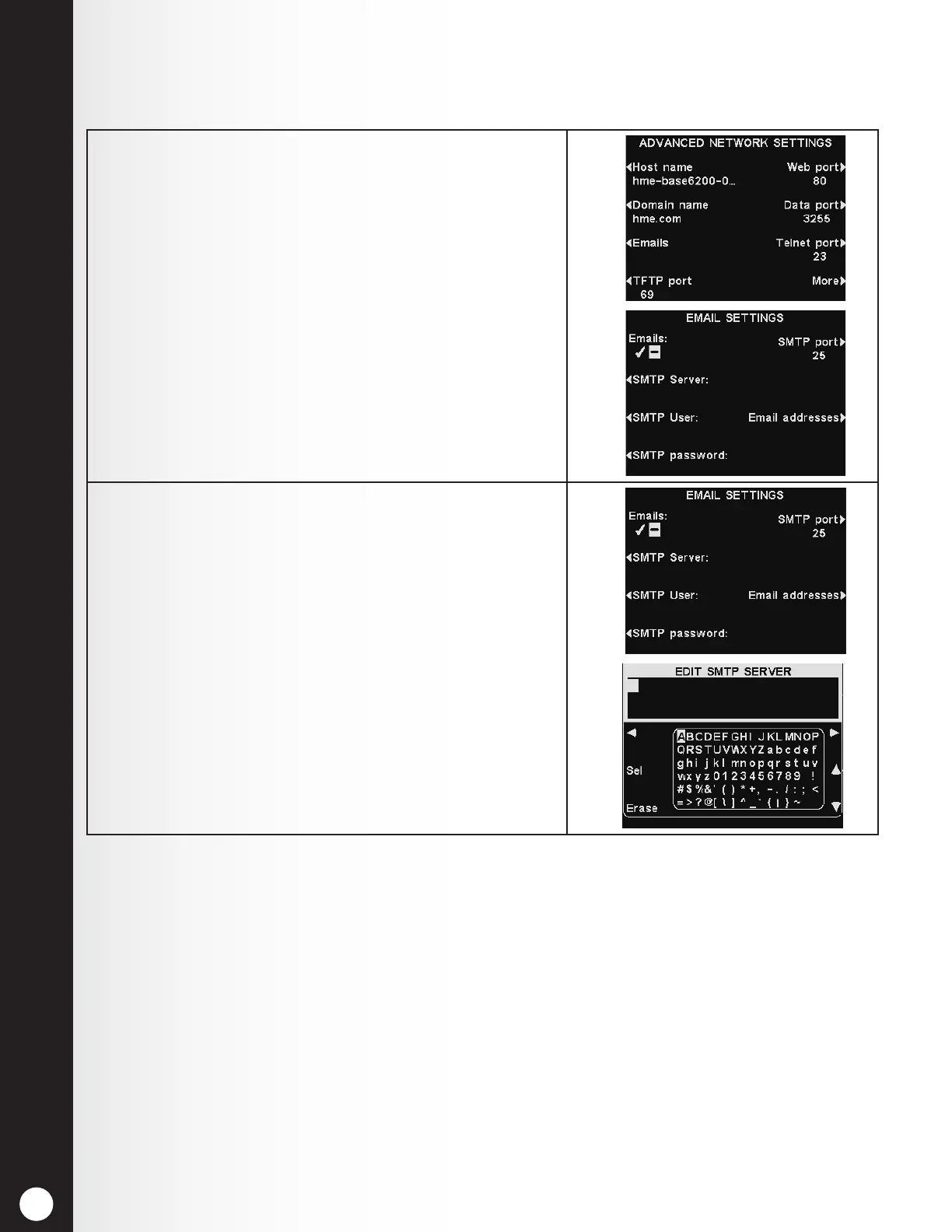
The base can send emails to store managers when alert conditions are triggered in the store. Email
settings must be entered based on network information provided by IT support.
1. To edit email settings, press the Emails button on the
ADVANCED NETWORK SETTINGS display.
On the EMAIL SETTINGS display, press the Emails
button to select ✔ (on) or − (off).
2. SMTP Server – This is the SMTP (mail) server which
conveys your emails to the proper email addresses.
You can either enter the IP address of the SMTP server
or its domain name.
To enter or edit an SMTP server name, press the
SMTP Server button on the EMAIL SETTINGS
display.
Use the Erase button to clear a current name. Use
the ◄, ►, ▲ and ▼ buttons to highlight a character,
and then press the Sel (select) button to enter it in
the highlighted box above.
When you are nished, press the Back button to save
the name.



 To Next Page