BASE STATION SETTINGS
71
5.7.3 Alert Messages
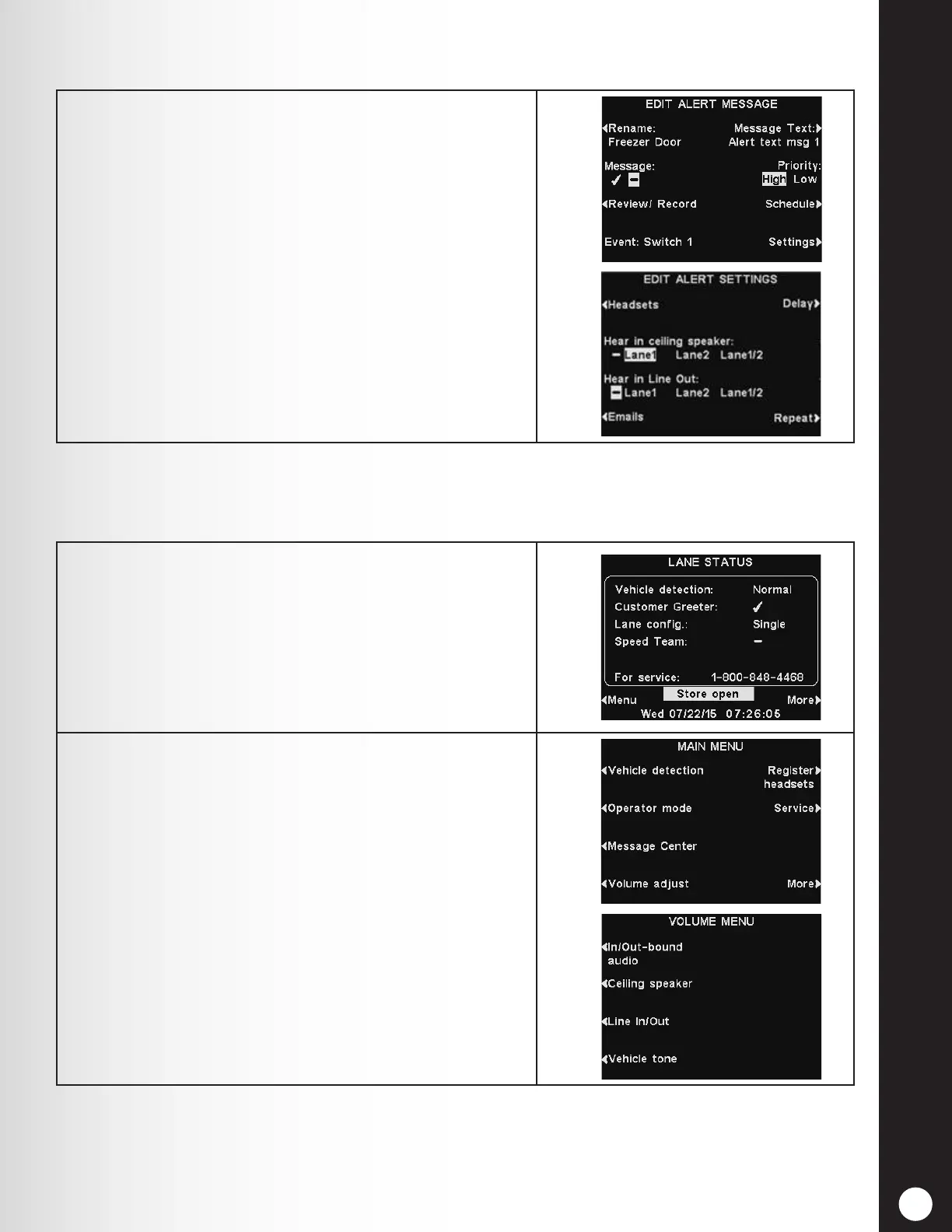
In dual-lane operations, Alert messages can be set to
play in the ceiling speaker and Line Out for Lane 1, Lane
2 or both.
Press the Settings button on the EDIT ALERT
MESSAGE display and then, on the EDIT ALERT
SETTINGS display, press the Hear in ceiling speaker
and Hear in Line Out buttons to highlight Lane 1, Lane
2 or Lane 1/2.
Note: In multiple-lane congurations, the VOLUME
MENU display will be divided by Lanes. Settings will be
similar to those shown for single lane.
5.7.4 Volume Adjustments
Adjust the volume for inbound and outbound audio, customer greeter messages, ceiling speaker and
vehicle tones, or schedule outbound audio levels.
1. On the LANE STATUS display, select Menu and then,
on the MAIN MENU select Volume adjust to access
the settings.
2. Press the button on the left side of the VOLUME
MENU to select which volume you want to adjust.



 To Next Page