BASE STATION SETTINGS
76
Set Date or Time
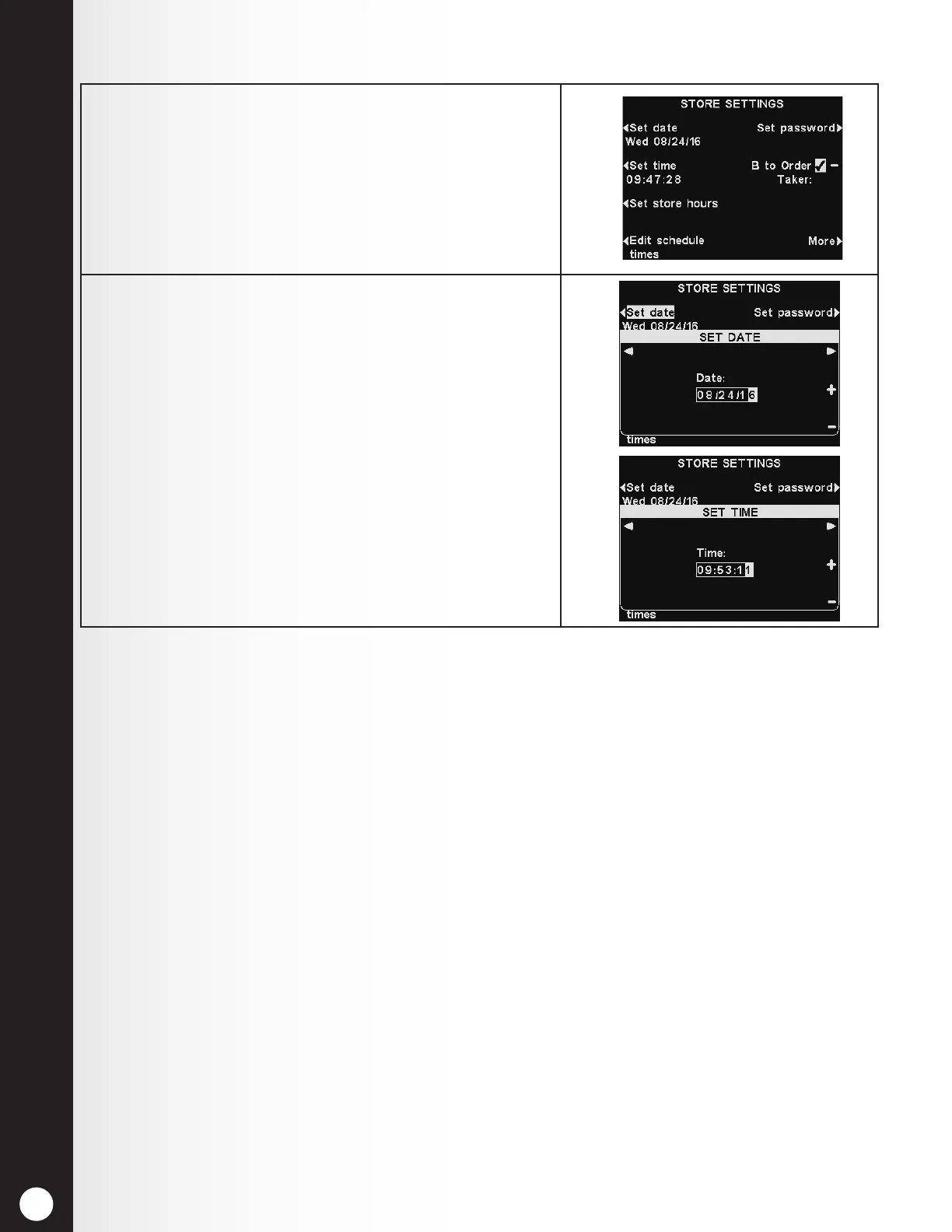
1. To set the date or time, press the Set date or Set
time button on the STORE SETTINGS display.
Note: All times are in 24-hour format.
2. On the SET DATE or SET TIME display, use the ◄
and ► buttons to move the highlighted box to the
left and right in the Date or Time eld, and use the
+ and − buttons to enter the desired number in the
highlighted box.
Press the Back button on either screen to save
settings and return to the STORE SETTINGS display.
A HINT for setting the time accurately:
Set the time about a minute or so in advance of the
known correct time. When the correct time matches
that setting, press the Back button.



 To Next Page