BASE STATION SETTINGS
79
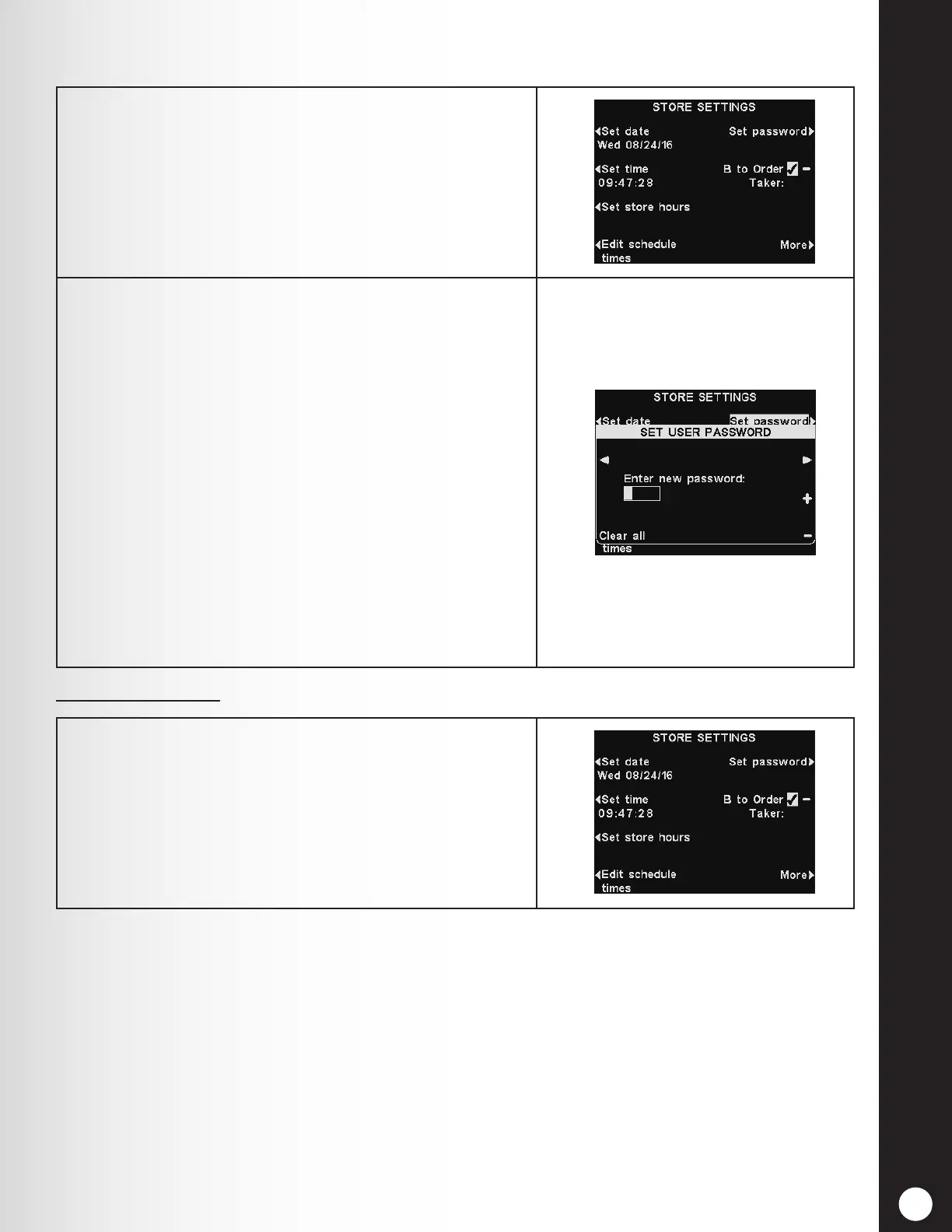
Set Password
B-to-Order Taker
1. When you have completed all the other Store
Settings, set up a user password. When the
installation is nished, be sure to give the password to
the store manager.
To set a password for the rst time, press the Set
password button on the STORE SETTINGS display.
2. Use the ◄ and ► buttons to move the highlighted box
in the Enter new password eld.
Use the + button to put alphabetic characters in
the highlighted box, or the − button to put numeric
characters in the highlighted box.
Continuing down from A will take you to numeric
characters. Continuing up from 9 will take you to
alphabetic characters.
Press the ► button to move the highlighted box to
the next position and enter the next character. If you
want to start over with a new password, press the
Clear All button.
After entering the entire new password, press the
Back button twice to save the new password and
return to the ADVANCED MENU.
Press the B-to-Order Taker button on the STORE
SETTINGS display to select ✔ (on) to allow the Order
Taker to hear B button communication while pressing
an A button. If you select − (off), the Order Taker will
not hear B button communication while pressing an A
button.
To save this setting, press the Back button.



 To Next Page