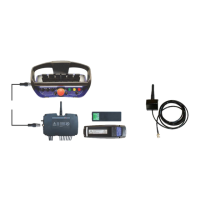
Scanreco G2 radio remote control system
HMF Technical Service Department
Setting up control valve functions
By means of the CGW 5355 it is possible to set up the control valve functions that are relevant to
the crane configuration in question.
In menu 1.1.1.1.2.7 - Valve function - ENT, 1.1.1.1.2.7.1 - Primary function - ENT you can select
up to 15 crane functions - Valve 1-15.
In menu 1.1.1.1.2.7.1.1 - Valve 1 - SET select a crane function by means of the "arrow down"
button.
When the function has been selected, press ENT.
Select the other control valve functions in the same way. Please see the table.
When you do not select a control valve function, there must be written OFF.
Choice of slewing function.
Fly-Jib - extension function.
First extra control valve function.
Second extra control valve function.
Third extra control valve function.
Fourth extra control valve function.


 To Next Page