EasyManua.ls Logo

HMF Scanreco G2 - User Manual

HMF Scanreco G2
55 pages
Print Icon
To Next Page IconTo Next Page
Loading...
Scanreco G2 radio remote control system
1
HMF Technical Service Department
Rev.: 20-13
Scanreco G2,
Radio remote
control system

Questions and Answers

Summary

Introduction to Scanreco G2 Radio Remote Control

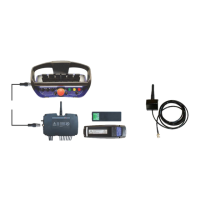
Scanreco G2 Radio Remote Control System Component Overview

Details the components of the Scanreco G2 radio remote control system.

MAXI and MINI Remote Control Boxes

New HMF InfoCentre Functions

Radio Controller Details

General System Description

CAN Proportional Control of PVED Electric Activations

Describes CAN control of PVED electric activations for crane functions.

Proportional Voltage Control of PVE Electric Activations

Details proportional voltage control for PVE electric activations.

Proportional Current Control of PWM Electric Activations

Explains proportional current control for PWM electric activations.

Digital Voltage Control of ON-OFF Solenoid Valves

Describes digital voltage control for ON-OFF solenoid valves.

Combined Radio Remote Control Functions

Discusses the combination of different radio remote control functions.

Digital Functions

Covers the 14 digital outputs for various functions like engine control.

Radio Controller Setup Guides

Installation of the Radio Controller

Guides on proper installation of the radio controller for optimal performance.

Plug and Socket Outlets in Radio Controller

Radio Controller Terminal Survey

Scanreco G2 System and CGW 5355 Integration

Scanreco G2 Parameters in CGW 5355

Setting Up Output Signals via CGW 5355

Setting Up Control Valve Functions

Configuring Remote Control Levers

Remote Lever Configuration and Operation Direction

Setup: CAN Control of Crane Functions

Setup: PWM Control of Crane Functions

Setup and Connection of Engine Control Functions

Setup: Radio Remote Control of Stabilizer Functions

Setup and Connection of Extra Digital Outputs

Setup and Connection of Spotlight

Download Icons and Texts for HMF InfoCentre

Monitoring Radio Remote Control System with CGW 5355

Retro-fitting the HMF InfoCentre

Programming the ID-Code

Control of ID Coding Status

Checks and verifies the status of ID coding.

Reasons for ID Coding Errors

Lists common causes for failure during the ID coding process.

Radio Controller Indications

Remote Control Box Indications

Assessing Radio Signal Quality

Frequency Hopping Technology

Online Programming Procedure

Self-Test Mode Operation

Fault Monitoring and Error Codes

Error Indication via LED Display

Troubleshooting with CGW 5355

Remote Control Box Error Indications

Remote Control Cable Connections

Component Marking and Identification

HMF Scanreco G2 Specifications

General IconGeneral
BrandHMF
ModelScanreco G2
CategoryControl Systems
LanguageEnglish