EasyManua.ls Logo

HMF Scanreco G2 - User Manual

HMF Scanreco G2
55 pages
Print Icon
To Next Page IconTo Next Page
Loading...
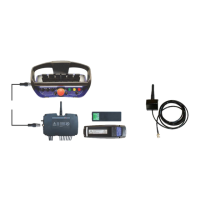
Scanreco G2 radio remote control system
1
HMF Technical Service Department
Rev.: 20-13
Scanreco G2,
Radio remote
control system

Questions and Answers

  • J
    Johnny HallSep 9, 2025
    What to do if there is unstable execution of program routines in the software of HMF Scanreco G2?
    • S
      sierrasilvaSep 10, 2025
      If your HMF Control Systems experiences unstable execution of program routines in the software (due to incorrect data set in the CAN open protocol, incorrect data flow, or overflow on CAN), the system will automatically reset. Please contact HMF Technical Service.
  • R
    Rita BakerSep 8, 2025
    What to do if there is CAN PDO error in message length of HMF Scanreco G2 Control Systems?
    • C
      Christina Stevens MDSep 8, 2025
      If the length of the CAN data packet is either too long or too short in your HMF Control Systems, the system will automatically reset. Restart the system.
  • S
    Stephanie Russell MDSep 7, 2025
    What to do if there is an error in the transmission of CAN messages in HMF Control Systems?
    • L
      Lauren KellySep 7, 2025
      If there are too many CAN data packets during the transmission of CAN messages in your HMF Control Systems, the system will automatically reset. Check the CAN connections and the controller connected to the CAN output (if fitted).
  • M
    Maria ComptonAug 22, 2025
    What to do if there is a short circuit on the DV output of HMF Scanreco G2 Control Systems?
    • D
      Deanna BarnettAug 22, 2025
      If there's a short circuit on the DV output of your HMF Control Systems, or if it's receiving over current, inspect the DV output, cable, and plug. Try removing the plug and restarting the system.
  • J
    Jeffrey SmithSep 4, 2025
    What to do if CAN of HMF Control Systems is working again after being interrupted?
    • M
      melinda52Sep 5, 2025
      If CAN communication in your HMF Control Systems has been interrupted, the system will automatically reset. Verify the CAN connections and check the controller connected to the CAN output (if fitted).
  • Z
    zweissSep 3, 2025
    What to do if there are too many CAN data packets in HMF Scanreco G2 Control Systems?
    • E
      Eric ChavezSep 3, 2025
      If the CAN data quantity is too large on either a CAN input or output of your HMF Control Systems, the system will automatically reset. Check both the CAN in-and output, as well as any CAN controller connected to the CAN output (if fitted).
  • D
    Donald FitzgeraldSep 2, 2025
    What to do if CAN of HMF Scanreco G2 Control Systems is in passive mode?
    • A
      Antonio PottsSep 2, 2025
      If the CAN bus of your HMF Control Systems is in passive mode, the system will automatically reset. Check the CAN connections and other CAN controllers in the network.
  • L
    lbushSep 1, 2025
    What to do if there is a failure in the stop button of HMF Control Systems?
    • L
      lori77Sep 1, 2025
      If your HMF Control Systems experiences a failure in the stop button, transmitted from the remote control box (error in the signal), the system will reset automatically again. Check the stop button for any faults.
  • D
    Deborah TrevinoAug 31, 2025
    What to do if the power supply of HMF Scanreco G2 Control Systems is too high?
    • A
      Abigail GuerraAug 31, 2025
      If the power supply to your HMF Control Systems exceeds 36 VDC, the system will automatically reset. Check the power supply, cable connections, plug, and socket outlets.
  • C
    Christopher WallaceAug 30, 2025
    What to do if the power supply of HMF Scanreco G2 Control Systems is too low?
    • M
      Mark LewisAug 30, 2025
      If the power supply to your HMF Control Systems is too low (below 9 VDC), the system automatically resets. Check the power supply, cable connections, plug, and socket outlets.

Summary

Introduction to Scanreco G2 Radio Remote Control

Scanreco G2 Radio Remote Control System Component Overview

Details the components of the Scanreco G2 radio remote control system.

MAXI and MINI Remote Control Boxes

New HMF InfoCentre Functions

Radio Controller Details

General System Description

CAN Proportional Control of PVED Electric Activations

Describes CAN control of PVED electric activations for crane functions.

Proportional Voltage Control of PVE Electric Activations

Details proportional voltage control for PVE electric activations.

Proportional Current Control of PWM Electric Activations

Explains proportional current control for PWM electric activations.

Digital Voltage Control of ON-OFF Solenoid Valves

Describes digital voltage control for ON-OFF solenoid valves.

Combined Radio Remote Control Functions

Discusses the combination of different radio remote control functions.

Digital Functions

Covers the 14 digital outputs for various functions like engine control.

Radio Controller Setup Guides

Installation of the Radio Controller

Guides on proper installation of the radio controller for optimal performance.

Plug and Socket Outlets in Radio Controller

Radio Controller Terminal Survey

Scanreco G2 System and CGW 5355 Integration

Scanreco G2 Parameters in CGW 5355

Setting Up Output Signals via CGW 5355

Setting Up Control Valve Functions

Configuring Remote Control Levers

Remote Lever Configuration and Operation Direction

Setup: CAN Control of Crane Functions

Setup: PWM Control of Crane Functions

Setup and Connection of Engine Control Functions

Setup: Radio Remote Control of Stabilizer Functions

Setup and Connection of Extra Digital Outputs

Setup and Connection of Spotlight

Download Icons and Texts for HMF InfoCentre

Monitoring Radio Remote Control System with CGW 5355

Retro-fitting the HMF InfoCentre

Programming the ID-Code

Control of ID Coding Status

Checks and verifies the status of ID coding.

Reasons for ID Coding Errors

Lists common causes for failure during the ID coding process.

Radio Controller Indications

Remote Control Box Indications

Assessing Radio Signal Quality

Frequency Hopping Technology

Online Programming Procedure

Self-Test Mode Operation

Fault Monitoring and Error Codes

Error Indication via LED Display

Troubleshooting with CGW 5355

Remote Control Box Error Indications

Remote Control Cable Connections

Component Marking and Identification

HMF Scanreco G2 Specifications

General IconGeneral
BrandHMF
ModelScanreco G2
CategoryControl Systems
LanguageEnglish