Scanreco G2 radio remote control system
HMF Technical Service Department
Download of icons and texts
It is possible to download icons and text messages for the HMF InfoCentre by means of the CGW
5355 service terminal. During the procedure, the icons and texts are first downloaded to the radio
controller and then to the remote control box.
The procedure is as follows:
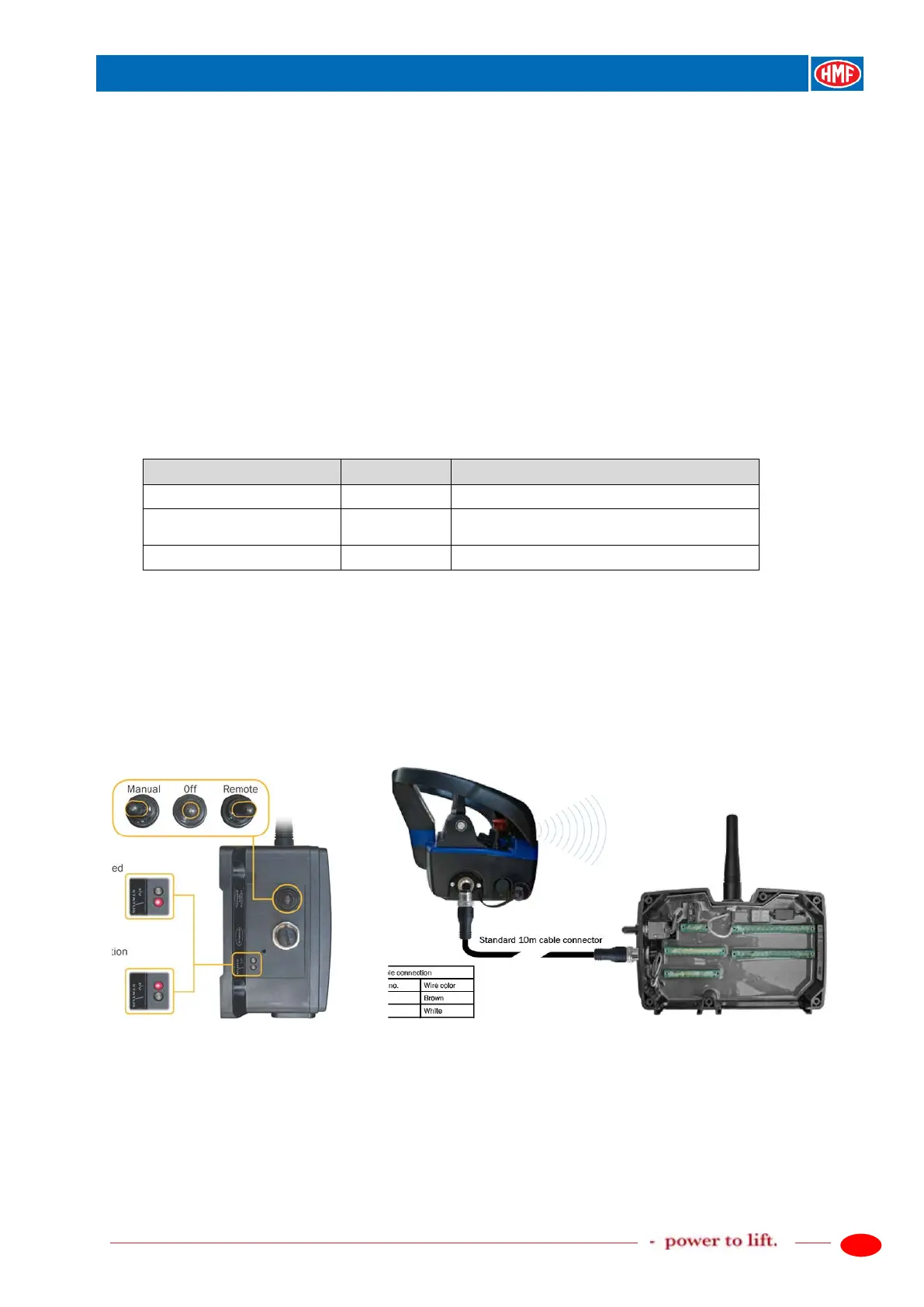
1. Turn off the remote control box by pushing down the red stop button.
2. The radio controller must be powered and the tumbler switch must be in Remote position.
3. Connect the remote control cable between the radio controller and the remote control box.
4. Connect the CGW 5355 service terminal to the RCL 5300 controller, the download procedure
is carried out as follows:
Description of the function
Selection of download function.
Icons are downloaded to the radio
controller.
Text is downloaded to the radio controller.
5. Then follow the procedure for ID-coding in the chapter "Programming of ID-code" further in
this manual.
The radio remote control system and the HMF InfoCentre are now ready for use.


 To Next Page