Scanreco G2 radio remote control system
HMF Technical Service Department
Fault monitoring, error indications and error codes
The Scanreco G2 radio remote control system is working in an integrated network with the RCL
5300 controller. If failures occur in the radio remote control system, an error code will appear on
the RCL 5300 display.
Internal failure in the radio controller.
Error related to output terminals in the radio controller.
Failure at the stop button of the remote control box.
A remote control lever is activated when starting up the system.
Error in the signal from a remote control lever.
Missing ID-coding between the radio controller and the remote control box.
The power supply for the radio controller is too low.
The power supply for the radio controller is too high.
No radio connection between the radio controller and the remote control box.
The RCL 5300 does not receive any wire security signal.
Error in the wire security signal (DV) from the radio controller.
The tumbler switch on the radio controller is in Manual position (which is manual
mode).
The RCL 5300 does not communicate with the radio controller on the network.
These RCL error codes span in several cases several groups of errors. The internal LED display
of the radio controller indicates a more specific error code. Please see the table below.
Both the radio controller and the remote control box carry out constant fault monitoring. If an error
is discovered it will entail an interruption of all control signals.
In case of error, the fault monitoring will intervene as follows:
- An error is identified.
- All outputs (control signals) are interrupted
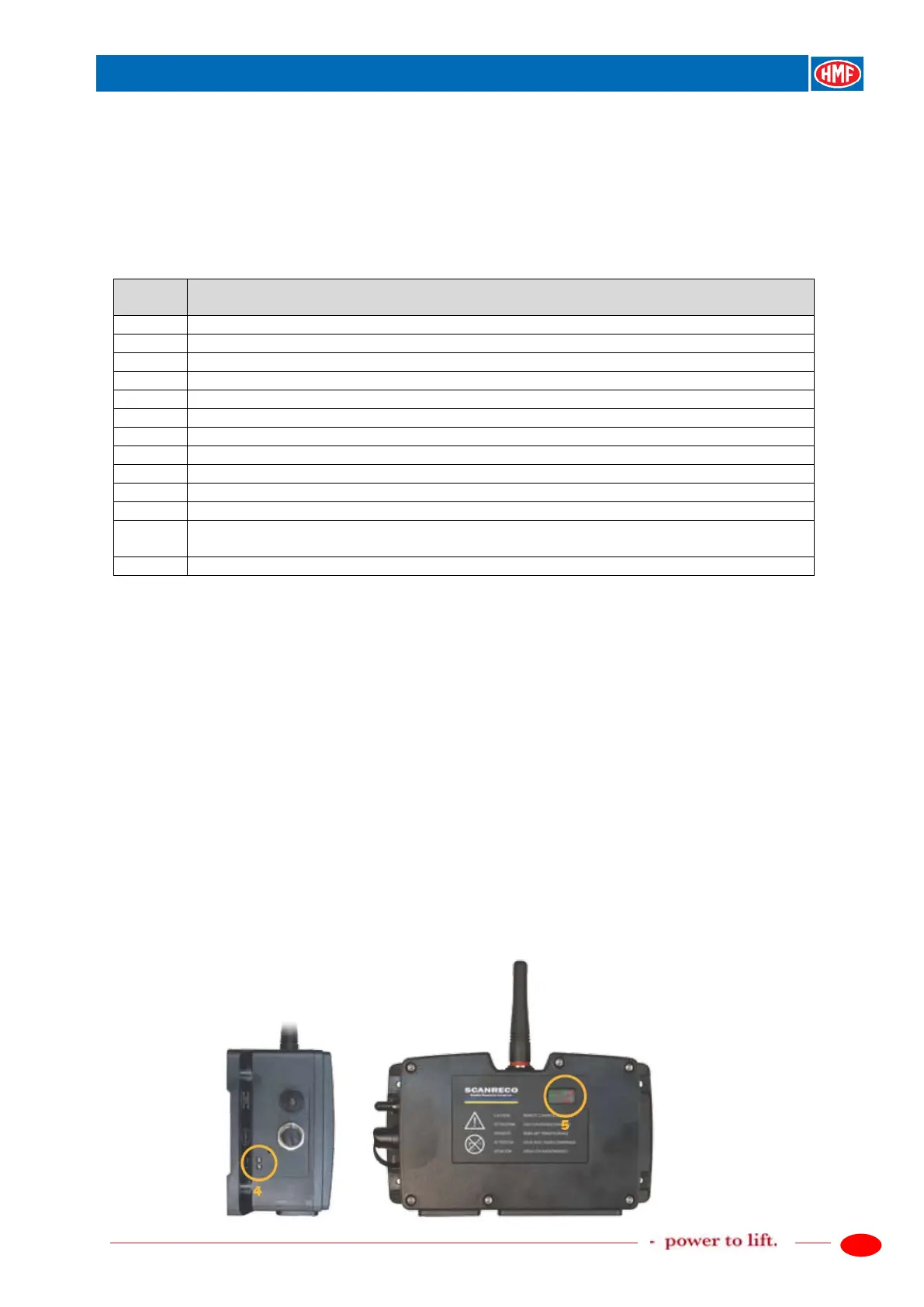
- The external red Status diode (pos. 4) is flashing in a rapid sequence
- The internal LED display (pos. 5) indicates which output is related to the error.
The entire monitoring sequence takes approx. 6 seconds.
If it is a temporary error (the error disappears at once), the system will automatically be "reset". In
certain cases it may be necessary to restart the radio controller (the tumbler switch in OFF
position and back in Remote again).


 To Next Page