67
Honeywell 30 Series IP Cameras User Guide
Enter the text that will be appended to the front of the file name.
• Add date and time suffix to the file name
Select this option to add a date/time suffix to the file name.
Click SAVE MEDIA to enable the settings. The new media server will be automatically
displayed in the Media list. If you wish to add more media options, click Add media.
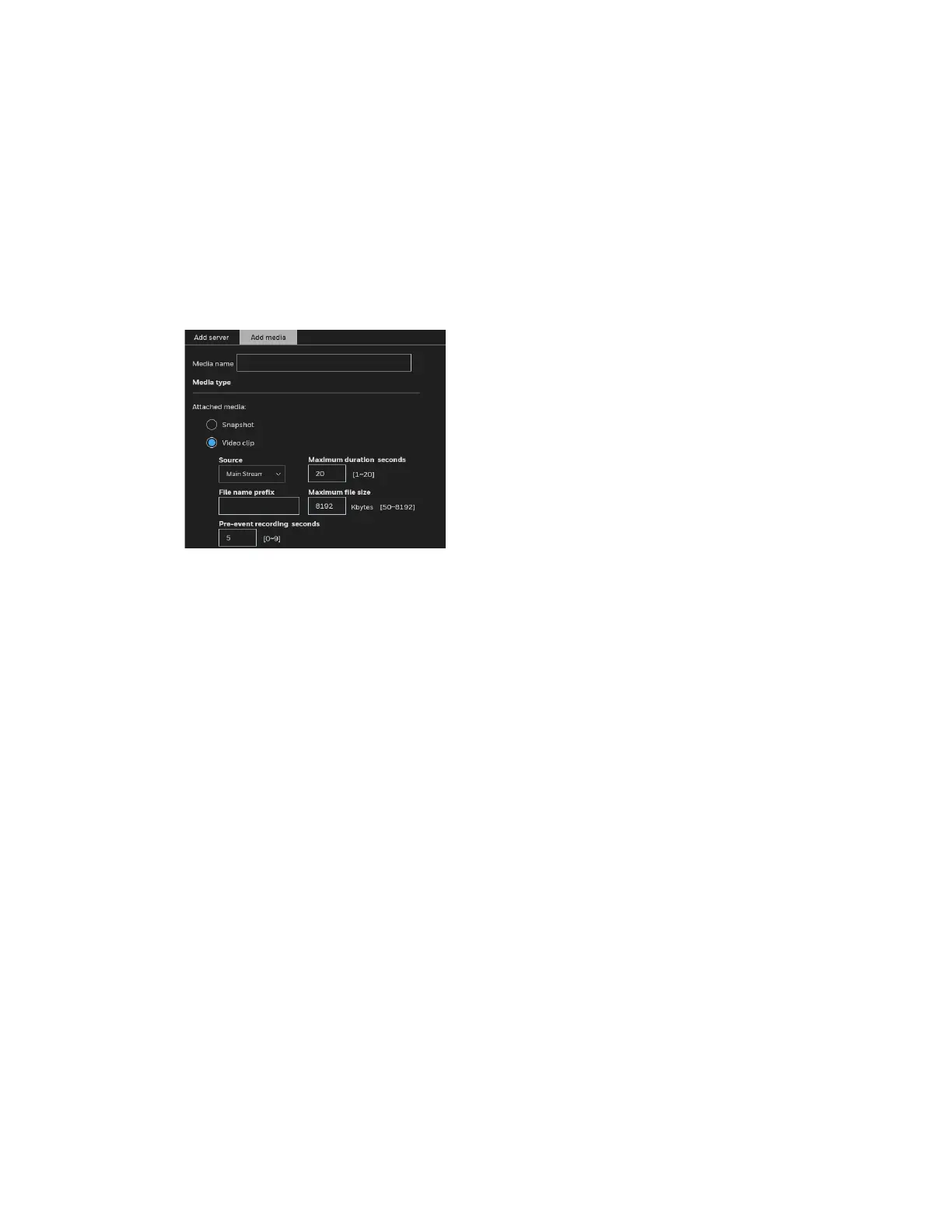
Media type - Video clip
Select to send video clips when a trigger is activated.
Figure 79 Media Type - Video Clip
• Media name: Enter a name for the media setting.
• Source: Select a video stream as the source of video clip.
• Maximum duration seconds
Specify the maximum recording duration in seconds. The duration can be up to 10
seconds.
For example, if pre-event recording is set to five seconds and the maximum duration is
set to ten seconds, the camera continues to record for another 4 seconds after a trigger
is activated.
• File name prefix
Enter the text that will be appended to the front of the file name.
• Maximum file size
Specify the maximum file size allowed. Some users need to stitch the video clips
together when searching and packing up forensic evidence.
• Pre-event recording seconds
The camera has a buffer to temporarily hold data up to a certain limit. Enter a number to
decide the duration of recording before a trigger is activated. Up to 9 seconds can be
set.
Click SAVE MEDIA to enable the settings.
Media type - System log
Select to send a system log when a trigger is activated.



 To Next Page
 Loading...
