SETTINGS ON THE TECHNICIAN MENU
SERVICE MANUAL 35
Testing the External Ventilator and the Restart Lamp
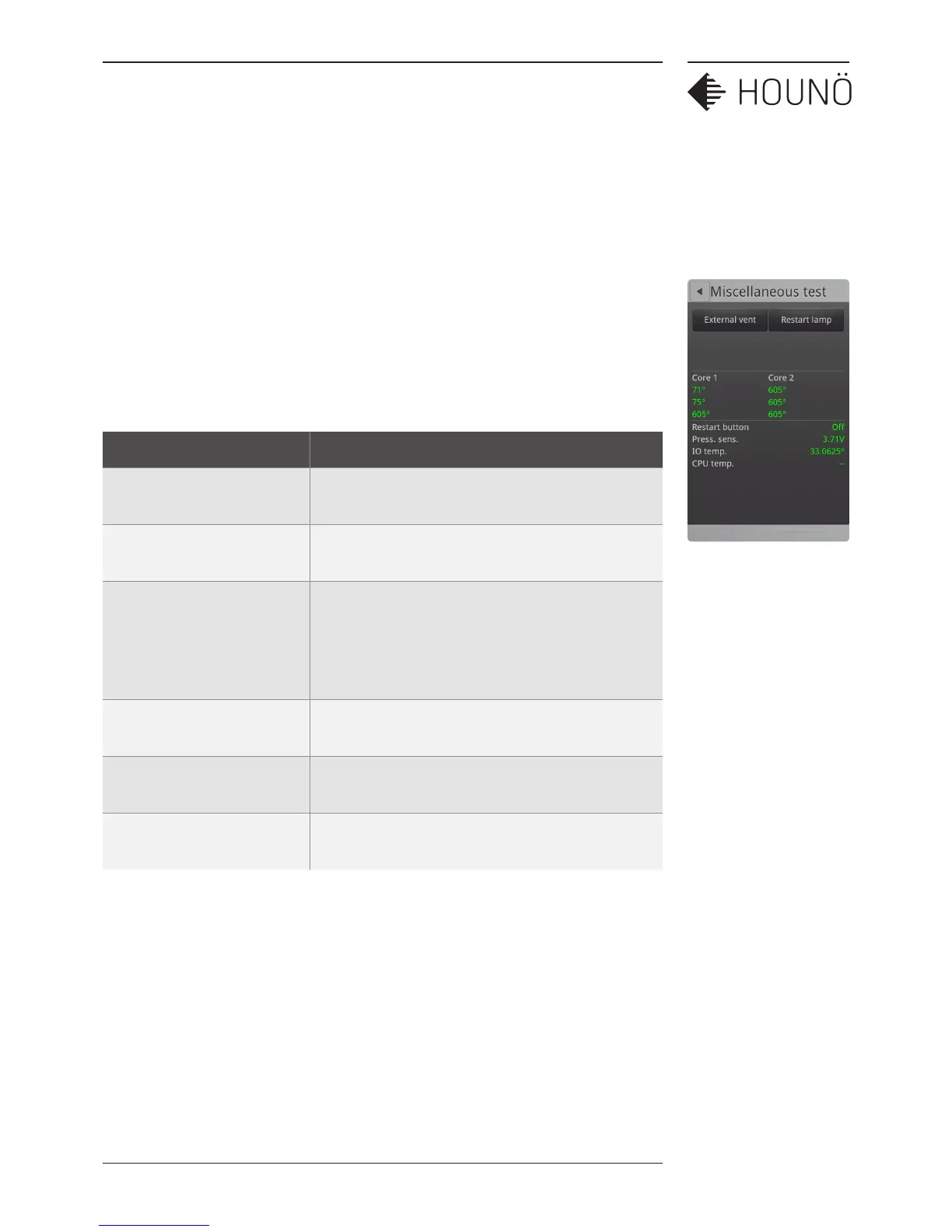
1. On the Technician display, touch Test functions, and then touch Miscellaneous.
2. Touch External vent, to test if the external ventilation is working. The outlet
is named terminal no.2. When external ventilation is activated, the outlet is
active during program performance and until 10 minutes after the program has
completed.
3. Touch Restart lamp, to test that the restart lamp is active.
4. To test the probes, you can, for example, place each probe in hot water or ice water.
Value Description
Core 1 temperatures Displays the temperature of each of the 3 sensors on
the probe.
Core 2 temperatures Displays the temperature of each of the 3 sensors on
the probe.
Restart button Displays the status of the restart button. Should
switch from O to On when you touch the Restart
button. The button is located on the backside on the
oven. The button is only available on pass-through
ovens.
Press. Sens. Displays the voltage of the pressure sensor. The value
is between 0 -5 volts.
IO temp. Displays the temperature of the IO board. The
temperature increases if the cooling fan is broken.
CPU temp. Displays the temperature of the CPU board. The
temperature increases if the cooling fan is broken.
Important note: External ventilation 1 and 2 only control the voltage and therefore they
must be connected through an external relay with a maximum voltage of 24V.



 To Next Page