Reptacethe print cartridge
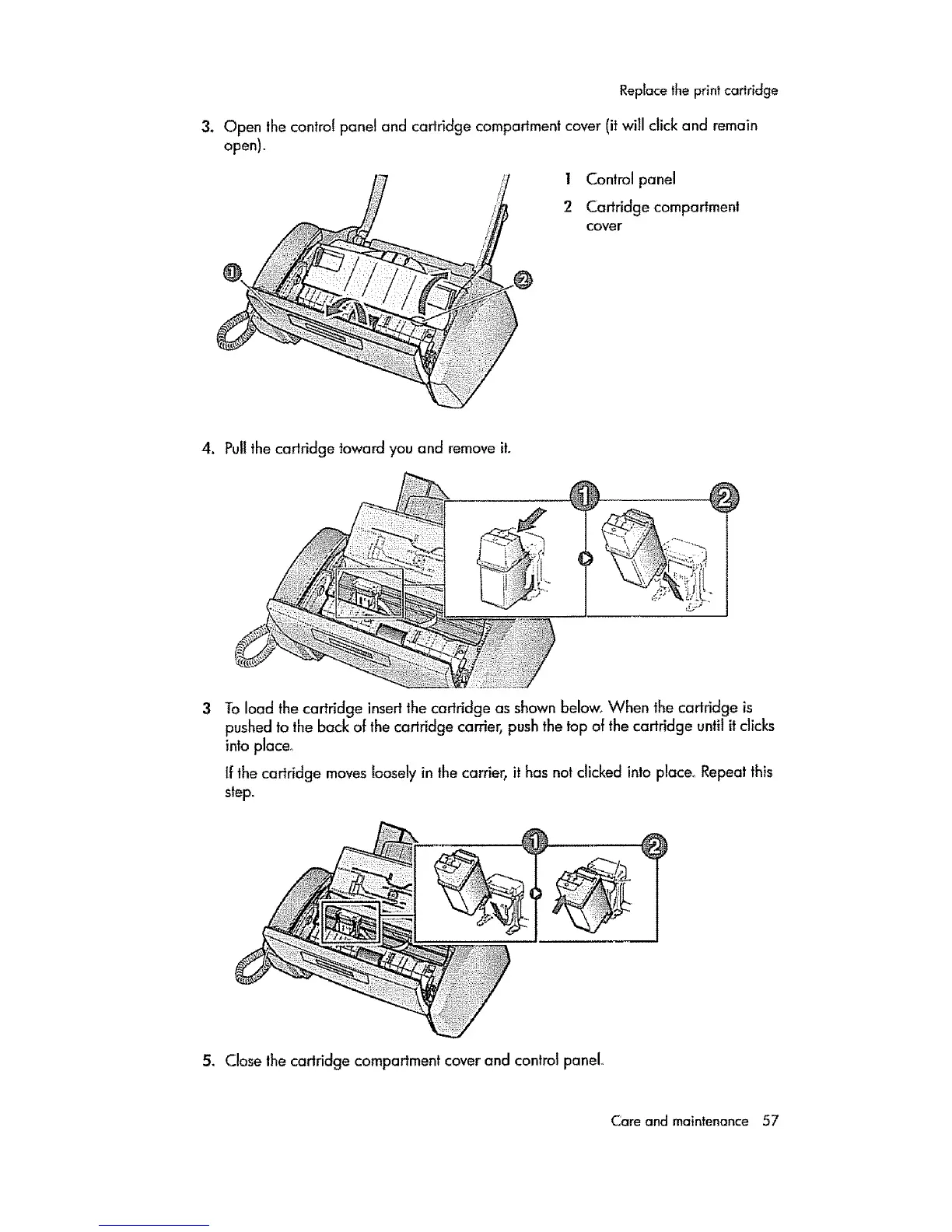
3. Open the contro! panel and cariridge compartment cover (it will click and remain
open).
I Control panel
2 Cartridge compartment
cover
@
4. Pull the cartridge toward you and remove it.
_i 3,¸ _'_'
To load the cartridge insert the cartridge as shown below, When the cartridge is
pushed to the back of the cartridge carrier, push the top of the cartridge until it clicks
into place_
If the cartridge moves looselyin the carrier, it has not clicked into place.. Repeat this
step.
5. Close the carlridge compartment cover and control panel..
Care and maintenance 57



 To Next Page
 Loading...