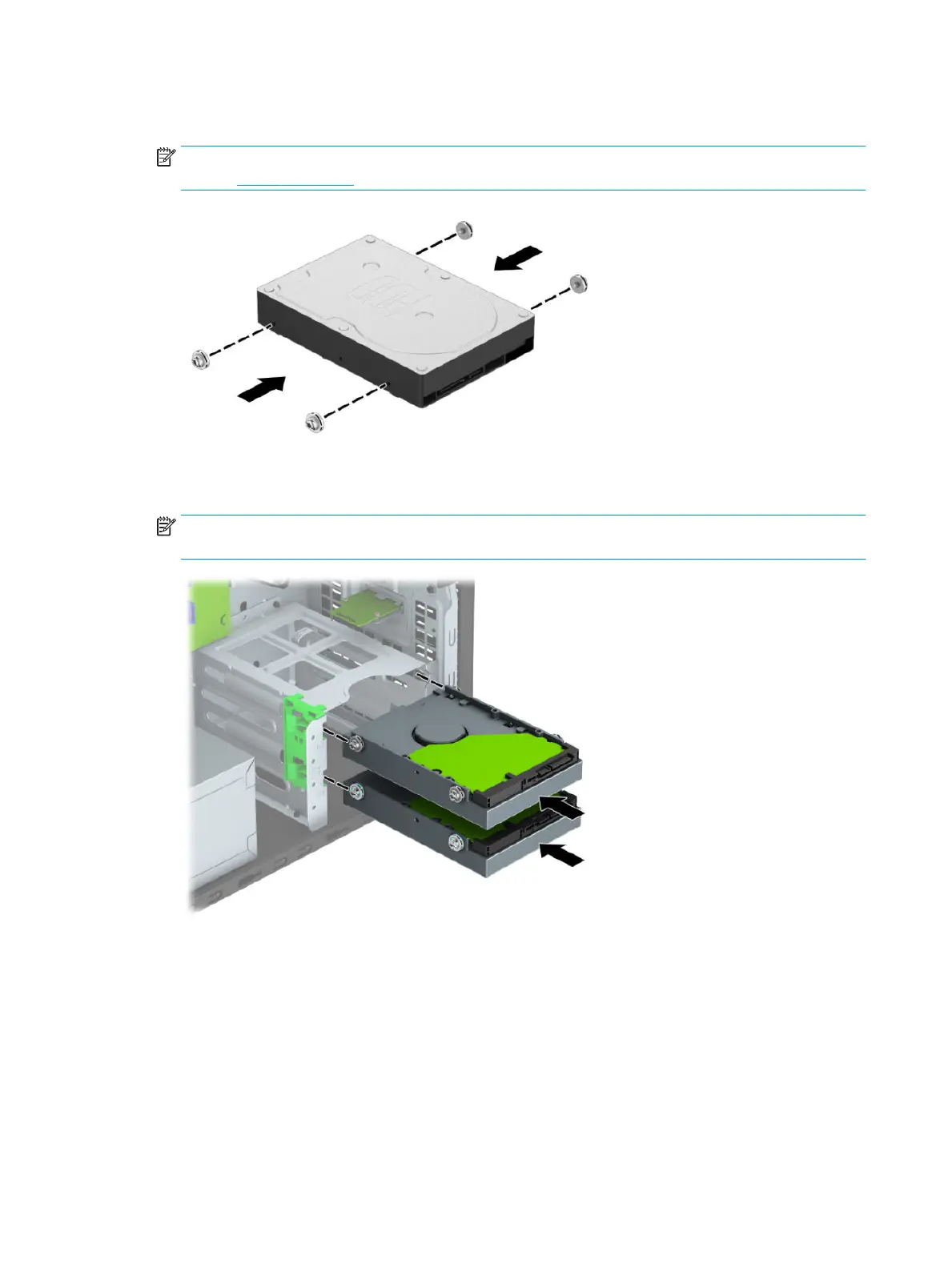
4. Install four mounting screws into the sides of the 3.5-inch drive or the 2.5-inch drive adapter bracket
(two on each side).
NOTE: HP has supplied four extra mounting screws installed on the chassis next to the hard drive bays.
Refer to Drives on page 25 for an illustration of the location of the extra mounting screws.
5. Slide the drive into the drive bay, making sure to align the mounting screws with the guide slots, until
the drive snaps into place.
NOTE: 3.5-inch hard drive shown. The bottom bay supports up to two 2.5-inch hard drives installed
using an adapter bracket.
32 Chapter 4 Removal and replacement procedures – Microtower (MT) chassis



 To Next Page