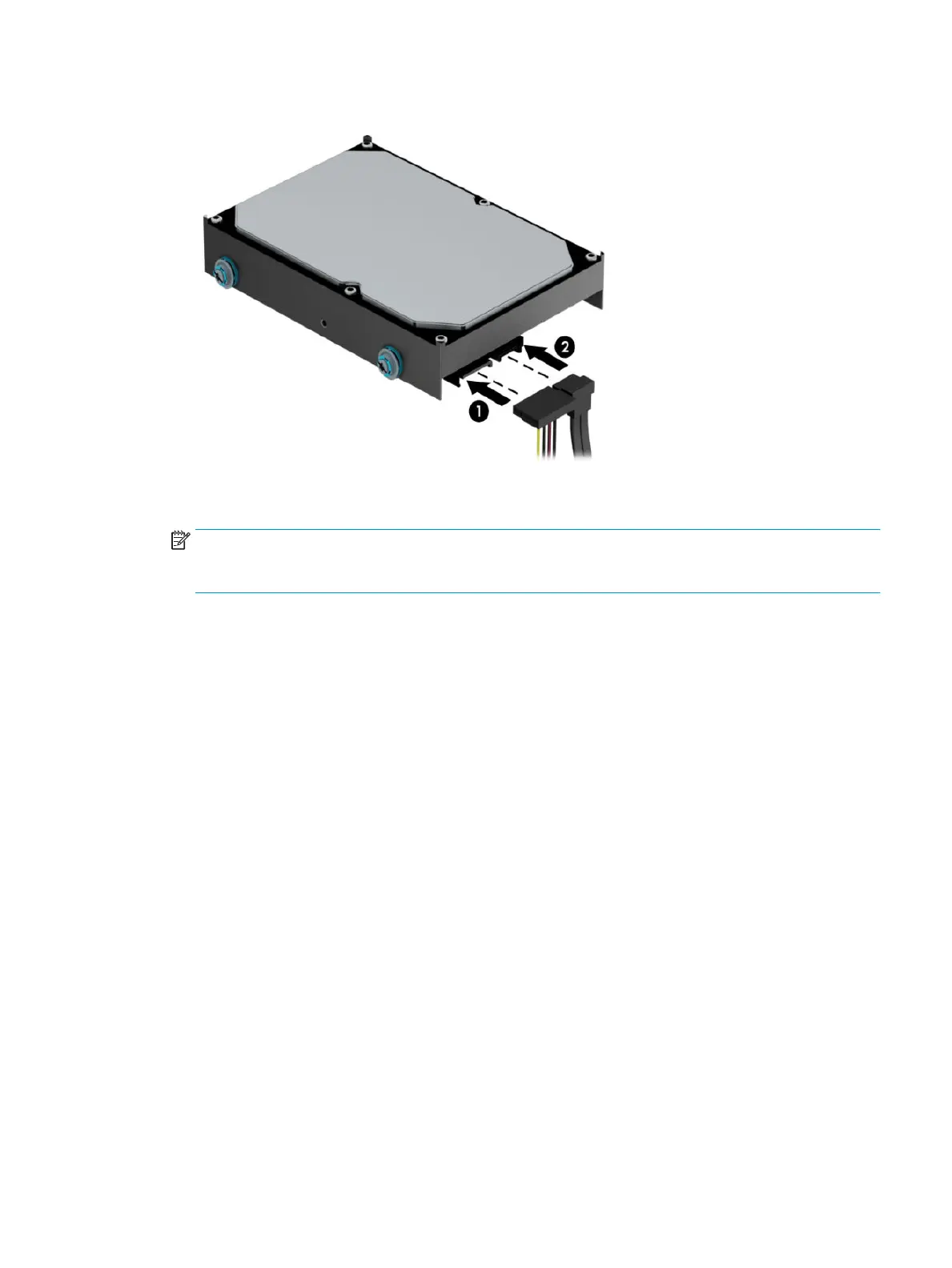
6. Connect the power cable (1) and data cable (2) to the rear of the hard drive.
7. If installing a new drive, connect the opposite end of the data cable to the appropriate system board
connector.
NOTE: You must connect the primary hard drive data cable to the dark blue connector labeled SATA0 to
avoid any hard drive performance problems. If you are adding a second hard drive, connect the data
cable to one of the remaining SATA connectors.
8. Replace the computer access panel.
9. Reconnect the power cord and any external devices, and then turn on the computer.
10. Lock any security devices that were disengaged when the access panel was removed.
Drives 33



 To Next Page