●
To remove a 5.25-inch drive in the minitower configuration, pull up on the green drivelock
mechanism (1) for that specific drive and slide the drive from the drive bay (2).
Figure 6-16 Removing a 5.25-inch Drive in the Minitower Configuration (Optical Drive
shown)
●
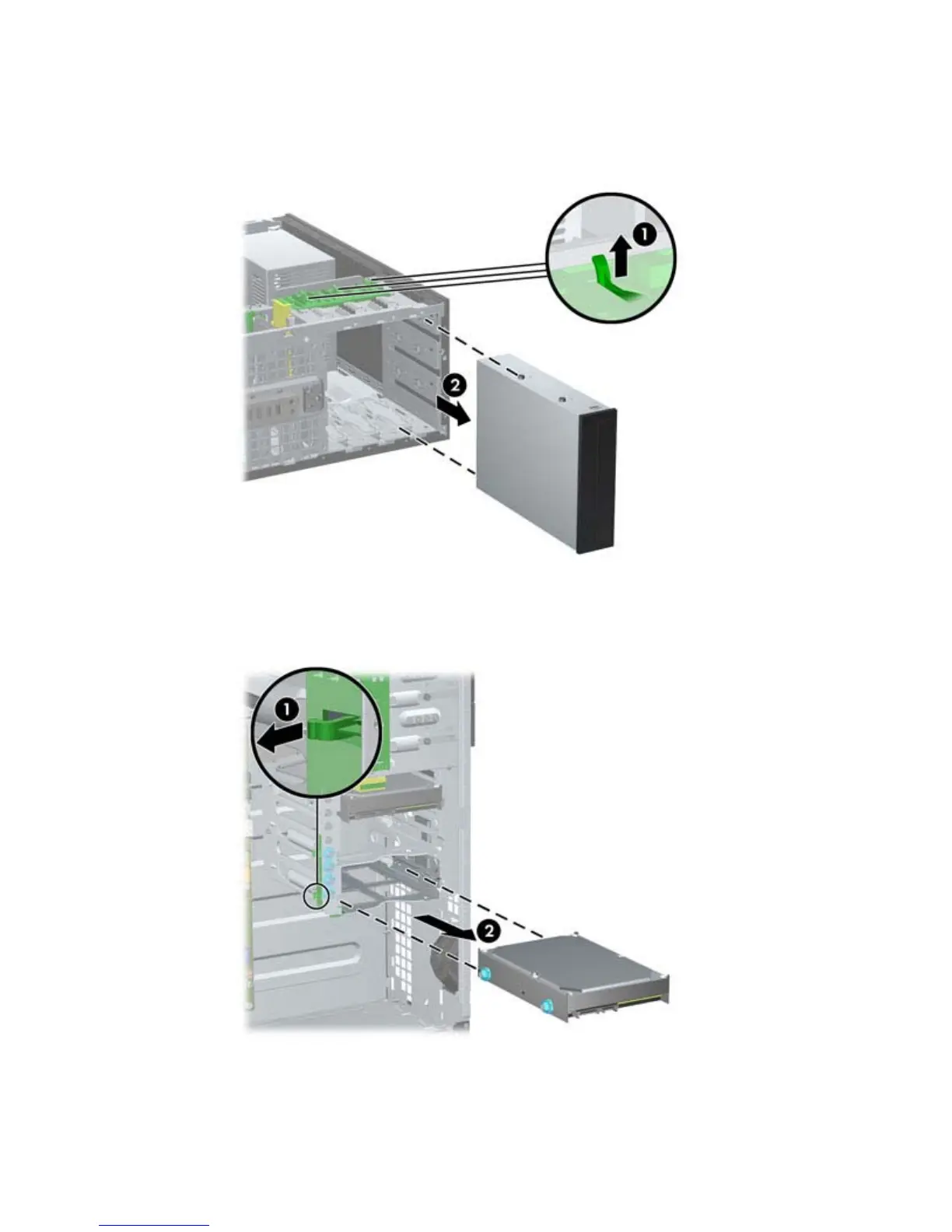
To remove a hard drive from one of the two lower internal hard drive bays, pull up on the
green hard drive drivelock mechanism (1) for that drive and slide the drive from the drive
bay (2).
Figure 6-17 Removing a Hard Drive from the Lower Two Bays
Drives 93


 To Next Page
 Loading...