Removal and replacement procedures 27
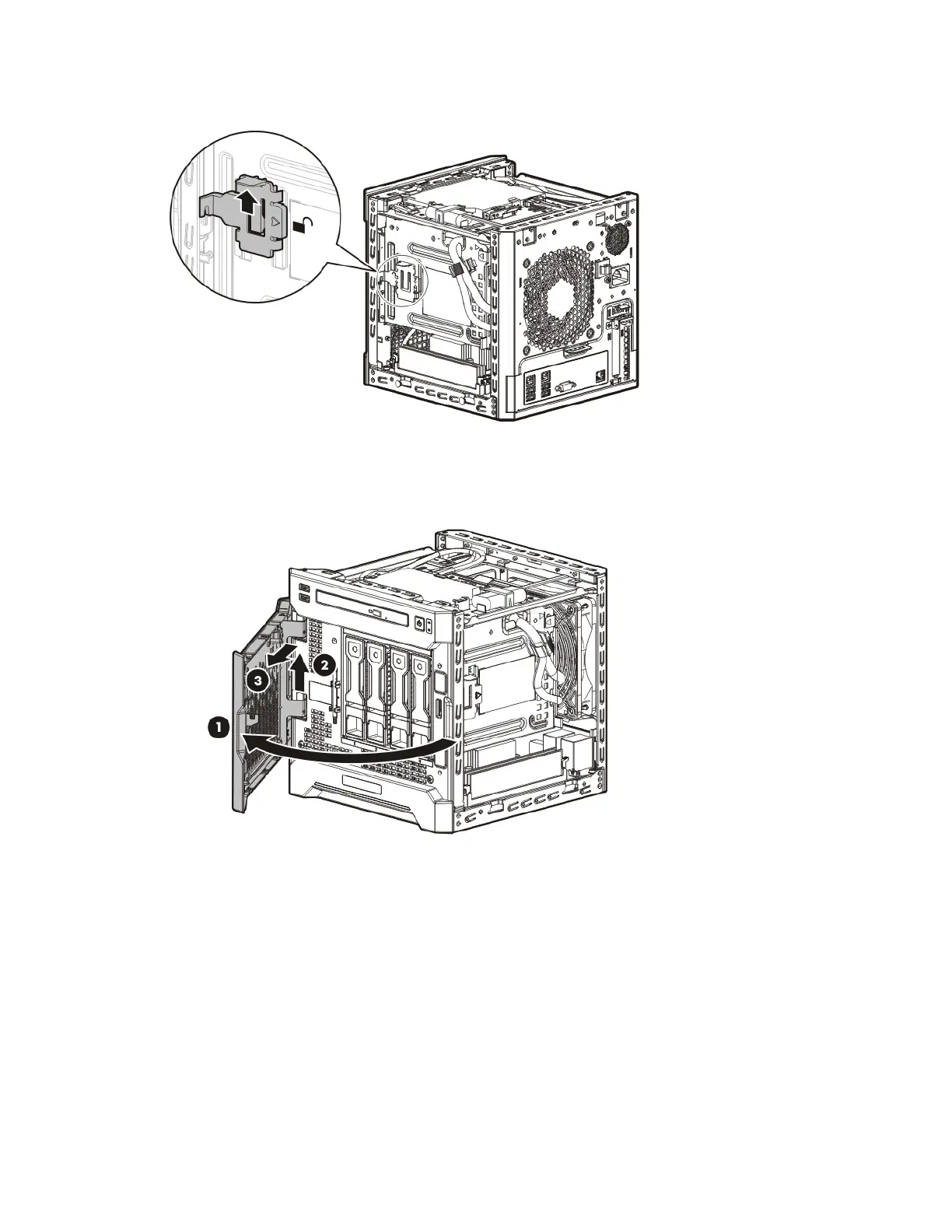
5. Slide the release tab upward to unlock the front bezel from the chassis.
6. Open the front bezel.
7. Release the bezel hinges from the front panel.
Remove the chassis cover
1. Power down the server (on page 24).
2. Disconnect the power cord from the AC source.
3. Disconnect the power cord from the server.
4. Disconnect all peripheral cables from the server.
5. If a Kensington security cable is installed, disconnect it from the rear panel. See the security cable
documentation for instructions.
6. Loosen the rear thumbscrews that secure the chassis cover.



 To Next Page
 Loading...