Removal and replacement procedures 28
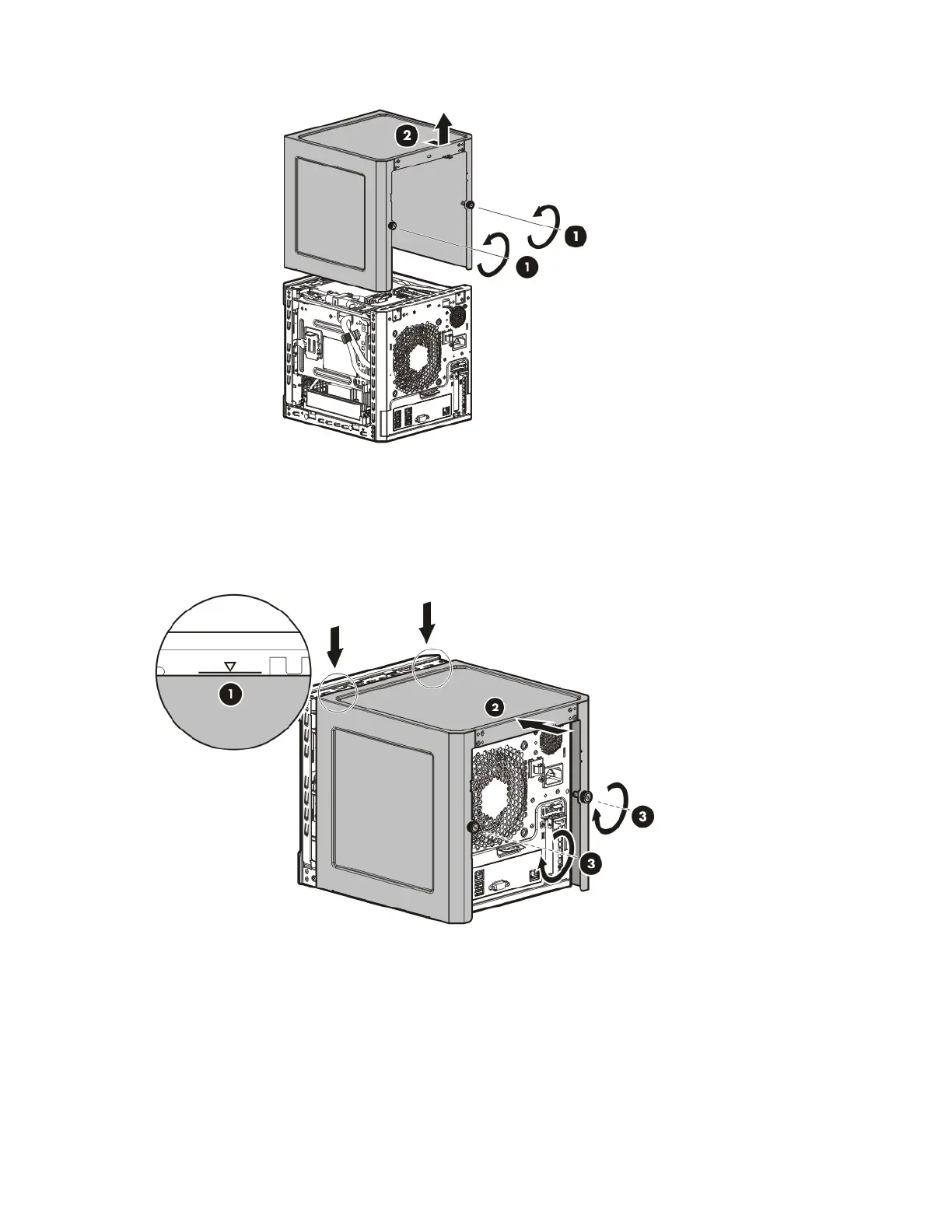
7. Slide the chassis cover toward the rear panel, and then lift it to remove it from the chassis.
Install the chassis cover
1. Align the installation markers on the chassis cover with those located on the front edge of the chassis,
and then slide the chassis cover back onto the server.
2. Tighten the rear thumbscrews to secure the chassis cover in place.
3. Connect the peripheral devices to the server.
4. If a Kensington security cable was removed, connect it to the rear panel. See the security cable
documentation for instructions.
5. Connect the server to the network. Do one of the following:
o Connect the Ethernet cable.
o Connect the server to the switch.
6. Connect the power cord to the server.














 To Next Page