Removal and replacement procedures 46
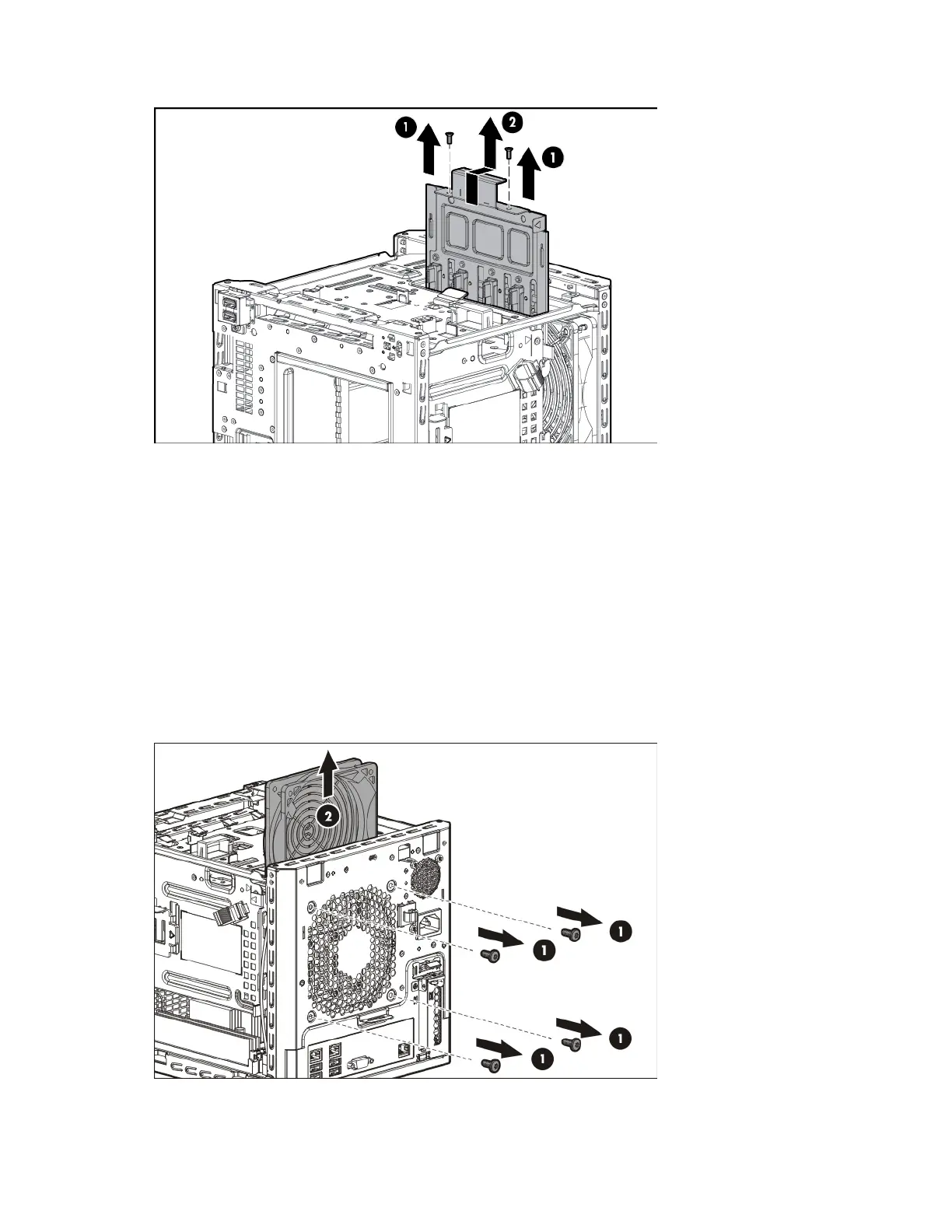
c. Pull the cable assembly out of the chassis.
To replace the component, reverse the removal procedure.
System fan
To remove the component:
1. Power down the server (on page 24).
2. Disconnect the power cord from the AC source.
3. Disconnect the power cord from the server.
4. Remove the chassis cover (on page 27).
5. Disconnect the fan cable.
6. Remove the screws securing the system fan, and then remove the fan.
To replace the component, reverse the removal procedure.














 To Next Page