Removal and replacement procedures 45
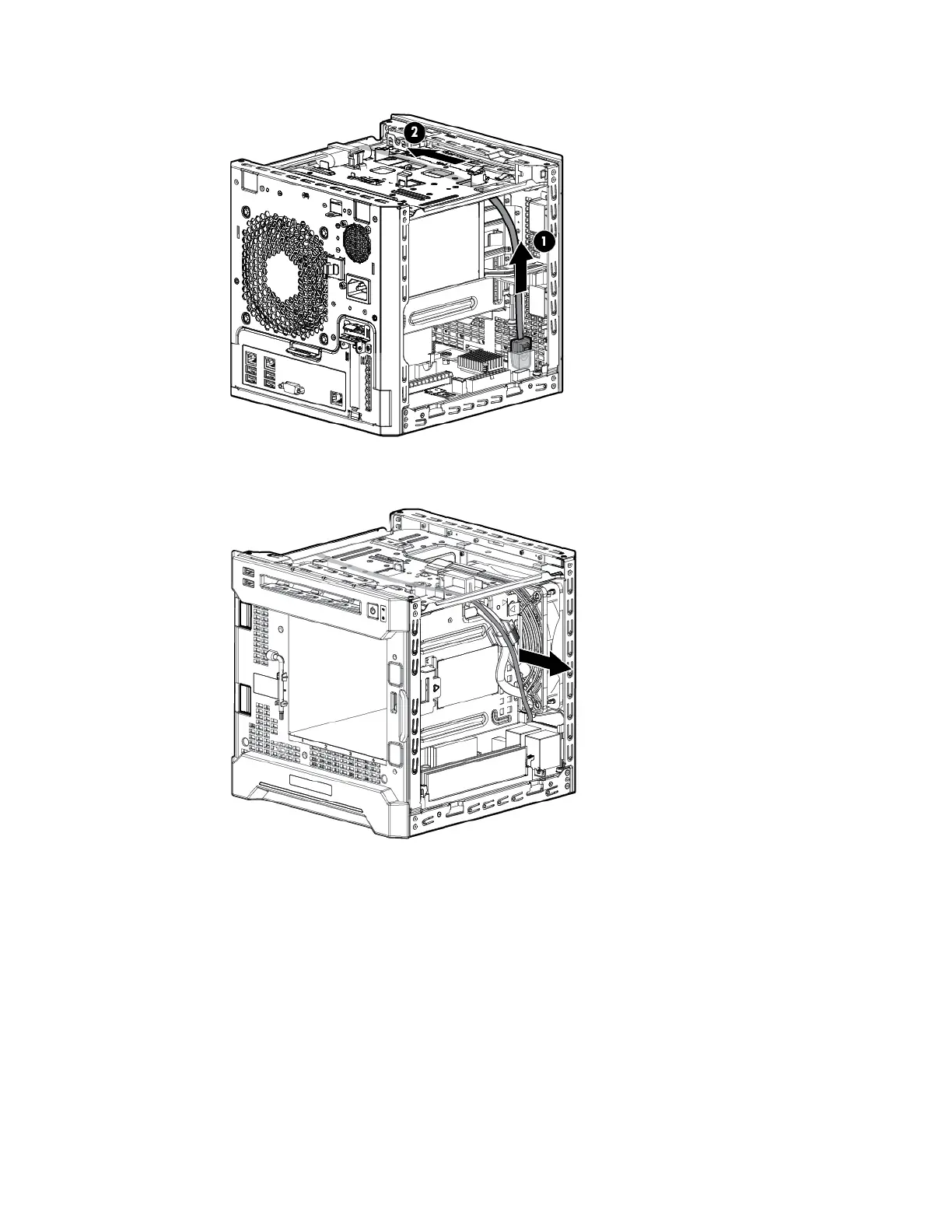
a. Disconnect the Mini-SAS cable from the system board or from a storage controller.
b. Pull the Mini-SAS cable out from the left side chassis opening toward the right side one until the
cable is released from the chassis.
10. Remove the non-hot-plug drive cable assembly:
a. Remove the bracket screws.
b. To release the bracket from the chassis tabs, pull it up and move it backward.














 To Next Page