Removal and replacement procedures 41
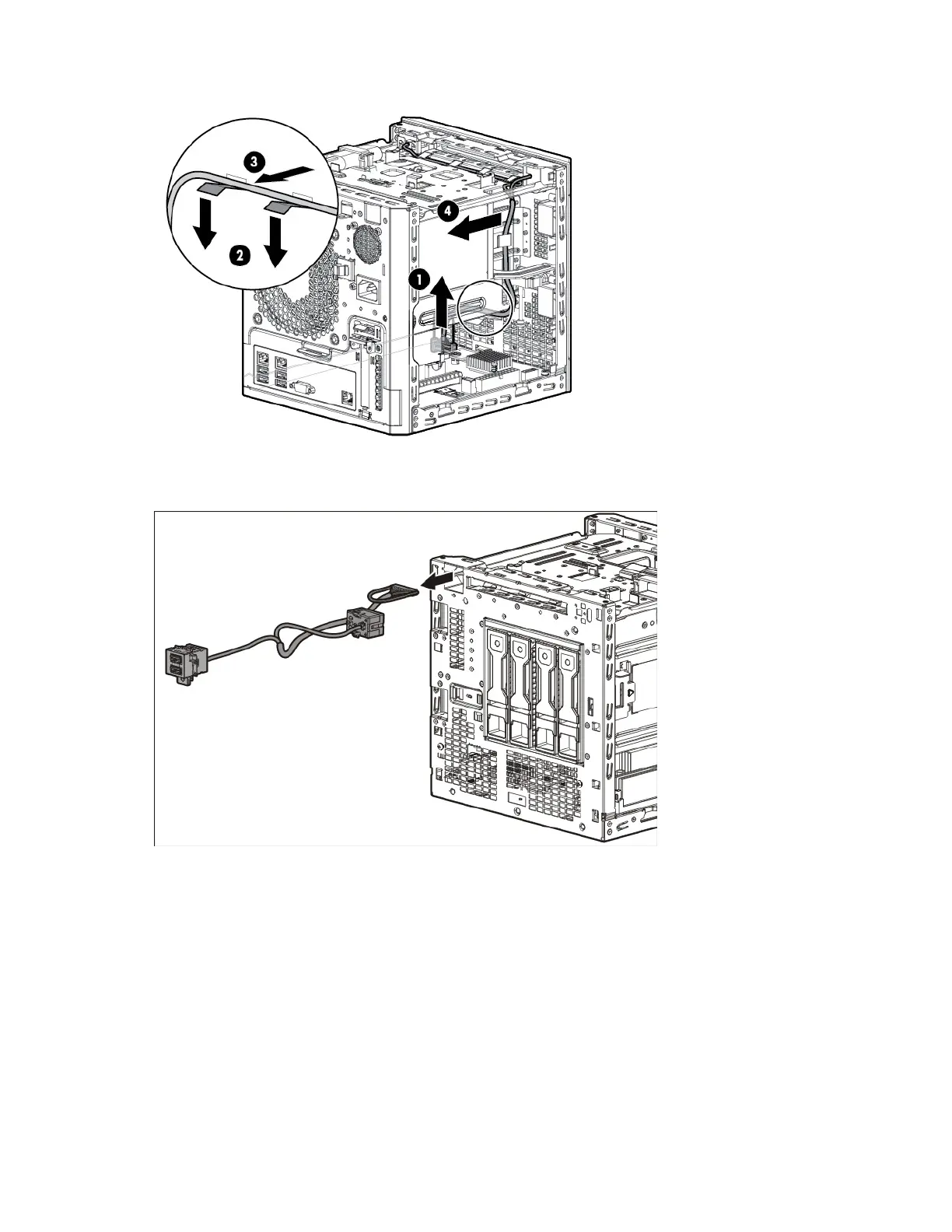
c. Release the cable from the left-side cable clip.
d. Pull the module cable out through the top chassis opening.
e. Pull the entire assembly out of the front USB module chassis opening.
To replace the component, reverse the removal procedure.
Ambient temperature sensor cable
To remove the component:
1. Power down the server (on page 24).
2. Disconnect the power cord from the AC source.
3. Disconnect the power cord from the server.
4. Remove the front bezel (on page 26).
5. Remove the chassis cover (on page 27).














 To Next Page