Removal and replacement procedures 39
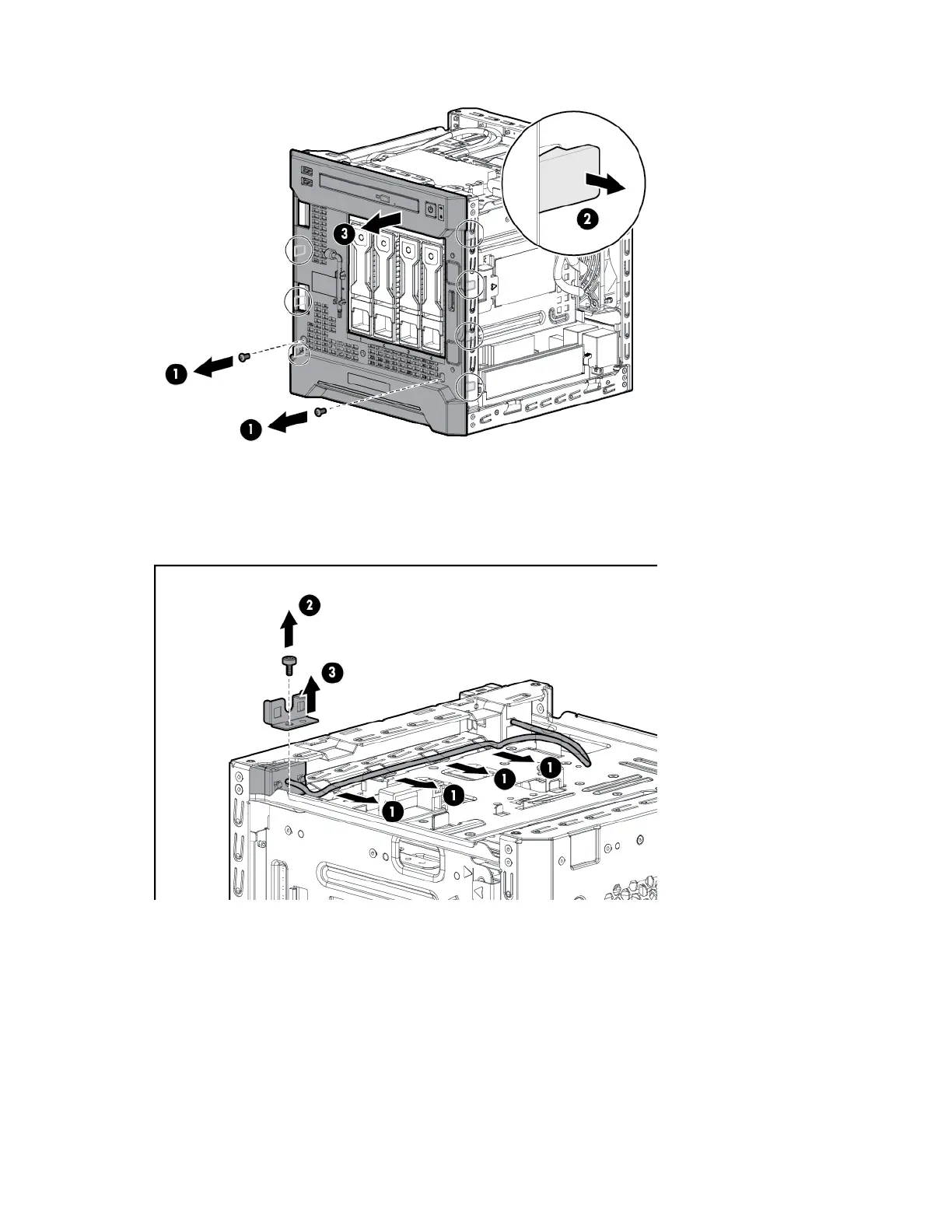
c. To detach the cover from the chassis, push the latches toward the front.
9. Remove the power button/LED module:
a. Release the module cable from the top chassis clips.
b. Remove the module bracket screw.
c. Remove the module bracket.



 To Next Page
 Loading...