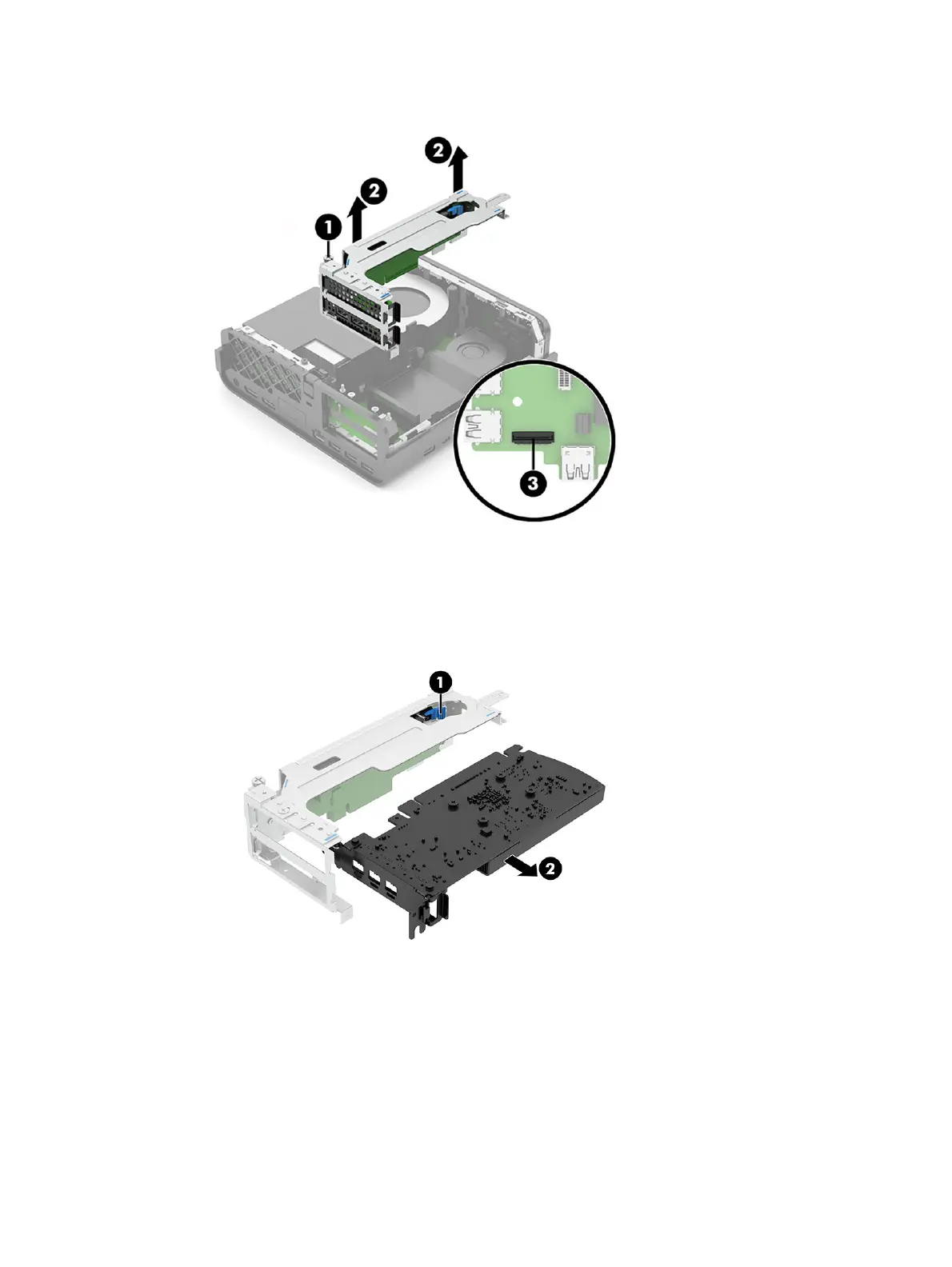
c. If necessary, disconnect the cable from the system board (3).
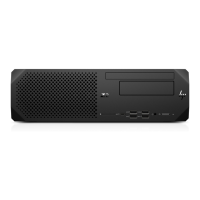
2. To remove an expansion card from the top slot of the riser assembly:
a. Press the blue release lever on the riser assembly board (1).
b. Pull the expansion out of the riser assembly (2).
3. Different expansion cards might require a different bracket. The following illustration provides an
example of removing a bracket from an expansion card:
a. Remove the two Phillips screws that secure the bracket to the card (1).
26
Chapter 4 Removal and replacement procedures





 To Next Page