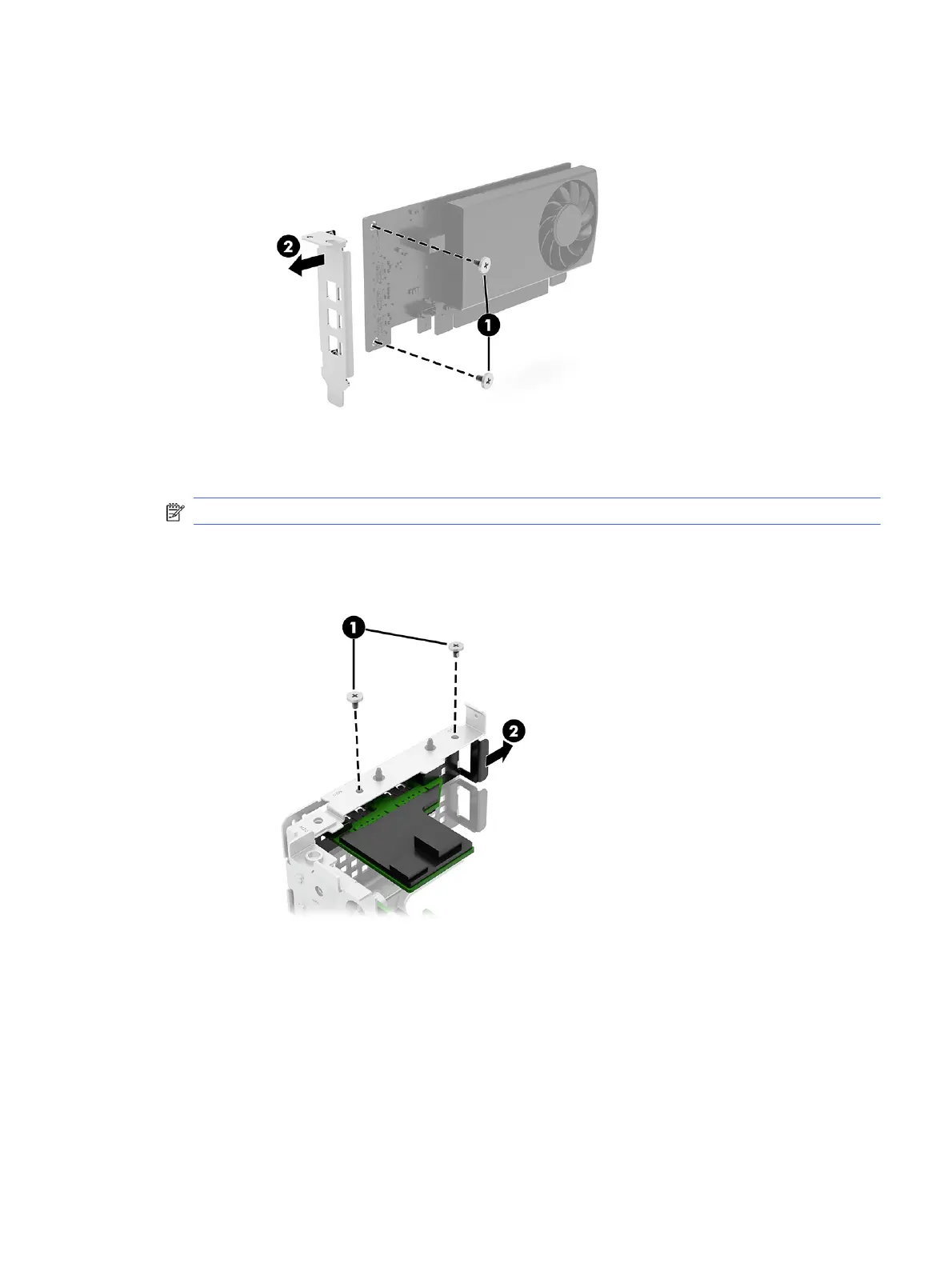
b. Remove the bracket from the card (2).
4. To remove a USB expansion card from the riser assembly:
NOTE: A serial port expansion card is also available.
a. Remove two small Phillips screws (1) that secure card to the bottom of the riser assembly.
b. Remove the card from the assembly (2).
5. To remove the expansion board from the riser assembly:
a. Remove the four Torx screws (1) that secure the board to the riser assembly.
Riser assembly and expansion cards
27





 To Next Page