- 22 -
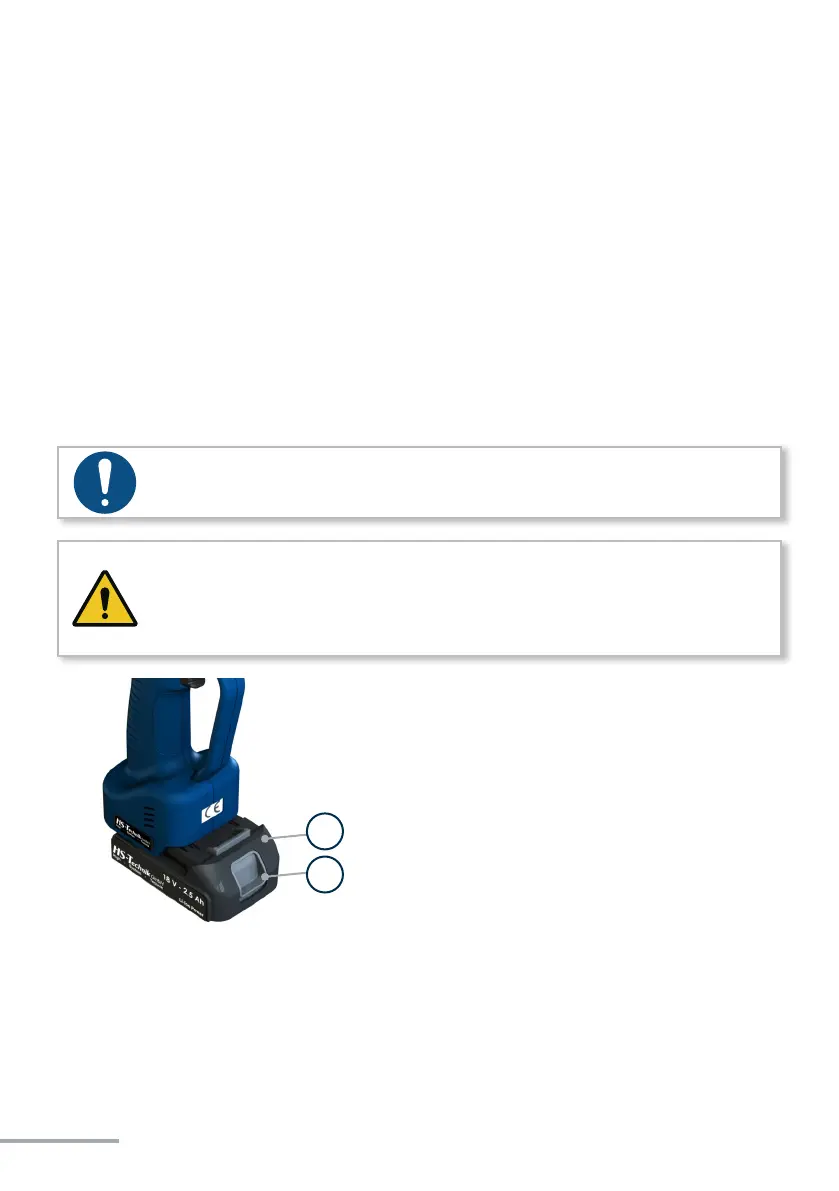
• In order to insert the baery (1), align it so that it can be easily pushed onto the mount-
ing provided along the plasc guide. Aer sliding it on completely, the fastening clip (2)
must lock the baery rmly and properly into place in the tool housing.
• In order to remove the baery push the fastening clip on the front side of the baery
down and pull the baery forward and o.
• Don't use force to install the baery. If the baery can not be easily pushed on it was not
correctly posioned.
NOTE
Always push the battery all the way in until it locks into place with a click.
WARNING
If the battery is not correctly locked it can fall out and cause injuries.
• Always ensure that the battery is fully locked into place.
1) Baery
2) Fastening clip
1
2



 To Next Page