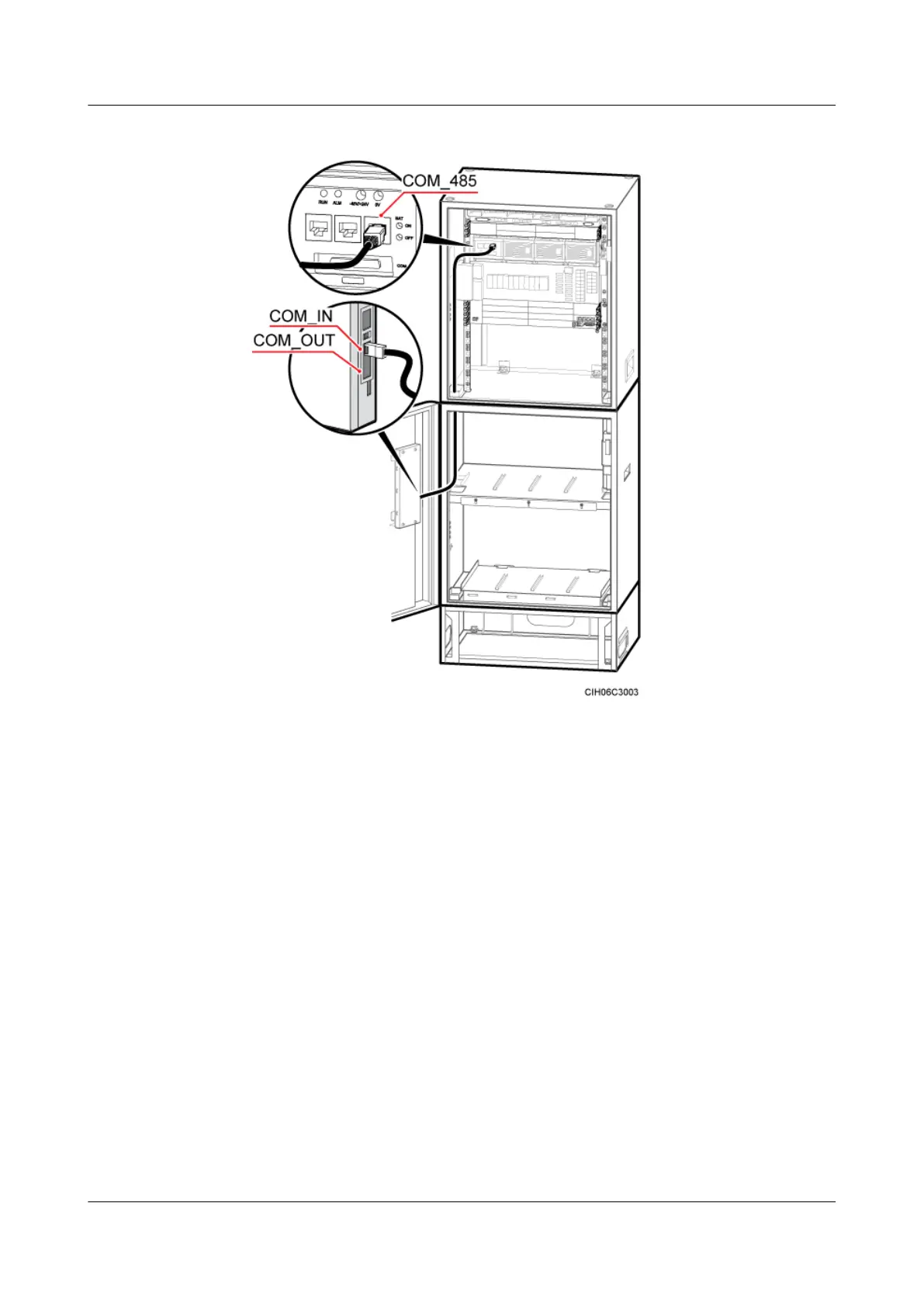
Figure 6-100 Installing a monitoring signal cable between the APM30H and the IBBS200T
Step 3 If one more APM30H and one more IBBS200D or IBBS200T are configured, install two more
monitoring signal cables, as shown in Figure 6-101.
1. Connect one end of a monitoring signal cable between the BBU in the APM30H and the
CMUA in the extended APM30H to the MON0 port on the UPEU in the BBU, and then
connect the other end to the COM_IN port on the CMUA.
2. Connect one end of a monitoring signal cable between the extended APM30H and the
IBBS200D or IBBS200T under the APM30H to the COM_IN port on the CMUA on the
cabinet door of the IBBS200D or IBBS200T, and then connect the other end to the
COM_485 port on the PMU in the APM30H.
DBS3900 (Ver.B)
Installation Guide
6 Outdoor Scenario with AC Power Supply (BBU Installed
in an APM30H)
Issue 06 (2011-09-15) Huawei Proprietary and Confidential
Copyright © Huawei Technologies Co., Ltd.
107



 To Next Page