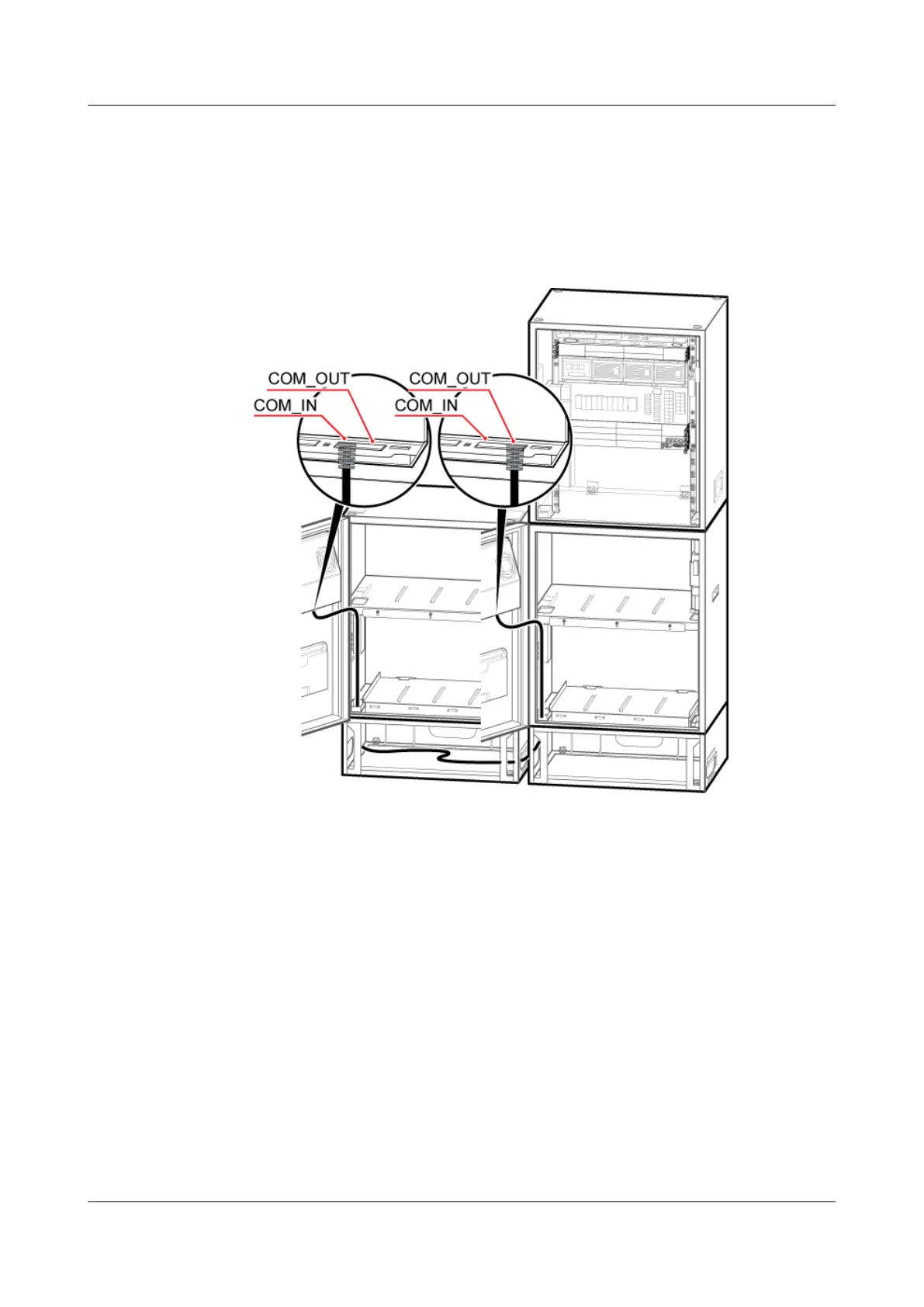
1. Connect one end of the monitoring signal cable between the cascaded CMUAs to the
COM_OUT port on the CMUA on the cabinet door of the IBBS200D or IBBS200T under
the APM30H.
2. Connect the other end to the COM_IN port on the CMUA on the cabinet door of the second
IBBS200D or IBBS200T.
Figure 6-105 Installing a monitoring signal cable between cascaded CMUAs
Step 3 Install a monitoring signal cable between the APM30H and the IBBS200D or IBBS200T, as
shown in Figure 6-106 and Figure 6-107.
1. Connect one end of the monitoring signal cable between the APM30H and the IBBS200D
or IBBS200T to the COM_IN port on the CMUA on the cabinet door of the IBBS200D or
IBBS200T.
2. Connect the other end to the COM_485 port on the PMU in the APM30H.
DBS3900 (Ver.B)
Installation Guide
6 Outdoor Scenario with AC Power Supply (BBU Installed
in an APM30H)
Issue 06 (2011-09-15) Huawei Proprietary and Confidential
Copyright © Huawei Technologies Co., Ltd.
111



 To Next Page