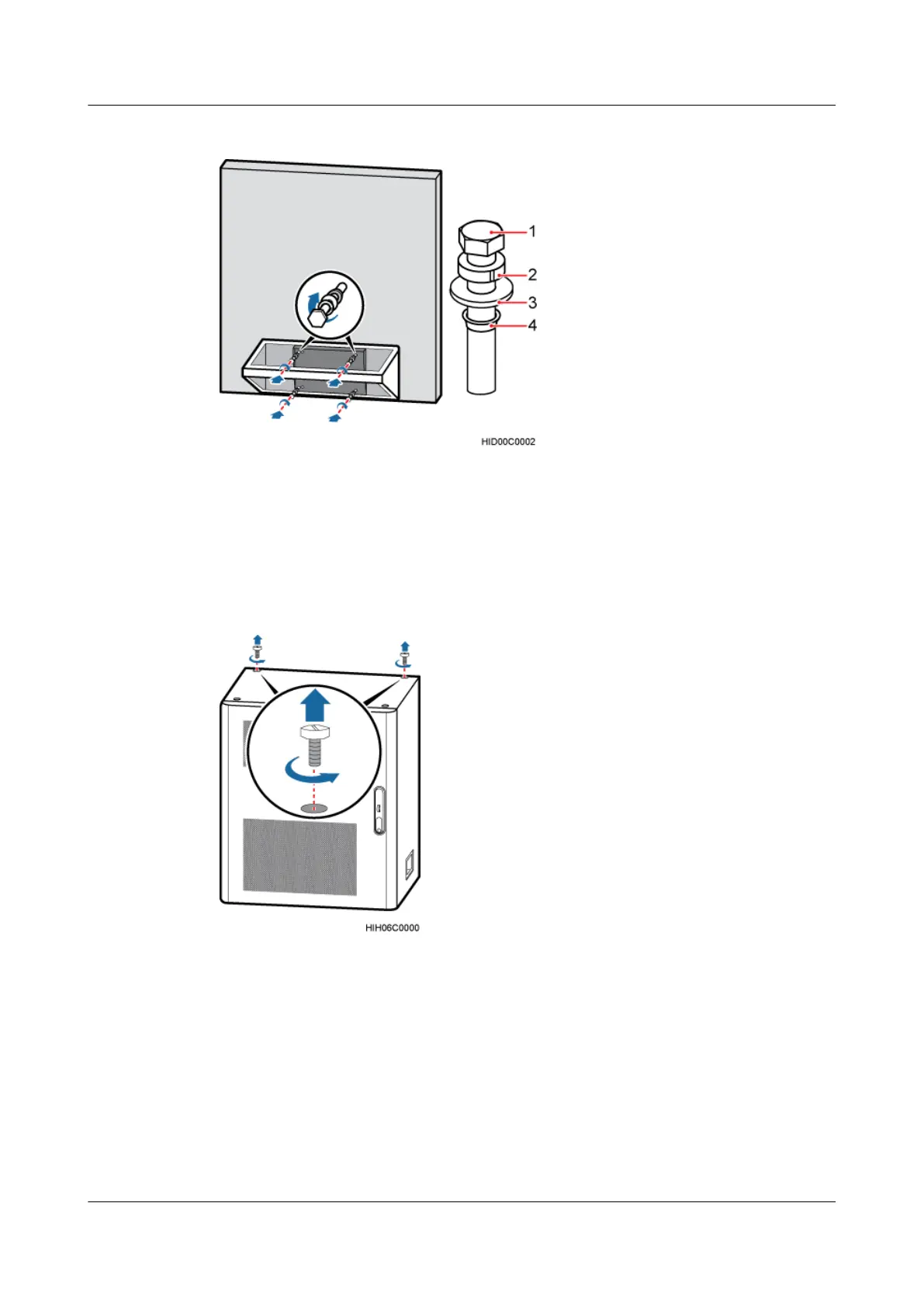
Figure 7-29 Installing a trapezoidal rack
(1) M12x60 bolt (2) Spring washer (3) Flat washer (4) Waterproof gasket.
Step 4 Remove the two plastic screws that are near the back of the cabinet from the top of the cabinet,
as shown in Figure 7-30.
Figure 7-30 Removing plastic screws
(1) Plastic screw
Step 5 Install a fastening bar on the top of the cabinet, and then use a socket wrench to tighten the two
bolts, as shown in Figure 7-31.
DBS3900 (Ver.B)
Installation Guide
7 Outdoor Scenario with DC Power Supply (BBU Installed
in a TMC11H)
Issue 06 (2011-09-15) Huawei Proprietary and Confidential
Copyright © Huawei Technologies Co., Ltd.
168



 To Next Page