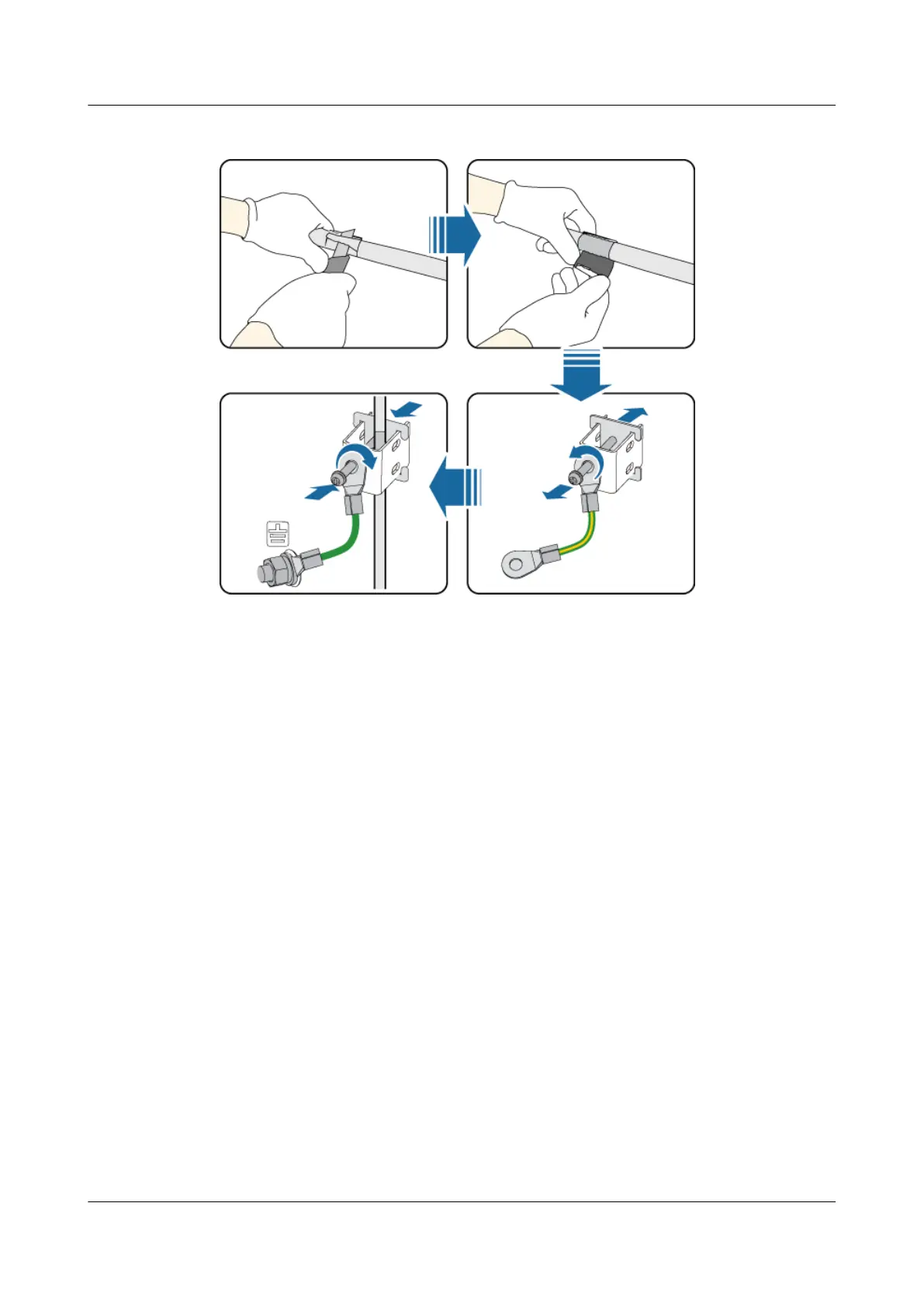
Figure 10-26 Installing a ground clip
Step 3 Route the cable by referring to 10.4.1 Cabling Requirements, and then use cable ties to bind
the cable.
Step 4 Label the installed cables. For details, see Attaching an L-Shaped Label.
----End
Installing a FE/GE Surge Protection Transfer Cable
A FE/GE surge protection transfer cable connects a transmission board and the UFLP,
transferring surge protection transfer signals.
Procedure
Step 1 Install a FE/GE surge protection transfer cable, as shown in Figure 10-27.
1. Link the RJ-45 connector at one end of the FE/GE surge protection transfer cable to the
FE0 port on the GTMU or WMPT or FE/GE port on the UTRP9 in the BBU.
2. Connect the other end to the FE0 or FE1 port near the INSIDE label on the UFLP in the
BBU.
DBS3900 (Ver.B)
Installation Guide
10 Outdoor Scenario with AC Power Supply (BBU Installed
in an OMB)
Issue 06 (2011-09-15) Huawei Proprietary and Confidential
Copyright © Huawei Technologies Co., Ltd.
353



 To Next Page