NOTE
The type of cabinet in Figure 6-2 can be APM30H, TMC11H, or IBBS200D.
Procedure
Step 1 Determine the position for installing a base.
1. According to the engineering drawing and installation clearance requirements, determine
the position for installing a cabinet.
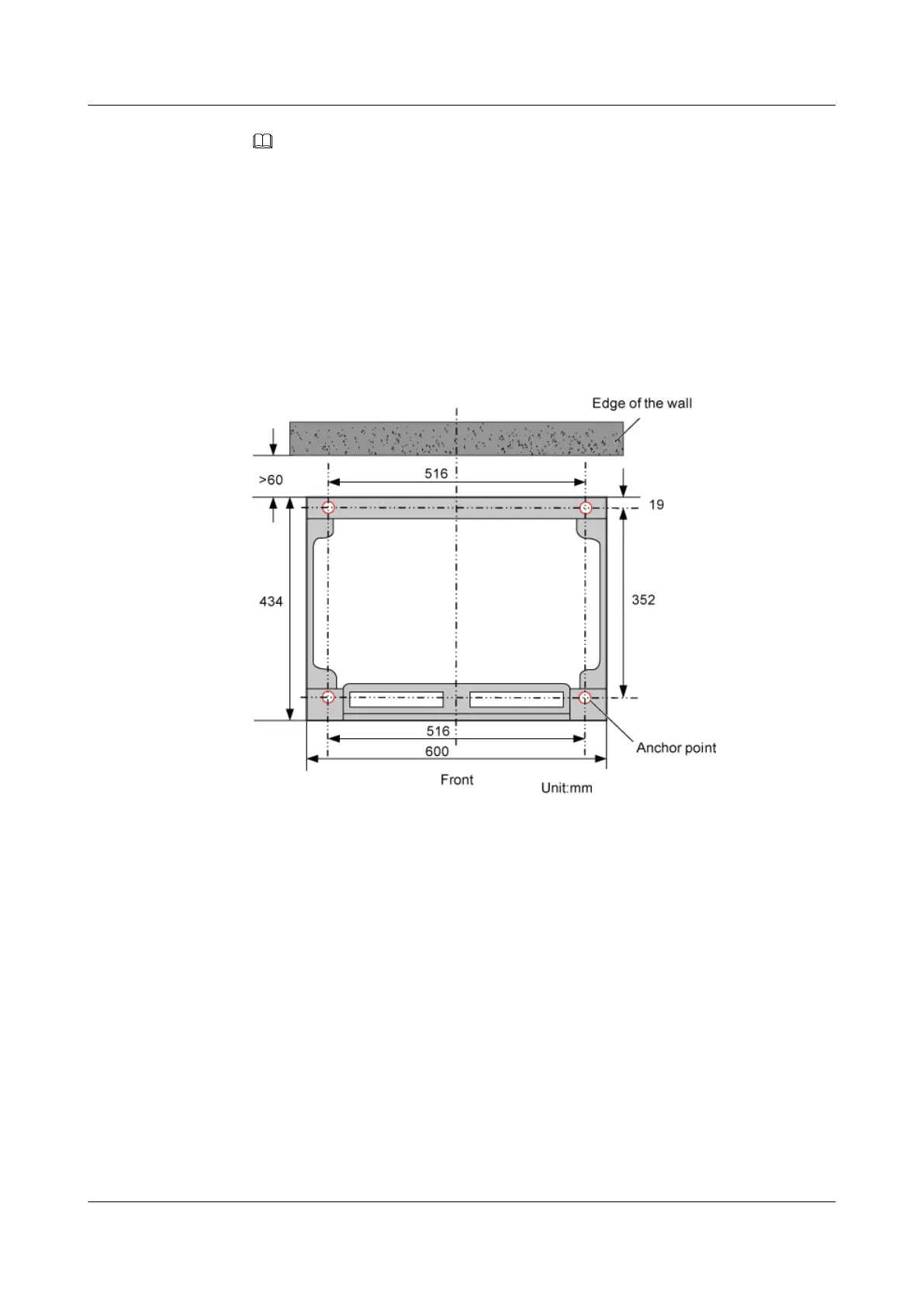
2. On the concrete pad, mark holes to determine the installation position of the base, as shown
in Figure 6-3.
Figure 6-3 Installation holes of the base
3. After marking all the holes, use the measuring tape to check whether the distances between
the holes are accurate.
Step 2 Drill holes at the anchor points, and then install the expansion bolt assemblies, as shown in
Figure 6-4.
DBS3900 (Ver.B)
Installation Guide
6 Outdoor Scenario with AC Power Supply (BBU Installed
in an APM30H)
Issue 06 (2011-09-15) Huawei Proprietary and Confidential
Copyright © Huawei Technologies Co., Ltd.
31



 To Next Page