Command Conventions
The command conventions that may be found in this document are defined as follows.
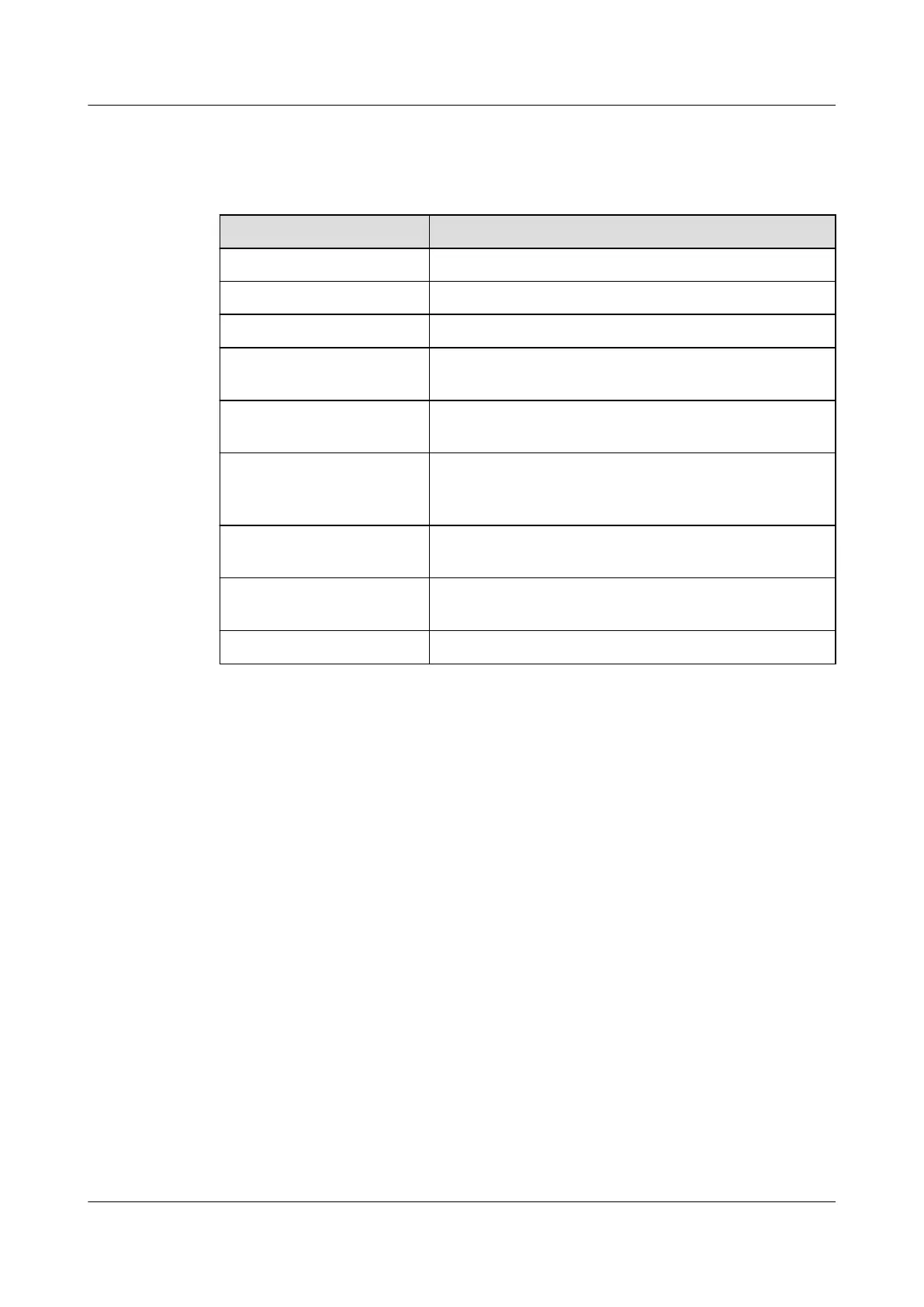
Convention Description
Boldface The keywords of a command line are in boldface.
Italic Command arguments are in italics.
[ ] Items (keywords or arguments) in brackets [ ] are optional.
{ x | y | ... } Optional items are grouped in braces and separated by
vertical bars. One item is selected.
[ x | y | ... ] Optional items are grouped in brackets and separated by
vertical bars. One item is selected or no item is selected.
{ x | y | ... }
*
Optional items are grouped in braces and separated by
vertical bars. A minimum of one item or a maximum of all
items can be selected.
[ x | y | ... ]
*
Optional items are grouped in brackets and separated by
vertical bars. Several items or no item can be selected.
&<1-n> The parameter before the & sign can be repeated 1 to n
times.
# A line starting with the # sign is comments.
Change History
Changes between document issues are cumulative. The latest document issue contains all the
changes made in earlier issues.
Changes in Issue 13 (2017-11-20)
The documentation is modified according to updates in product features.
Changes in Issue 12 (2017-08-25)
The documentation is modified according to updates in product features.
Changes in Issue 11 (2017-06-30)
The documentation is modified according to updates in product features.
Changes in Issue 10 (2017-05-04)
The documentation is modified according to updates in product features.
S2700&S3700&S5700&S6700 Switch
Hardware Installation and Maintenance Guide
About This Document
Issue 13 (2017-11-20) Huawei Proprietary and Confidential
Copyright © Huawei Technologies Co., Ltd.
iii





 To Next Page