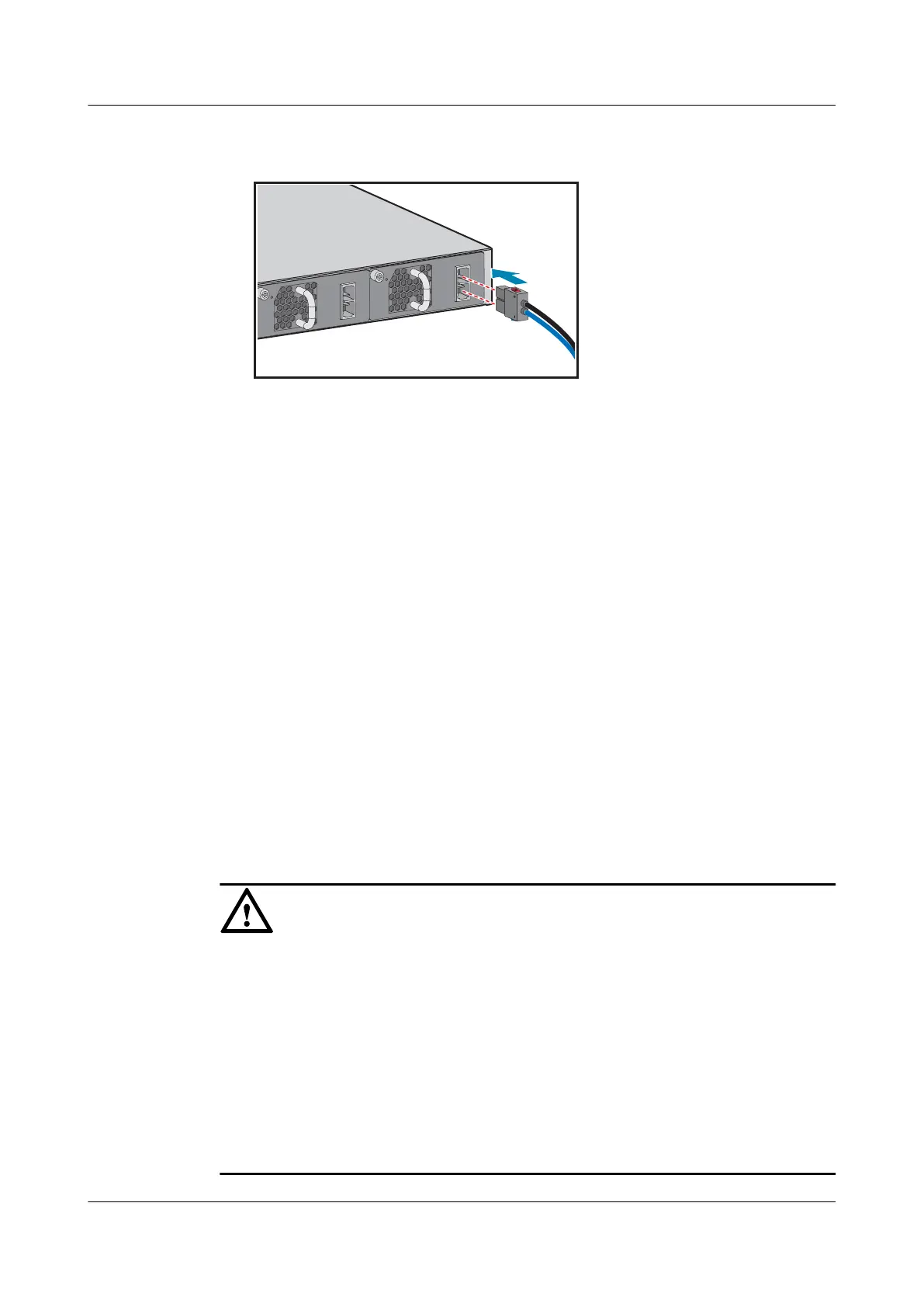
positive and negative poles of the plug are connected to the positive and negative
sockets, respectively.
Step 5 Connect the power cables to the external power supply system.
l If you are using AC power cables standard for your geographical location, connect them
to an AC power strip or power distribution box.
l If you are using C13 straight female to C14 straight male AC power cables, connect
them to a PDU.
l If you are using DC power cables, connect them to a DC power distribution box. Ensure
correct connections of the positive and negative power cables.
----End
Follow-up Procedure
Complete a post-installation check before powering on the switch. For the post-installation
checklist, see 8 Post-installation Checks. For details about how to power on the switch, see
10 Powering on a Switch for the First Time.
7.2 Connecting Ethernet Cables
Context
NOTICE
l Before deploying Ethernet cables, test their electrical connectivity.
l If Ethernet cables of the switch need to be routed outdoors, bury them underground or put
them through steel pipes to avoid lightning strikes to the switch. Do not aerially route
Ethernet cables outdoors.
l Keep signal cables more than 10 cm away from power cables.
l When a switch with 48 optical ports and copper modules is installed in a 600 mm deep
cabinet, only Category 5 unshielded twisted pairs can be used.
l When a switch with 48 electrical ports is installed in a 600 mm deep cabinet, only
Category 5 unshielded twisted pairs can be used.
S2700&S3700&S5700&S6700 Switch
Hardware Installation and Maintenance Guide
7 Connecting a Switch
Issue 13 (2017-11-20) Huawei Proprietary and Confidential
Copyright © Huawei Technologies Co., Ltd.
56





 To Next Page