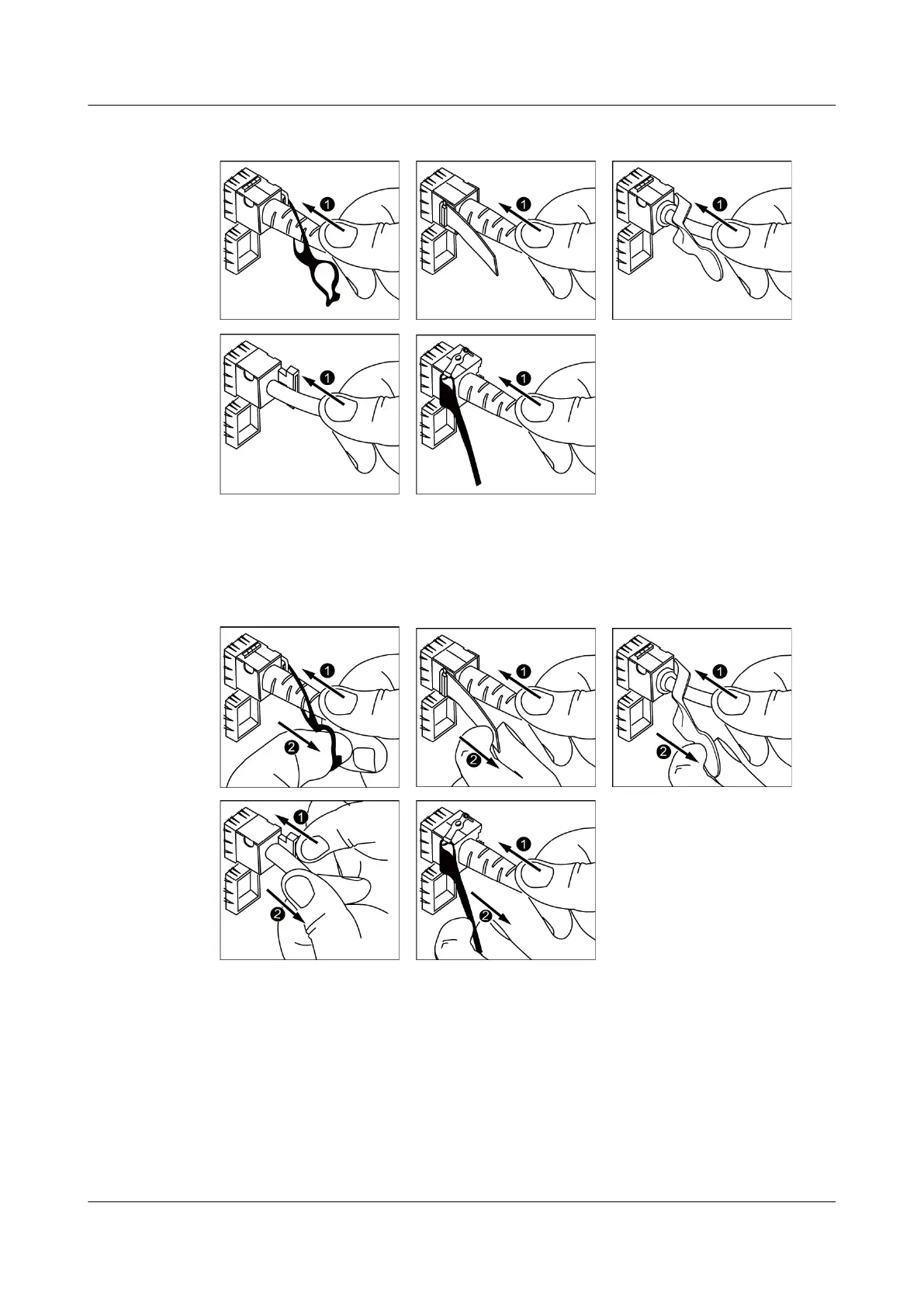
Figure 7-5 Connecting a copper cable
To remove a copper cable, gently push the cable connector inward and then pull the handle of
the connector. Do not forcibly pull the cable connector. See Figure 7-6.
Figure 7-6 Removing a copper cable
Step 6 Arrange the copper cables to make them parallel, and bundle them with cable ties at a spacing
of 150-300 mm (5.9-11.8 in.). Use a cable tie gun to cut off redundant cable ties.
Step 7 Replace all the temporary labels on the copper cables with permanent labels.
----End
7.5 Connecting Stack Cables
S2700&S3700&S5700&S6700 Switch
Hardware Installation and Maintenance Guide
7 Connecting a Switch
Issue 13 (2017-11-20) Huawei Proprietary and Confidential
Copyright © Huawei Technologies Co., Ltd.
64





 To Next Page