Copyright © Huawei Technologies Co., Ltd.
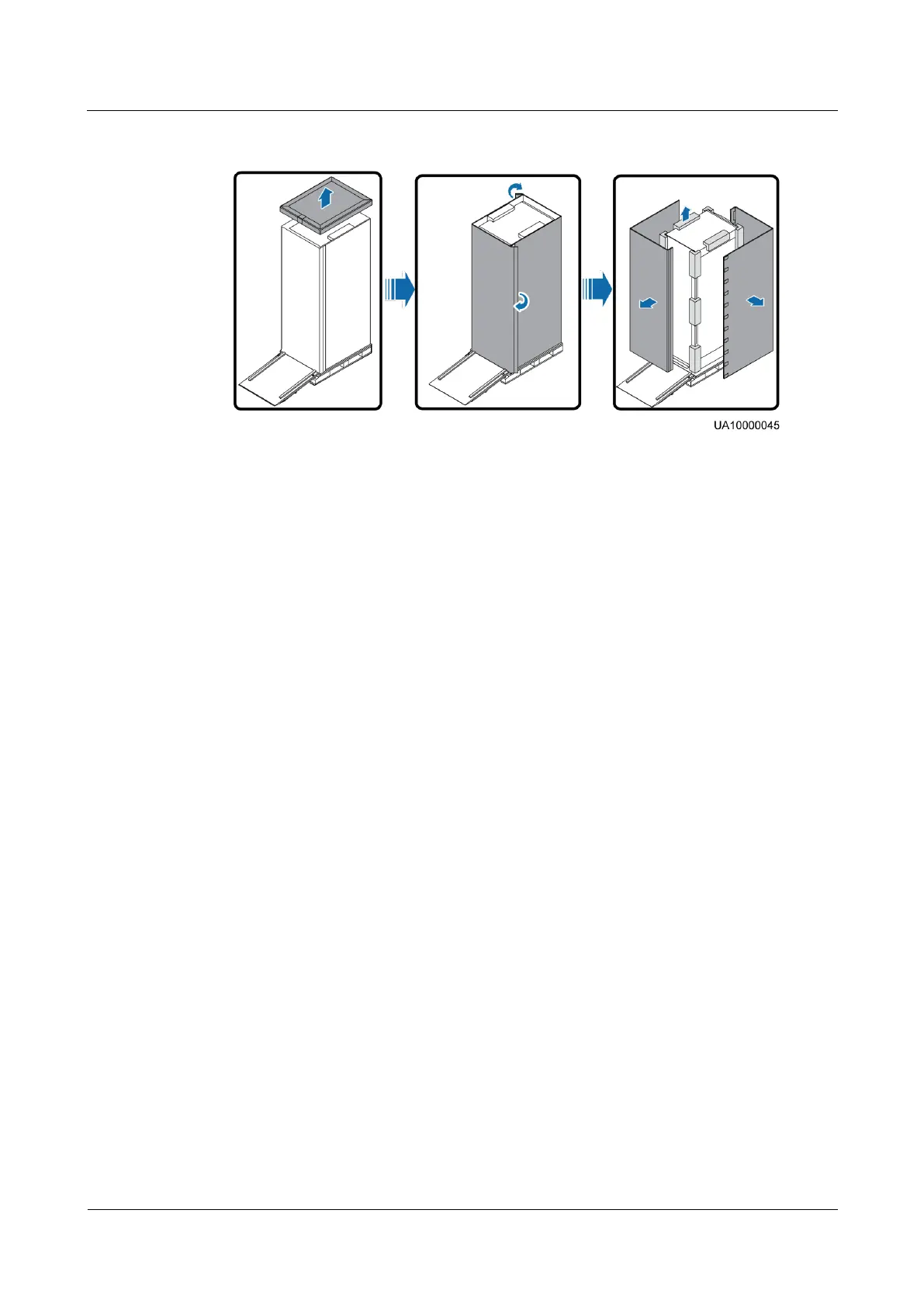
Figure 3-2 Removing packing materials
Step 5 Remove the plastic bag and take out the fittings box.
Step 6 Check that the SmartLi is intact.
1. Visually inspect the SmartLi appearance for shipping damage. If it is damaged, notify
the carrier immediately.
2. Check that all fittings comply with the packing list. If some fittings are missing or do not
comply with the packing list, record this information and contact your local Huawei
office immediately.
Step 7 Remove the L-shaped bracket that secures the cabinet and the pallet, and secure the sliding
plate to the pallet by using the two M12 screws that were removed.
Step 8 Raise the four anchor bolts to the highest position using an adjustable wrench.











 To Next Page