Copyright © Huawei Technologies Co., Ltd.
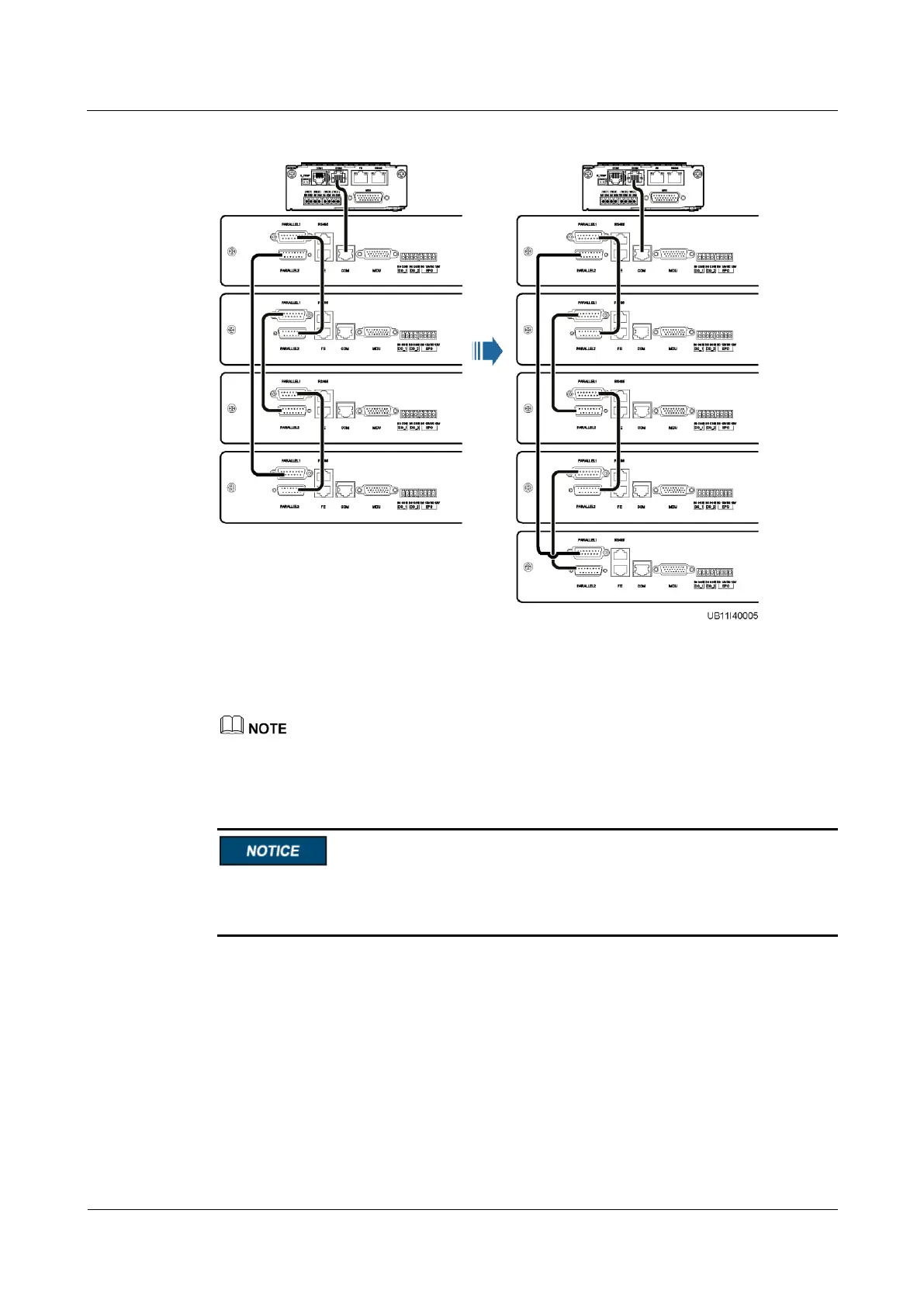
Figure 5-4 Connecting control cables
Step 4 On the home screen, choose Settings > System Settings, and set Battery cabinet quantity to
5.
In this case, the Cabinet quantity mismatch alarm is generated.
Step 5 Power on the new SmartLi by referring to section "5.1 Powering On Batteries".
After pressing and holding the POWER ON/OFF button on the battery management module
of the new SmartLi for more than 2s, you need to confirm that the Cabinet quantity
mismatch alarm is cleared before turning on the battery circuit breaker.
----End
5.6 Removing a SmartLi
Context
This section describes how to remove a SmartLi by using five cabinets in parallel as an
example. The original system consists of five combined cabinets. Now, you need to remove
SmartLi 3.











 To Next Page