Copyright © Huawei Technologies Co., Ltd.
3.4 Installation Verification
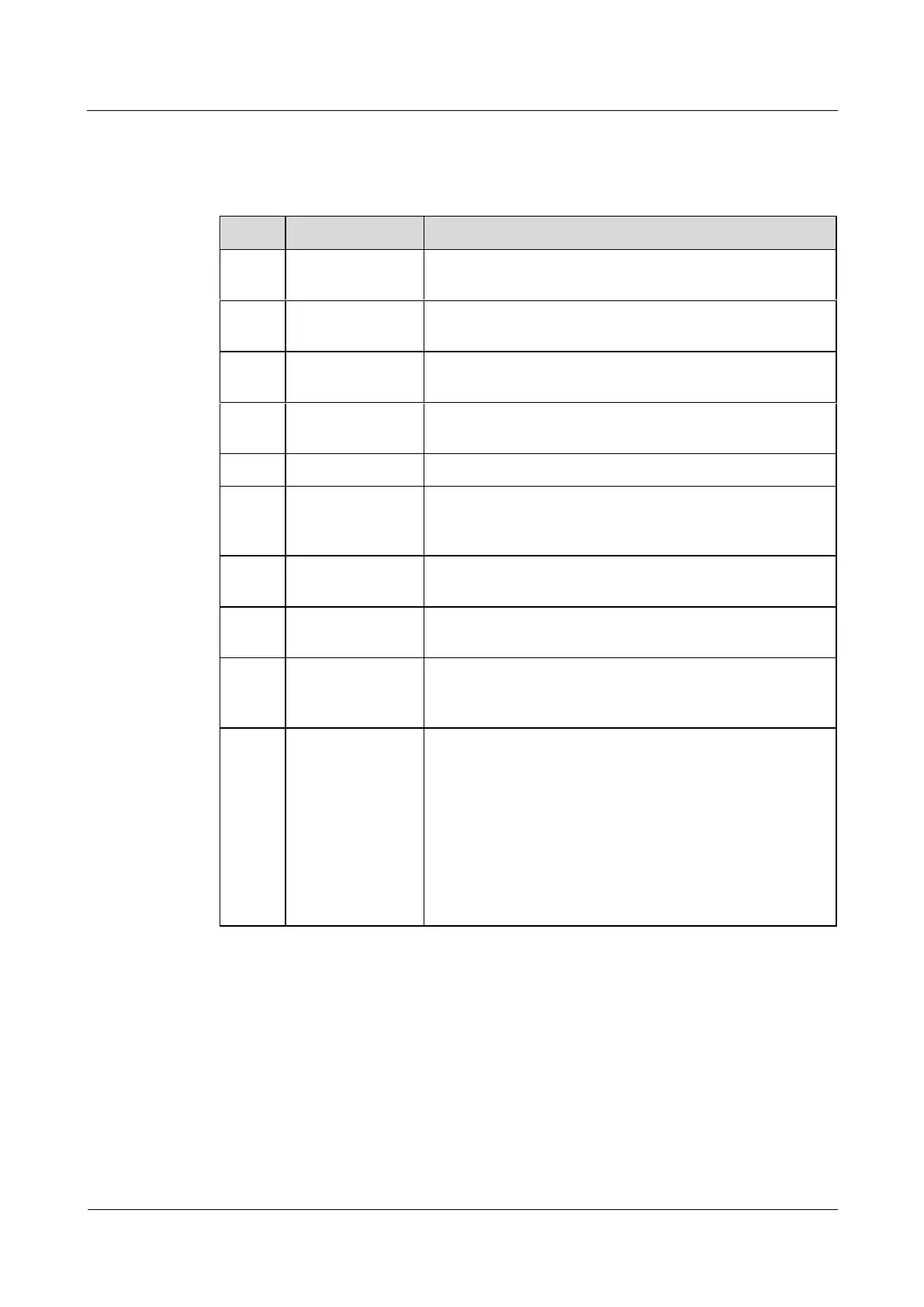
Table 3-2 Installation checklist
The SmartLi is securely installed and does not tilt due to
vibration.
The SmartLi and its adjacent cabinets are neatly arranged
and secured with connecting plates.
Cables are routed properly and cable routing meets
customer requirements.
Both ends of a cable are labeled. Labels are concise and
easy to understand.
Cable ties are secured evenly and no burr exists.
The output, and battery cables are securely connected. For
the cables secured by screws, the spring washers are
flattened.
The resistance between the SmartLi ground bar and the
equipment room ground bar is less than 0.1 ohm.
Battery cable
connections
The SmartLi is correctly connected to the UPS.
Checking the
pressure gauge
Check whether the pressure gauge pointer is in the green
zone and whether the pressure value is greater than 1.6
MPa.
Foreign matter
cleaning inside
the cabinet
The inside and outside of the cabinet, and other operating
components, are free from conductive dust.
1. There is no foreign matter (such as copper wires and
screws) on the top of the cabinet.
2. There is no foreign matter on the copper bar terminals.
3. There is no foreign matter around switch terminals.
4. There is no foreign matter on the bottom plate of the
cabinet.
5. There is no foreign matter on the rear module subrack.











 To Next Page