Copyright © Huawei Technologies Co., Ltd.
Knock the expansion bolt into the hole until the expansion tube completely fits into the hole.
The expansion sleeve must be completely buried under the ground to facilitate subsequent
installation.
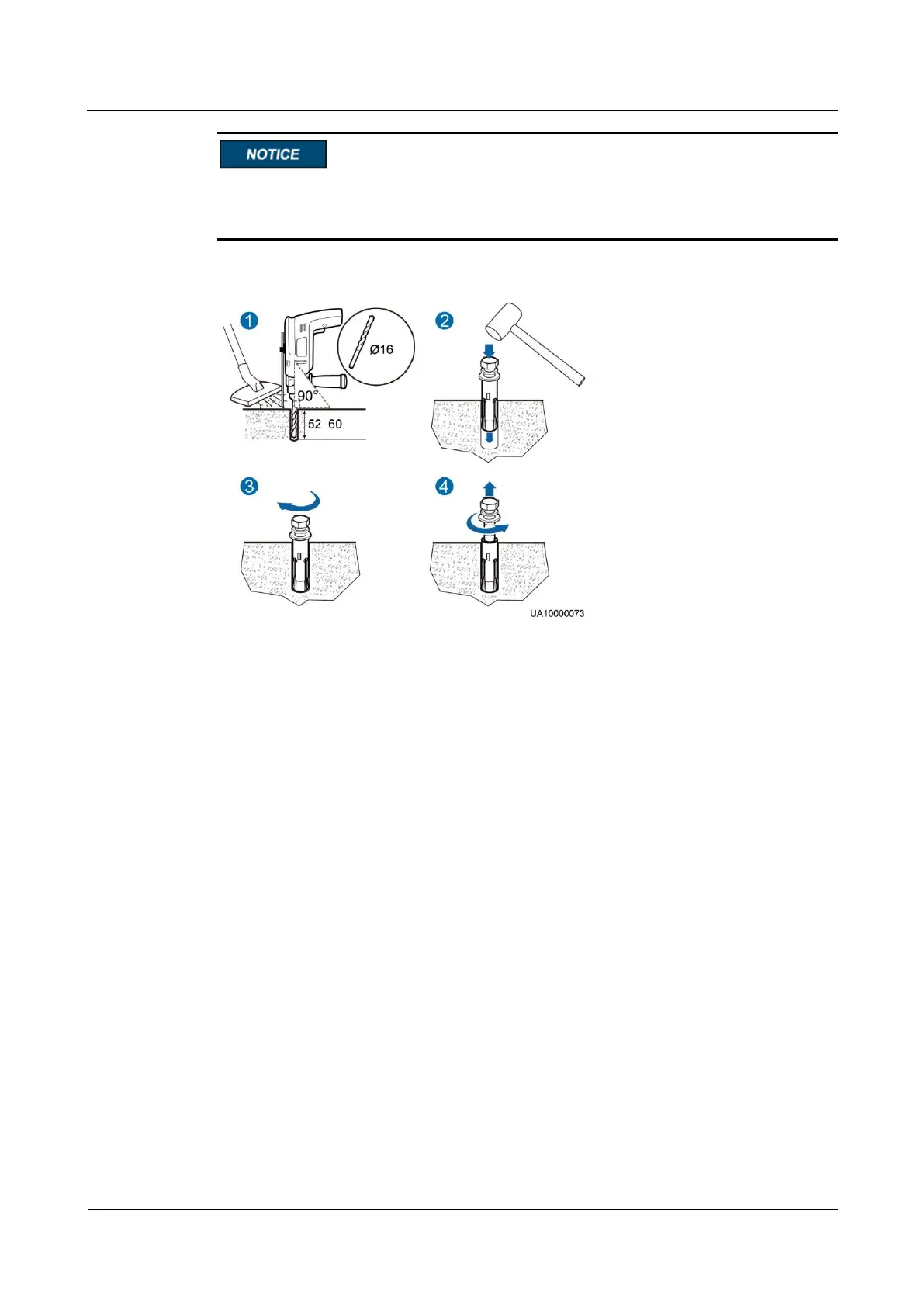
Figure 3-10 Installing an expansion bolt (unit: mm)
1. Drill a hole into the concrete floor using a hammer drill. The hole depth ranges from 52
mm to 60 mm.
2. Slightly tighten the expansion bolt and vertically insert it into the hole. Knock the
expansion bolt using a hammer until the expansion sleeve is fully inserted into the hole.
3. Partially tighten the expansion bolt.
4. Remove the bolt, spring washer, and flat washer.
Step 3 Wheel the cabinet to the installation position.
Step 4 Open the front door and remove the four plugs from the bottom of the cabinet.











 To Next Page