EasyManua.ls Logo

Huawei SUN2000-12KTL - User Manual

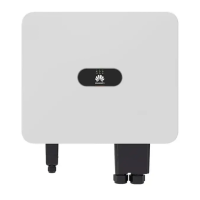
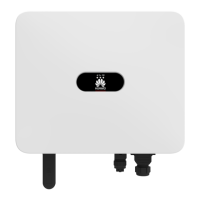
Huawei SUN2000-12KTL
136 pages
Print Icon
To Next Page IconTo Next Page
Loading...
SUN2000 (8KTL-28KTL)
User Manual
Issue
10
Date
2017-07-30
HUAWEI TECHNOLOGIES CO., LTD.

Table of Contents

Other manuals for Huawei SUN2000-12KTL

Questions and Answers

  • C
    chullSep 4, 2025
    How to fix DC Over Voltage on Huawei SUN2000-12KTL Inverter?
    • R
      Robert FranklinSep 4, 2025
      If your Huawei Inverter SUN2000 is showing a DC Over Voltage alarm, it means the voltage from your PV modules is too high. To fix this, you need to reduce the number of PV modules connected in series for each PV string (1 and 2, 3 and 4, or 5 and 6) until the open-circuit voltage is at or below the inverter's maximum input voltage. Once you've adjusted the PV array configuration, the SUN2000 alarm should disappear.
  • A
    Alexis CaseSep 2, 2025
    What to do if Huawei SUN2000-12KTL Inverter Firmware Upgrade Failed?
    • M
      Mary FrancisSep 2, 2025
      A Firmware Upgrade Failed error on a Huawei Inverter means the upgrade process was incomplete. Upgrade again.
  • J
    jessicalopezSep 1, 2025
    What does System Fault mean on my Huawei SUN2000-12KTL?
    • M
      Michael ThomasSep 1, 2025
      A System Fault on the Huawei Inverter indicates an unrecoverable fault has occurred on a circuit inside the inverter. Flip the DC SWITCH on the inverter to OFF, wait 5 minutes, and then flip the DC SWITCH to ON. Check if the fault is rectified.
  • B
    brownnathanielAug 31, 2025
    What to check for Electrical Grounding Fault on Huawei Inverter?
    • B
      browntylerAug 31, 2025
      An Electrical Grounding Fault on the Huawei Inverter indicates that the neutral wire or PGND cable is not properly connected to the inverter. Ensure that the neutral wire and PGND cable are correctly connected.
  • N
    Nicole BensonAug 30, 2025
    What causes String 1-6 Abnormal error on Huawei Inverter?
    • N
      Nicole HernandezAug 30, 2025
      The Huawei Inverter displays 'String 1-6 Abnormal' when PV strings have been shielded for a long time or have deteriorated. Check if the output current of a PV string is obviously less than the output current of other PV strings. Also, check whether the PV string is shielded.
  • E
    Elizabeth MccarthyAug 29, 2025
    Why is my Huawei Inverter showing Cabinet Over-Temp?
    • J
      Jennifer FletcherAug 29, 2025
      If the Huawei Inverter displays 'Cabinet Over-Temp', it means the inverter is installed in a place with poor ventilation. Check if the ambient temperature exceeds the upper limit. If it does, improve ventilation to decrease the temperature.
  • K
    Kayla PriceAug 28, 2025
    What causes DC Bus Voltage Fault in Huawei SUN2000-12KTL?
    • L
      Linda MeadowsAug 29, 2025
      A DC Bus Voltage Fault on your Huawei Inverter means abnormal external conditions have triggered DC circuit protection. This can happen if the inverter input is suddenly disconnected or shielded PV strings cause a sharp change in output power (Reason ID = 3), or if the input energy can't vent quickly due to a sharp change in grid voltage (Reason ID = 9 or 11). The inverter monitors external conditions and should automatically return to normal once the fault is rectified. If the alarm occurs repeatedly, contact Huawei technical support.
  • M
    Megan LongAug 28, 2025
    What to do if Huawei SUN2000-12KTL Inverter shows Invert Module Fault?
    • N
      Nancy RileyAug 28, 2025
      The Huawei Inverter indicates an Invert Module Fault when abnormal external conditions trigger converter circuit protection inside the inverter. This could be due to a sharp drop in grid voltage or a short circuit, causing high output current (Reason ID = 4), or the inverter's output short-circuiting (Reason ID = 20). The inverter monitors external conditions and should return to normal once the issue is resolved. Check for any short circuits in the inverter's output cables and fix them.
  • C
    christina90Aug 27, 2025
    Why is my Huawei SUN2000-12KTL Inverter showing a Grid Voltage Abnormal error?
    • S
      Shawn TranAug 27, 2025
      The grid voltage may be beyond the allowed range. This can happen if the grid A, B, or C phase voltage is less than the allowed range (Reason ID = 1 to 6), or if there's a power outage, a disconnected AC line, or a tripped AC circuit breaker (Reason ID = 29). If it's an accidental grid issue, the Huawei Inverter should automatically return to normal once the problem is resolved. Check if the AC voltage is normal.
  • G
    Glenn AllenAug 26, 2025
    What does String 1-6 Reverse mean on Huawei SUN2000-12KTL Inverter?
    • M
      Michelle HenryAug 26, 2025
      The Huawei Inverter shows 'String 1-6 Reverse' when the cables between PV strings were connected in reverse during installation. Check if the cables between PV strings are correctly connected and reconnect them if necessary.

Summary

About This Document

Purpose

Outlines the document's scope for SUN2000 installation, operation, and maintenance.

Intended Audience

Specifies target readers as PV plant operators and qualified electrical personnel.

Symbol Conventions

Defines symbols used in the manual for safety and operational clarity.

Change History

Safety Precautions

Personnel Requirements

States that only qualified technicians should operate the SUN2000.

Label Protection

Warns against tampering with warning signs and nameplates on the unit.

Installation Safety

Details precautions for safe installation, including clearance and disconnection.

Electrical Connection Safety

Covers safety during electrical connections, including grounding and isolation.

Operation Safety

Emphasizes safety during operation, especially regarding high voltage and hot surfaces.

Maintenance and Replacement Safety

Outlines safety measures before and during maintenance tasks.

Overview

Introduction

Introduces the SUN2000, its functions, models, and applications.

Network Application

Describes the SUN2000's role in grid-tied PV power systems.

Power Grid Modes

Explains the different power grid modes supported by the SUN2000.

Appearance and Dimensions

Details the physical appearance and external dimensions of the SUN2000.

Bottom View and Ports

Identifies and describes the ports on the bottom of the SUN2000.

Label Conventions

Explains the meaning of symbols and labels on the SUN2000 and its nameplate.

Nameplate Details

Describes the information found on the SUN2000 nameplate.

Monitoring Panel Overview

Introduces the monitoring panel, including LCD, indicators, and buttons.

LCD Display

Explains the content and functionality of the LCD screen.

Indicators

Describes the status indicated by the SUN2000's LED indicators.

Buttons

Details the function of each button on the monitoring panel.

Working Principles

Explains the internal circuit diagrams and operational modes of the SUN2000.

SUN2000 Storage

Installation

Context and Pre-installation Checks

Provides context and initial checks before starting the installation process.

Product and Accessories Check

Guides on verifying delivered components after unpacking.

Required Tools

Lists the necessary tools for installation and cable connections.

Determining Installation Position

Specifies requirements for selecting an appropriate installation location.

Support-mounting Procedure

Details the steps for mounting the SUN2000 using a support bracket.

Wall-mounting Procedure

Outlines the steps for securely mounting the SUN2000 onto a wall.

Electrical Connections

Connecting PGND Cables

Explains how to connect the protection ground (PGND) cable for safety.

Connecting AC Output Power Cables

Guides on connecting the AC output power cables to the grid.

Connecting DC Input Power Cables

Details how to connect DC input power cables from PV strings.

Communications Cables

Covers connecting USB and RS485 communication cables.

System Operation

Checking Before Power-On

Lists checks required to ensure proper SUN2000 operation before powering up.

Powering On the SUN2000

Describes the procedure for powering on the SUN2000.

Setting Initialization Parameters

Guides on setting essential parameters like language, time, and grid code.

Man-Machine Interaction

Monitoring Menu Hierarchy

Shows the structure of the monitoring menus accessible via the LCD.

Monitoring Operations

Explains how to view system status and data on the monitoring panel.

Viewing System Operating Information

Details how to access daily, monthly, yearly, and historical energy data.

Viewing Alarm Records

Guides on accessing and managing active and historical alarm records.

Setting System Time

Explains how to configure the system's date and time settings.

Setting System Language

Details the process for changing the display language of the monitoring panel.

Setting the Contrast

Describes how to adjust the LCD contrast for better visibility.

Setting Currency and Currency Factor

Guides on setting currency and the rate for revenue calculation.

Changing a User Password

Explains how to change user passwords for system security.

Setting Communications Parameters

Covers configuring RS485 parameters like address, protocol, and baud rate.

Setting Protection Parameters

Details how to configure protection parameters for the SUN2000.

Setting Feature Parameters

Explains how to set various functional parameters like LVRT and power limit.

Setting Isolation Parameters

Guides on configuring isolation parameters for grounded PV strings.

Manually Starting and Shutting Down

Describes how to manually start and stop the SUN2000 via the panel.

Restoring Factory Settings

Explains how to reset all configured parameters to their factory defaults.

Enabling USB Guide Functions

Details how to enable USB functions for firmware upgrades and data export.

Cleaning User Data

Guides on clearing energy yield data and historical alarms.

Resetting Alarms

Explains how to clear active and historical alarm records.

Resetting the System

Describes the procedure to reset the entire system, causing a shutdown and restart.

Viewing System Version

Guides on how to check the SUN2000's model, firmware version, and SN.

Maintenance

Powering Off the SUN2000

Provides safety procedures for powering down the SUN2000 for maintenance.

Routine Maintenance

Outlines regular checks and cleaning for optimal SUN2000 performance.

Troubleshooting

Lists common faults, their causes, and measures to rectify them.

SUN2000 Handling

SUN2000 Removal

Details the steps for safely removing the SUN2000 from its installation.

SUN2000 Packing

Guides on how to pack the SUN2000 for transport or storage.

Disposing the SUN2000

Provides guidance on the proper disposal of the SUN2000 unit.

Technical Specifications

Efficiency

Lists the maximum and European efficiency ratings for different models.

Input Specifications

Details input voltage, current, power, and MPPT parameters.

Output Specifications

Lists rated active power, apparent power, voltage, current, and THD.

Protection Features

Summarizes the protection mechanisms implemented in the SUN2000.

Display and Communication

Covers display types and communication interfaces like RS485.

General Data

Provides physical dimensions, weight, operating environment, and terminal details.

Acronyms and Abbreviations

Power Grid Codes

Huawei SUN2000-12KTL Specifications

General IconGeneral
Max. Efficiency98.6%
Rated AC Power Output12, 000 W
Dimensions (W x H x D)525 x 470 x 262 mm
Weight25 kg
Operating Temperature Range-25°C to +60°C
Protection RatingIP65
Max. Input Voltage1100 V
Number of MPPT Trackers2
Max. Input Current per MPPT22 A
Cooling MethodNatural Convection
Max. apparent AC power12000 VA
MPPT Voltage Range200 V to 1, 000 V
Rated AC Voltage220 V / 380 V, 230 V / 400 V, 240 V / 415 V
Warranty5 years

Related product manuals

Huawei SUN2000-12KTL - User Manual