OPERATION
15
Problem
The shade does not operate.
Solution
Check that the shade is installed so the bead chain hangs straight down from
the clutch.
Problem
Shade hangs too low at the top.
Solution Cassette
Move the stop ball down the front of the chain to allow the shade to move
further up.
Standard/Designer Metal Bracket
Remove the shade from the brackets. See “Remove the Shade (If Necessary)”
on page 18.
Lay the shade on a clean surface; then roll the shade up completely.
Install the shade. See “Install the Shade— Standard/Designer Metal
Brackets” on page 6.
Problem
The shade is slightly long or short.
Solution
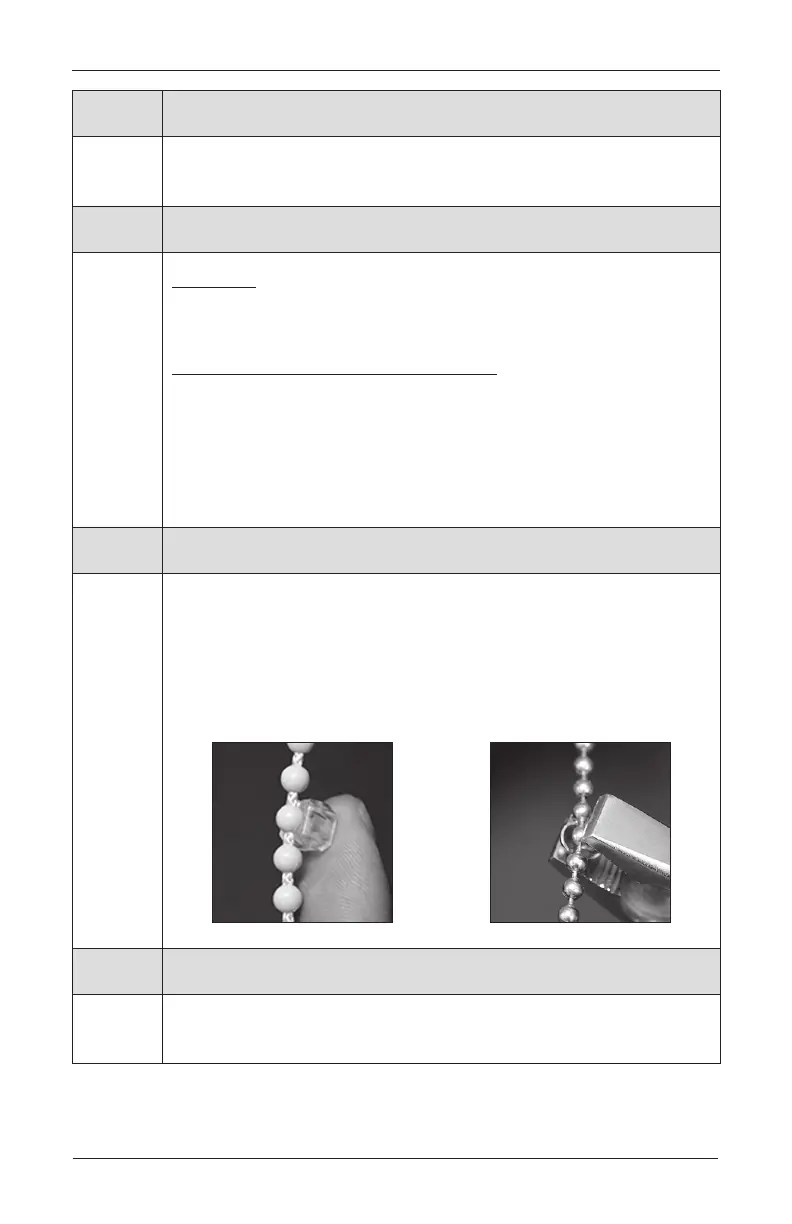
Raise the shade completely (until the bead chain connector touches the back
of the clutch).
➤
For a shorter drop, move the bead stop two to four beadsup.
➤
For a longer drop, move the bead stop two to four beadsdown.
IMPORTANT: Maximum adjustment is 1
3
⁄
4
", or eight to nine beads.
Problem
The light gap is not even.
Solution
If the light gap is larger on idle side, move the clutch-side bracket in by half
the distance to make it even.
Plastic
Bead
Stop
Metal
Bead
Stop









 To Next Page