Pg 12 S22A/S23A 2001b 2100 v1.0
3.
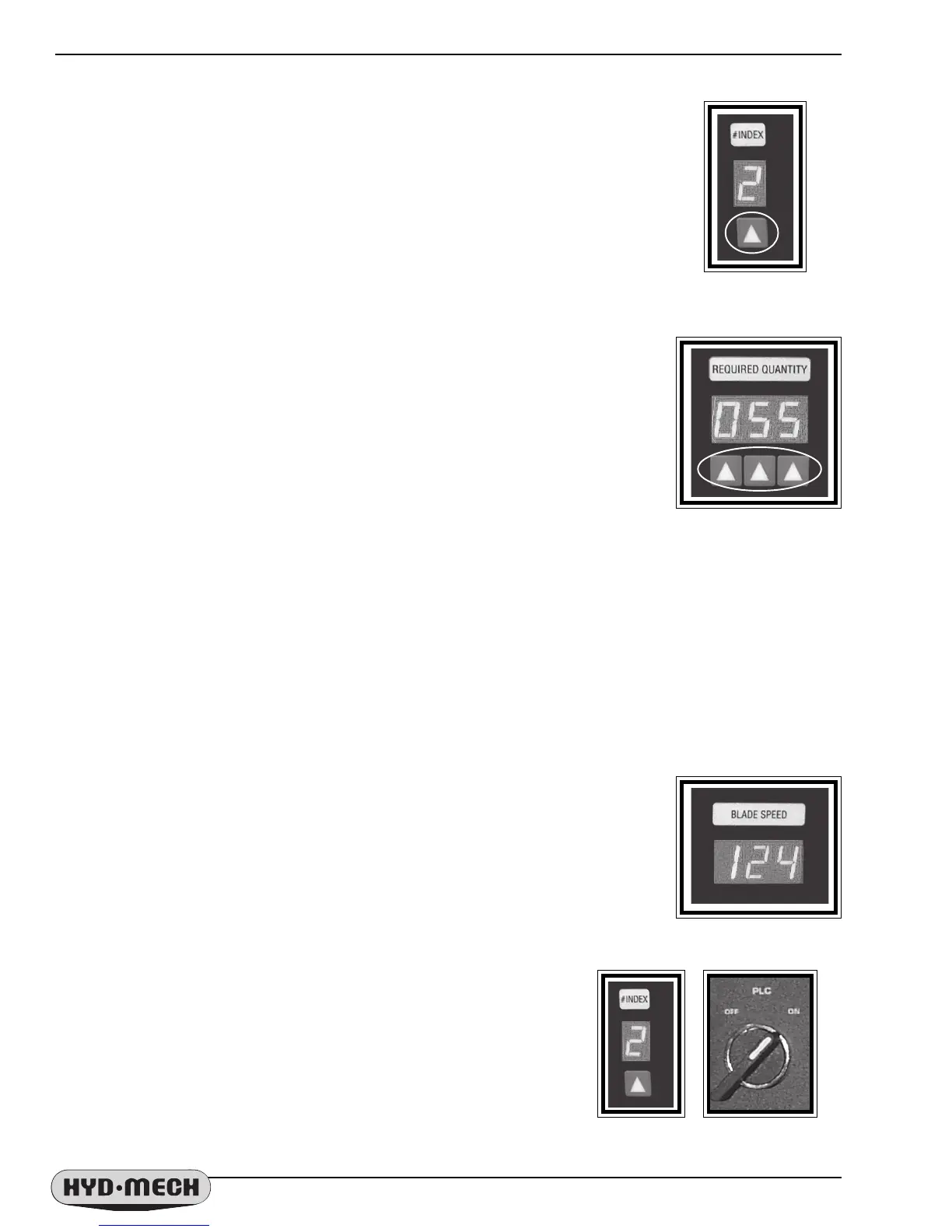
If the length required is greater than 29", then the # INDEX function can be used to
advance the required length of stock before the cut. For example if a 75" piece length is
required then, as 75" is not divisible by 29" without a remainder, select a divisor which
can provide a repeat length less than 29". In this case 75" divided by 3 gives a length
setting required of 25". The # INDEX can then be set with the value of 3 by pressing the
enter
ing key below the display. The display counts up from 1 to 9 as the entering key is
pressed.
NOTE: Blade kerf + Desired length = Total part length
Total Length x # of Shuttles = Raw Stock Length
4. Set the required quantity of cuts by entering the number with the entering keys. The
three digits permit up to 999 pieces to be cut before the cycle is completed. As each
key is pressed the display immediately above it will count from 1 to 9.
5. In MANUAL mode, open the shuttle vise and move it fully forward to the home
position, leaving the vise open in this position.
6. Turn the Mode switch to the Automatic position. The Hydraulic motor will stop,
and the SEQUENCER will show the message “P a u S E d“.
7. Press the Hydraulics Start button and the Automatic cycle will start. The BLADE
must also be started. The #INDEX display will count the shuttles down to “0” for each
cycle and the REQUIRED QUANTITY will also count down with the completion of
each cut.
8. When the job is completed, the HEAD will rise to it's set limit and the saw will shut down with the exception
of the SEQUENCER as it will be ready for the next job to be entered.
IMPORTANT NOTE:
If the job cycle is interrupted at any time by switching from AUTO to MANUAL mode, the SEQUENCER will
not function until the AUTO mode is started again.
If the shuttle or any of the other functions are moved, it is imperative that they be returned to their
original positions at the time of interruption before continuing with the cycle.
Failure to do this may result in incorrect length being cut.
BLADE SPEED INDICATOR
The running blade speed is displayed on the SEQUENCER display in either the
Manual or AUTOMATIC mode. The units measurement is factory set in Surface Feet Per
Minute or Metric. This setting can be changed by a skilled operator. Contact Hyd
.
Mech
Saws for assistance with this change.
SEQUENCER PARAMETER SETUP
The Sequencer program is factory set with settings that allow the saw to be
accurately configured. These settings are available to be changed for
different machine operation configurations.
To access the Parameter Settings:
Turn the Sequencer OFF with the PLC switch.
Hold down the entering key below the #INDEX.
Turn the Sequencer ON with the PLC switch.
The displays will light, a brief program number message will appear
for a brief instant and then all three indicators will be displaying zeros
on the Sequencer face.
---- Continued ----
ENTERING KEY
ENTERING KEYS
Hold down key + Turn switch to ON


 To Next Page