Page 34
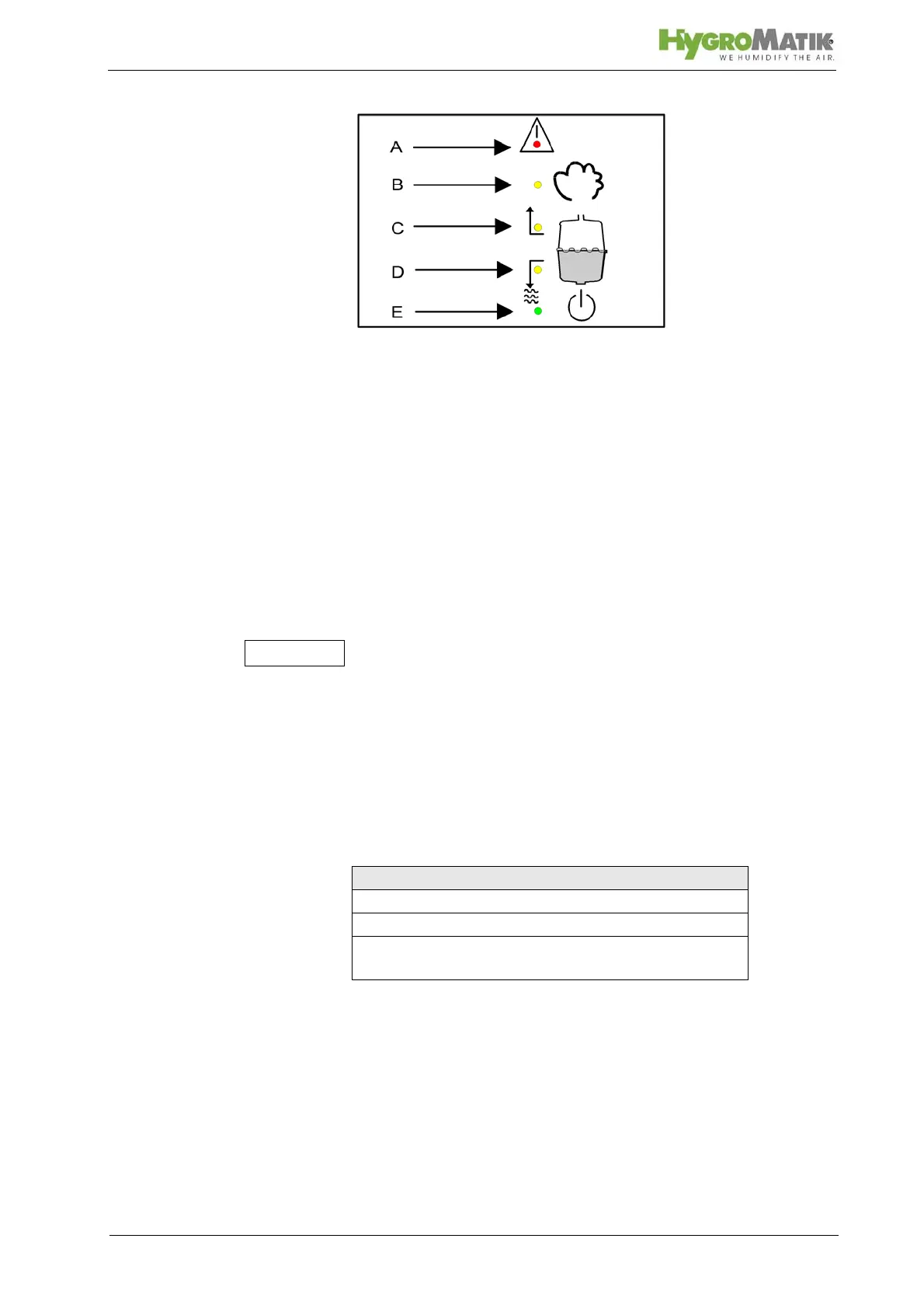
A: Malfunction (red LED)
B: humidifying (yellow LED)
C: Filling (yellow LED)
D: Blow-down (yellow LED)
E: Stand-by (green LED)
When the maintenance interval is expired, the green LED blinks
and “service” appears on the display. The maintenance interval
can be adjusted to the existing feed water quality. For this see
“maintenance interval setting.”
Other messages and functions are accessed by using the keys.
As soon as a key is pressed, the display lights up. After one min-
ute without a key being touched, the control switches the display
to stand-by mode (dark).
5.1.2 Controls Comfort and Comfort - Plus
The Comfort / Comfort Plus can be programmed for the follow-
ing control types. To do this set Parameter Operating Mode
(U6), also see Section „Adjustment of Control to the Control Sig-
nal“.
To adjust the Comfort to the signal from the external controller or
sensor, set the Parameter Input Signal (E3), also see Section
„Adjustment of Control to the Control Signal“. ff.
Controls for Comfort / Comfort Plus
1 Step Control
Proportional control with an external controller
Proportional control with integrated software con-
troller














 To Next Page