Page 42
7. Software Menu and Parameter Setting
Local communication (data entry and readout) is possible with
the Comfort Control using the display and the keypad.
The most important types of communication are:
• Readout of important operational conditions
• Selection of the active language (in Menu Mode)
• Readout of humidifier type data (“electronic name plate”; in
Menu Mode)
• Selection/Modification of essential parameters and system
functions (in Menu Mode)
Access Options:
Some parameters can be directly changed (direct change to
desired values); other parameters and system functions appear
in submenus. Parameters and system functions which have a
critical impact on the proper operation of the humidifier are typi-
cally protected by an access procedure that requires entry of a
code (P0=010).
The sections below describe the configuration of the software
menu, navigation through the menus, as well as display values,
parameters and system functions.
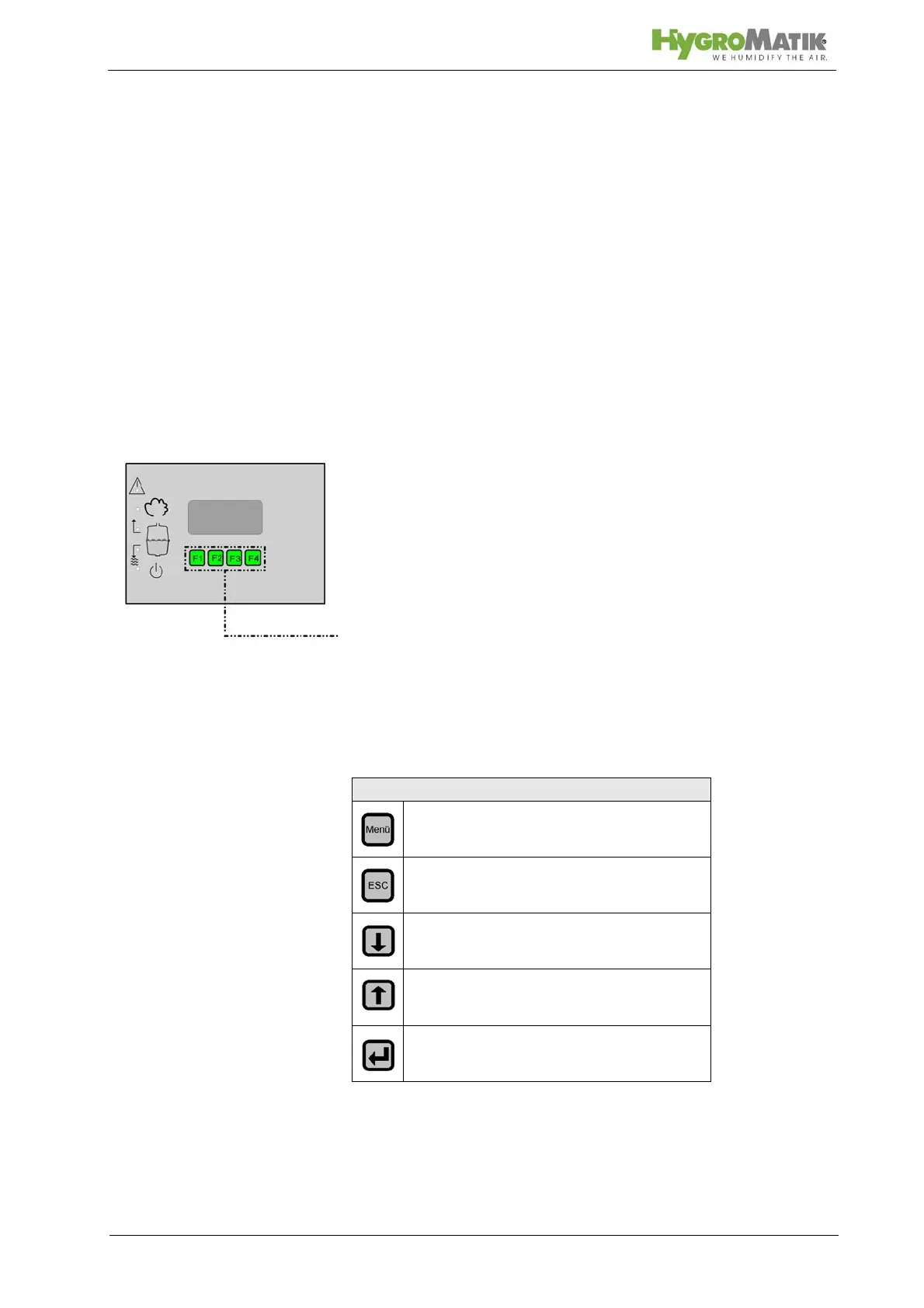
Function of Keys F1 to F4
Keys F1 to F4 are located below the display. Above each key, a
context-based action (software key) is shown on the lowest line
of the display (i.e. an “up arrow” key). The action is performed by
pressing the key. The software keys in the display unit enable
menu navigation and parameter modification as indicated below:
Software Key Function
Access Menu Mode
Back to previous menu level
Reduce a value or “scroll up” within a
menu or parameter list
Increase a value or “scroll down” within
a menu or parameter list
Save or confirm a value / a figure or
navigate to the subordinate submenu














 To Next Page