16 | P a g e
LED, Jumpers & Buttons and Connectors Functionality
See the page 14, the “Detailed Motherboard Layout” for the item numbers.
7.1 LED Functionality
Flashing Green = Activated
Solid Green = Normal
No Light = Power board Error
Off = Normal
Solid Red = Error
Off = Normal
Solid Red = Error
Off = Normal
Solid Red = Error
Off = No activity
Flashing Green = Activity
Off = No activity
Flashing Green = Activity
Off = Normal
Solid Red = Error
Off = Normal
Solid Red = Error
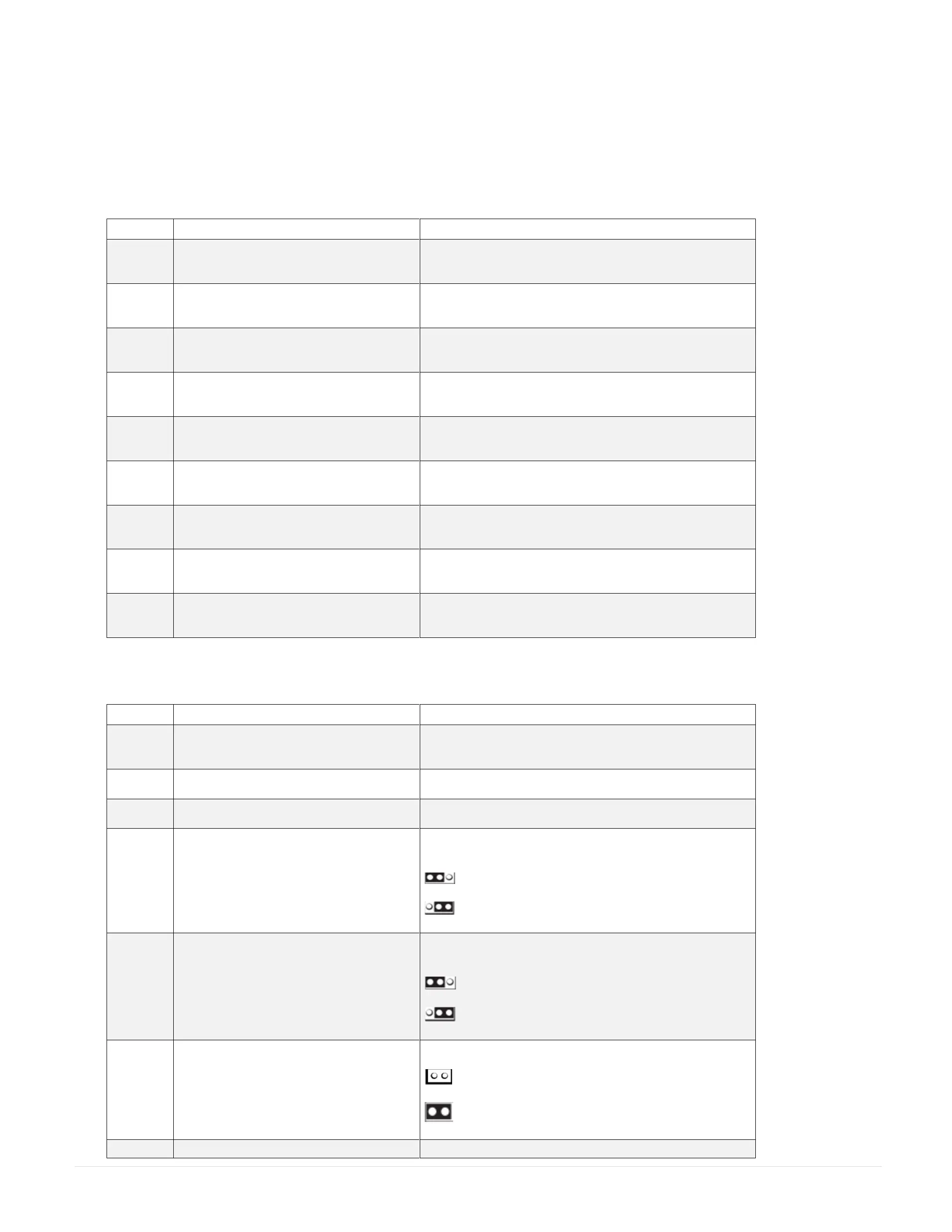
7.2 Jumpers & Buttons Functionality
Clear CMOS Jumper
See Page 16 - (How to clear the CMOS with battery and jumper)
If Bios flash fails or system cannot boot up, this feature could flash
BIOS using Bios setup menu.
= Normal Mode (Default)
= Recovery Mode
Allow the CPU to wake up safely by disabling all the clock gating
and is a debug signal.
= Normal Mode (Default)
= Disabled All clocks
Allows the Case Open sensors information to enable.
= Disabled Mode (Default)
= Enabled the Case Open Sensors
ME entering recovery mode



 To Next Page