27 | P a g e
17. Removing and Installing Memory Modules
This section provides information on how to remove and install the Memory Modules.
Caution: Handle each memory module only by the meomry cards edges, ensuring not touching the middle of memory module or mettalic contacts.
Removing Memory Module
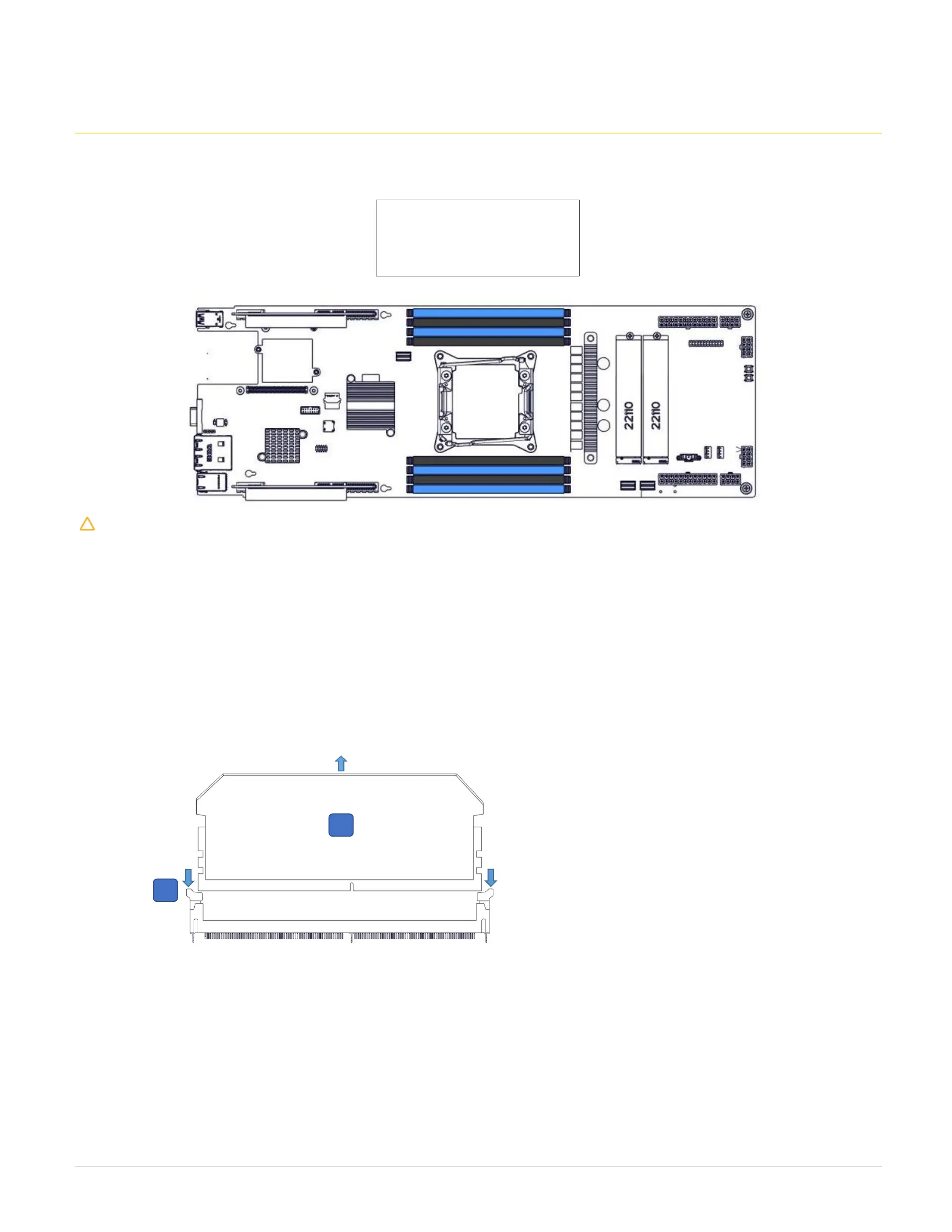
Step 1: Identify the memory module socket.
Step 2: Press the Memory Module Ejectors (2) on both ends of the memory module socket as show below.
Step 3: Lift the memory module (1) from the memory socket.
1. Memory Module
2. Memory Module Ejector
128 GB: 8x16GB memories in all slots
64 GB: 8x8GB memories in all slots
32 GB: 4x8GB memories in blue slots



 To Next Page