54 | P a g e
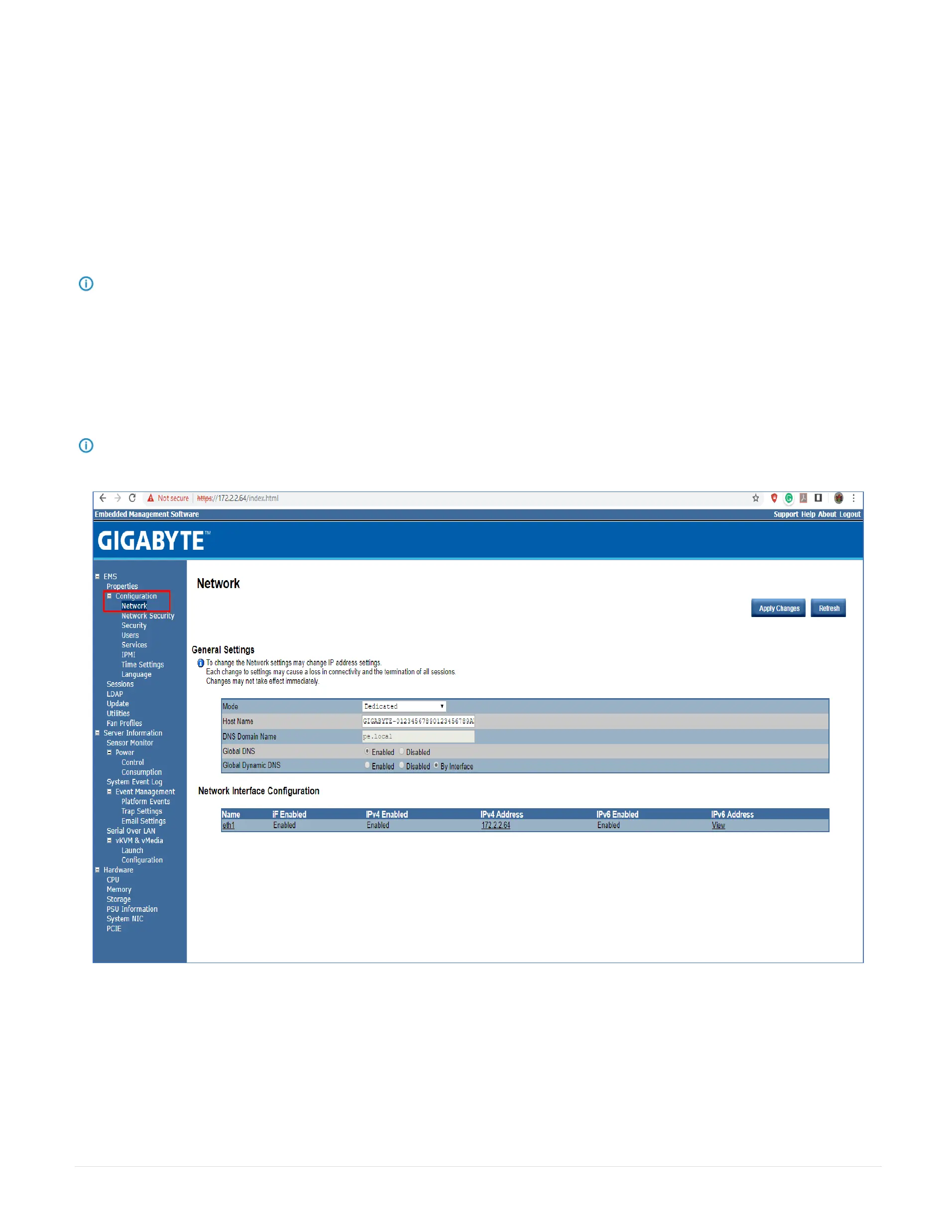
29.2 Configuration Network
In the Configuration Network page, you can view and modify the network settings on this screen. Select the Network Mode from the drop-down list.
29.2.1 Dedicate Mode
When set to Dedicate Mode, you can configure the BMC related settings through the BMC port.
29.2.2 Shared Mode
When set to Shared Mode, you can configure the BMC related settings through the NIC2 port. (Shared NIC Mode)
NOTE: Function available on selected models.
29.2.3 Failover Mode
When set to Failover Mode, you can configure the BMC related settings through the BMC or NIC2 port. (Backup Mode)
When you finish configuration, click Apply Change.
Please note that the changes may not take effect immediately, click "Refresh" to take effect of changes.
NOTE: Function available on selected models.



 To Next Page